EasyManua.ls Logo

Brother PJ-773 - User Manual

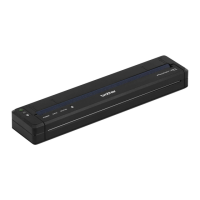
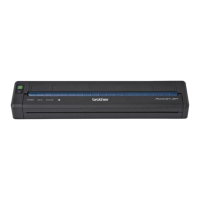
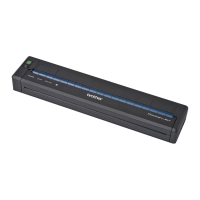
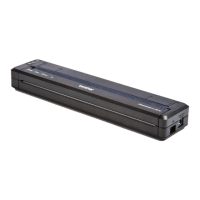
Brother PJ-773
165 pages
Print Icon
To Next Page IconTo Next Page
Loading...
Online User’s Guide
PJ-722
PJ-723
PJ-762
PJ-763
PJ-763MFi
PJ-773
Before using this printer, make sure you read this Online User’s Guide.
We recommend that you keep this document nearby for future reference.
Version B
US ENG

Table of Contents

Other manuals for Brother PJ-773

Questions and Answers

  • S
    Stuart ScottSep 14, 2025
    What to do if Brother PJ-773 is placed too far from my mobile device?
    • A
      Alicia MurphySep 15, 2025
      If your Brother printer is placed too far from your mobile device, move your printer within about 3.3 feet (1 meter) of the mobile device when you configure the Wi-Fi network settings.
  • C
    Christine HarrisAug 25, 2025
    Why is my Brother Printer not feeding paper, even though the motor is running?
    • D
      Dawn PattersonAug 25, 2025
      If your Brother printer's motor is running, but the paper isn't feeding, make sure the release cover is completely closed. Also, ensure you are using genuine Brother thermal paper, as other types may not feed correctly. If problems persist, the printer may be damaged.
  • A
    amy87Aug 26, 2025
    What to do if my Brother PJ-773 ejects a partially printed page?
    • L
      larry78Aug 26, 2025
      If your Brother printer ejects a partially printed page, ensure you are using the correct paper size setting.
  • A
    autumnhartmanAug 26, 2025
    What to do if the Brother PJ-773 paper feeds through but nothing prints?
    • T
      tbrownAug 26, 2025
      If paper feeds through your Brother printer but nothing appears on it, make sure you are using thermal paper and that the print surface faces the back when looking from the front of the printer.
  • J
    jordanjasmineSep 15, 2025
    What to do if there are obstructions between my Brother PJ-773 and mobile device?
    • A
      Aaron WilsonSep 15, 2025
      If there are obstructions (walls or furniture, for example) between your Brother printer and the mobile device, move your printer to an obstruction-free area.
  • C
    Cheryl ThompsonSep 23, 2025
    What to do if I did not choose to allow access when the security alert dialog box appeared for Brother Printer?
    • C
      Carlos PearsonSep 23, 2025
      If you did not choose to allow access when the security alert dialog box appeared, the firewall function of your security software may be blocking access. Some security software might block access without showing a security alert dialog box.
  • W
    Wendy JohnsonSep 8, 2025
    Why is my Brother PJ-773 top margin incorrect?
    • S
      Stephanie CaseySep 8, 2025
      If the top margin is incorrect on your Brother printer, make sure the correct margins have been set in the Printer Setting Tool or your application. Adjust the top and bottom margins as needed. Also, make sure you are not forcefully inserting the paper into the paper input slot, and always insert paper carefully.
  • D
    Dr. Jennifer PerkinsSep 8, 2025
    Why is my Brother PJ-773 side margins incorrect?
    • A
      Alexander KellySep 9, 2025
      If the side margins are incorrect on your Brother printer, make sure the correct margins have been set in the Printer Setting Tool or your application. Adjust the left margin as needed. Also, make sure the application, the printer, and the printer driver have been set to match the paper size of the paper that is loaded in the printer. If the application or printer driver has been set to a different paper width, the image will not be printed in the proper horizontal position, so adjust the settings as needed.
  • J
    Jennifer GregoryDec 1, 2025
    Why does my Brother Printer DATA indicator remain lit but the printer doesn't print?
    • M
      michaelmunozDec 1, 2025
      If the DATA indicator remains lit in green but the Brother printer does not print, wait until the printing of all received data is completed. If paper is not loaded, load the paper. If the printer still doesn't print, remove the paper, and then load it again. Try printing again after turning the printer off, and then on again. If the printer is connected via Wi-Fi (PJ-773 only), the connection is lost when the printer is turned off, so it will take up to 15 seconds for Wi-Fi to become functional when the printer is turned on again. Also, there may be problems with sending simple ASCII text data to the printer, so print another page, or press the (Feed) button to feed the paper. Finally, the printer may have been started up in mass storage mode, so turn the printer off, and then turn it on ...
  • A
    April ClarkSep 1, 2025
    How to confirm IP address and Subnet Mask for Brother Printer?
    • D
      Darren SloanSep 1, 2025
      To confirm the IP address and the Subnet Mask for your Brother printer, confirm the IP address and the Subnet Mask. Verify that both the IP addresses and Subnet Masks of your computer and your printer are correct and located on the same network. Confirm your IP address, Subnet Mask and other network settings using the Printer Setting Tool.

Summary

Brother Printer Online User Guide

Basic Operations

Setting Up the Printer

Guide to initial printer setup, including hardware and software installation.

Setting Up the Printer

Rechargeable Li-ion Battery Guide

Covers battery installation, charging, usage, and characteristics for operation.

Software Installation Guide

Information on installing necessary software for computers and mobile devices.

Using the Printer

Mobile Printing Methods

Covers printing via Google Cloud Print, AirPrint, iOS, and Android apps.

Changing the Printer Settings

Section II Application

How to Use P-touch Editor

Guide to using P-touch Editor for label design and printing.

P-touch Transfer Manager and Library

Instructions for managing and transferring templates via Brother software.

Transferring Templates with P-touch Transfer Express

Process for preparing and distributing templates using specific software.

Update Printer Software

Steps for updating P-touch Editor software and printer firmware.

Section III Wireless Network (PJ-773 Only)

Changing Printer Network Settings

Guide to configuring network settings using utilities like BRAdmin Light.

Web Based Management Guide

Instructions for managing printer settings via a web browser interface.

Section IV Appendix

Product Specifications Overview

Detailed technical specifications for the printer models.

Troubleshooting Common Printer Problems

Solutions for typical printer issues like paper jams and connectivity.

Brother PJ-773 Specifications

General IconGeneral
Printing TechnologyDirect Thermal
Resolution300 x 300 dpi
Print SpeedUp to 8 ppm
ConnectivityUSB, Wi-Fi
Maximum Paper Width8.5 inches
Power SourceAC Adapter
Media SizeA4, Letter, Legal

Related product manuals