EasyManua.ls Logo

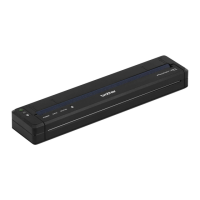
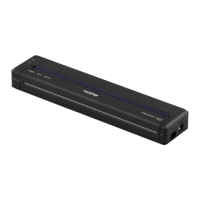
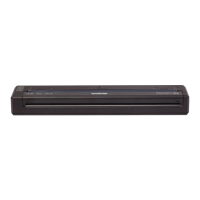
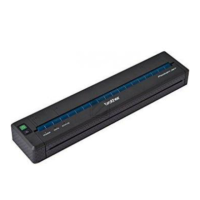
Brother PJ-723 - User Manual

Brother PJ-723
165 pages
Print Icon
To Next Page IconTo Next Page
Loading...
Online User’s Guide
PJ-722
PJ-723
PJ-762
PJ-763
PJ-763MFi
PJ-773
Before using this printer, make sure you read this Online User’s Guide.
We recommend that you keep this document nearby for future reference.
Version B
US ENG

Table of Contents

Other manuals for Brother PJ-723

Questions and Answers

  • T
    tammy69Sep 14, 2025
    What to do if Brother Printer is placed too far from my mobile device?
    • L
      Lindsay RodriguezSep 15, 2025
      If your Brother printer is placed too far from your mobile device, move your printer within about 3.3 feet (1 meter) of the mobile device when you configure the Wi-Fi network settings.
  • A
    Amanda StantonAug 25, 2025
    Why is my Brother Printer not feeding paper, even though the motor is running?
    • V
      vfriedmanAug 25, 2025
      If your Brother printer's motor is running, but the paper isn't feeding, make sure the release cover is completely closed. Also, ensure you are using genuine Brother thermal paper, as other types may not feed correctly. If problems persist, the printer may be damaged.
  • C
    cameronbrockAug 25, 2025
    What to do if my Brother PJ-723 ejects a partially printed page?
    • M
      mullinsjohnAug 26, 2025
      If your Brother printer ejects a partially printed page, ensure you are using the correct paper size setting.
  • W
    wilkinsstefanieAug 26, 2025
    What to do if the Brother PJ-723 paper feeds through but nothing prints?
    • T
      Tanya TaylorAug 26, 2025
      If paper feeds through your Brother printer but nothing appears on it, make sure you are using thermal paper and that the print surface faces the back when looking from the front of the printer.
  • R
    Richard ThompsonSep 15, 2025
    What to do if there are obstructions between my Brother PJ-723 Printer and mobile device?
    • I
      idavisSep 16, 2025
      If there are obstructions (walls or furniture, for example) between your Brother printer and the mobile device, move your printer to an obstruction-free area.
  • K
    kmackSep 23, 2025
    What to do if I did not choose to allow access when the security alert dialog box appeared for Brother PJ-723 Printer?
    • S
      Shawn DorseySep 23, 2025
      If you did not choose to allow access when the security alert dialog box appeared, the firewall function of your security software may be blocking access. Some security software might block access without showing a security alert dialog box.
  • S
    sandersvalerieSep 8, 2025
    Why is my Brother PJ-723 top margin incorrect?
    • W
      Wendy RandallSep 8, 2025
      If the top margin is incorrect on your Brother printer, make sure the correct margins have been set in the Printer Setting Tool or your application. Adjust the top and bottom margins as needed. Also, make sure you are not forcefully inserting the paper into the paper input slot, and always insert paper carefully.
  • S
    Shaun TaylorSep 8, 2025
    Why is my Brother Printer side margins incorrect?
    • B
      Brandon BradleySep 9, 2025
      If the side margins are incorrect on your Brother printer, make sure the correct margins have been set in the Printer Setting Tool or your application. Adjust the left margin as needed. Also, make sure the application, the printer, and the printer driver have been set to match the paper size of the paper that is loaded in the printer. If the application or printer driver has been set to a different paper width, the image will not be printed in the proper horizontal position, so adjust the settings as needed.
  • A
    Angel ClarkDec 1, 2025
    Why does my Brother PJ-723 DATA indicator remain lit but the printer doesn't print?
    • S
      Scott Wright DVMDec 1, 2025
      If the DATA indicator remains lit in green but the Brother printer does not print, wait until the printing of all received data is completed. If paper is not loaded, load the paper. If the printer still doesn't print, remove the paper, and then load it again. Try printing again after turning the printer off, and then on again. If the printer is connected via Wi-Fi (PJ-773 only), the connection is lost when the printer is turned off, so it will take up to 15 seconds for Wi-Fi to become functional when the printer is turned on again. Also, there may be problems with sending simple ASCII text data to the printer, so print another page, or press the (Feed) button to feed the paper. Finally, the printer may have been started up in mass storage mode, so turn the printer off, and then turn it on ...
  • C
    Cassandra FisherSep 1, 2025
    How to confirm IP address and Subnet Mask for Brother PJ-723?
    • T
      Tonya PetersSep 1, 2025
      To confirm the IP address and the Subnet Mask for your Brother printer, confirm the IP address and the Subnet Mask. Verify that both the IP addresses and Subnet Masks of your computer and your printer are correct and located on the same network. Confirm your IP address, Subnet Mask and other network settings using the Printer Setting Tool.

Summary

Setting Up the Printer

Indicator Warnings

Details common printer problems and their corresponding indicator light messages.

Button Functions

Describes the operation of each button on the printer unit.

Use the Rechargeable Li-ion Battery (Optional)

Instructions for installing, removing, charging, and using the optional battery.

Connect the Printer to External Power

Guides on connecting the printer to AC or DC power sources for operation.

Turning the Printer On or Off

Procedure for powering the printer on and off correctly.

Install Software to Your Computer or Mobile Device

Steps for installing necessary software for printer functionality.

Connect the Printer to a Computer or Mobile Device

Methods for establishing a connection between the printer and devices.

Using the Printer

Printing from a Windows PC or Mac

Detailed guide on printing documents from Windows or Mac computers.

Changing the Printer Settings

Printer Setting Tool (for Windows PCs)

Tool for configuring printer communication, device, and template settings on Windows.

Printer Setting Tool (for Mac Computers)

Tool for configuring printer communication and device settings on Mac.

Communication Settings (PJ-762;PJ-763;PJ-763 MFi;PJ-773 Only)

Specifies wireless LAN and Bluetooth communication settings for the printer.

Device Settings

Adjusts advanced printer settings like power management and print options.

P-touch Template Settings

Configures settings for using P-touch Template mode for label printing.

Other Functions

Mass Storage Mode

Allows the printer to act as a USB storage device for file transfer.

Printer Maintenance

Cleaning the Platen Roller

Procedure for cleaning the printer's platen roller to ensure print quality.

Clearing a Paper Jam

Step-by-step guide to safely remove jammed paper from the printer.

How to Use P-touch Editor (Windows Only)

How to Use P-touch Transfer Manager & P-touch Library (Windows Only)

Transferring Templates with P-touch Transfer Express (Windows Only)

Transferring the Transfer Package File (.pdz) to Your Printer

Guides on transferring the .pdz package file to the printer.

How to Update Printer Software Using Windows and Mac Computers

Wireless Network (PJ-773 Only)

Changing Your Printer’s Network Settings

Guides for configuring network settings like IP address and Wi-Fi.

Troubleshooting

Network Setup Problems

Troubleshooting steps for Wi-Fi and network connection issues.

Printer Cannot Print over the Network

Diagnosing and resolving issues when the printer is not found on the network.

Network Terms and Information

Configuring Your Printer for a Network

Guides on setting up IP addresses, subnet masks, and gateways for network connection.

Brother PJ-723 Specifications

General IconGeneral
Print TechnologyDirect Thermal
Resolution300 dpi
Maximum Print Speed8 pages per minute
InterfaceUSB
Dimensions255 mm x 55 mm x 30 mm
Weight0.48 kg
Power SourceAC Adapter
Paper SizeA4

Related product manuals