EasyManua.ls Logo

Brother S-7220D-405 - User Manual

Brother S-7220D-405
85 pages
Print Icon
To Next Page IconTo Next Page
Loading...
Instruction Manual
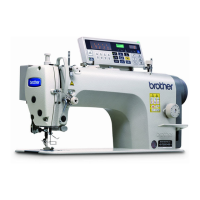
SINGLE NEEDLE DIRECT DRIVE NEEDLE FEED LOCK
STITCHER WITH THREAD TRIMMER
S-7220D-403
S-7220D-405
S-7220D-433
S-7220D
Please read this manual before using the machine.
Please keep this manual within easy reach for quick reference.

Table of Contents

Questions and Answers

  • E
    Emily HansenAug 20, 2025
    Why does my Brother S-7220D-405 Sewing Machine skip stitches?
    • E
      emmavanceAug 20, 2025
      If the needle tip is bent or blunt, replace the needle. Ensure that the needle is correctly installed. Verify that the machine is properly threaded. Adjust the presser foot pressure if it's too weak. If the needle is too thin, replace it with a thicker one.
  • N
    nicole81Aug 22, 2025
    Why are the upper and lower threads breaking on my Brother S-7220D-405 Sewing Machine?
    • M
      Michael HarveyAug 22, 2025
      If the needle tip is bent or blunt, replace the needle. Ensure the needle is correctly installed. Make sure the machine is properly threaded. Check if the rotary hook is sufficiently lubricated; if the oil gauge is low, add more oil. Adjust the upper or lower thread tension if it's too strong or weak. Adjust the position of the thread take-up spring if the upper thread is loose. Smooth any damage to the thread path with sandpaper. If the rotary hook, feed dog, or other part is damaged, smooth it with sandpaper or similar.
  • C
    cesargomezAug 25, 2025
    What to do if my Brother S-7220D-405 does not operate?
    • M
      Michael JamesAug 25, 2025
      First, ensure that the power supply for the control box is properly connected by inserting the connectors securely. Also, verify that the operation panel is set to a screen where sewing is possible, such as the home screen.
  • K
    kshafferAug 27, 2025
    How to prevent my Brother S-7220D-405 Sewing Machine needle from breaking?
    • M
      Monique KelleyAug 27, 2025
      If the material is being pushed or pulled with excessive force during sewing, avoid doing this. If the needle is incorrectly installed, install it correctly. If the needle tip is bent, broken, or the needle hole is blocked, replace the needle. Adjust the height of the needle bar if the needle and rotary hook timing are incorrect. Adjust to the standard timing if the needle and feed mechanism timing are incorrect.
  • B
    bennettjasonAug 28, 2025
    What to do if the oil gauge is not visible in my Brother S-7220D-405?
    • B
      brownandrewAug 28, 2025
      Fill the oil tank with oil.
  • A
    Amy JenningsAug 30, 2025
    Why does my Brother S-7220D-405 stop during sewing?
    • C
      Cynthia MillerAug 30, 2025
      In main sewing mode, set the sewing pattern to something other than "Fixed stitch". Check the power supply voltage.
  • F
    fwilkersonSep 1, 2025
    Why is the lower thread tangled at the start with my Brother S-7220D-405 Sewing Machine?
    • S
      Susan CuevasSep 1, 2025
      If the bobbin is spinning direction is not correct when the lower thread is being pulled, set the bobbin so that it turns in the opposite direction to the rotary hook. Ensure the bobbin winding amount should not be more than 80%. Attach the anti-spin spring, if it is not attached. If the bobbin is not turning smoothly, replace the bobbin. Use only bobbins which are specified by Brother.
  • J
    Joy MorseSep 3, 2025
    Why isn't my Brother S-7220D-405 Sewing Machine trimming the upper thread?
    • B
      Brooke GoldenSep 3, 2025
      If the needle is incorrectly installed, install it correctly. If the fixed knife or movable knife is blunt, replace them.
  • T
    thomasdavidSep 5, 2025
    How to fix an uneven seam on my Brother S-7220D-405 Sewing Machine?
    • H
      heatherjohnsonSep 5, 2025
      To correct an uneven seam, adjust the presser foot pressure if it's too weak. Also, adjust the feed dog height. If the bobbin is damaged, smooth it with an oiled grindstone or replace it.
  • S
    Sylvia EstradaSep 7, 2025
    What to do if loops appear in the seam of my Brother S-7220D-405?
    • G
      George BrownSep 7, 2025
      To resolve loops appearing in the seam, polish the thread path with a fine-grain file or sandpaper to ensure it's smooth. Also, pull out the lower thread to check for slackness in the thread tension, and replace the bobbin or bobbin case if necessary.

Summary

Safety Instructions

Safety Indications and Their Meanings

Explains warning symbols and their significance for safe operation.

General Safety Precautions

Covers safe operation, operating environment, installation, sewing, cleaning, maintenance, and modification guidelines.

Installation Guide

Pre-Installation Checks and Setup

Essential preparatory steps and safety warnings before installing the sewing machine.

Connecting Electrical Cords

Detailed instructions for connecting power cords, ground wire, and securing cables.

Using the Operation Panel (Basic Operations)

Daily Cleaning Procedures

Replacing Machine Parts

Sewing Machine Adjustments

Troubleshooting Guide

Troubleshooting During Sewing

Common issues encountered during sewing and their potential causes and solutions.

Thread Breakage and Trimming Issues

Diagnosis and resolution for problems related to thread breaking and improper trimming.

Machine Operation and Speed Problems

Troubleshooting for machine not operating, slow speed, or stopping unexpectedly during sewing.

Panel Display and Grease Warning Errors

Solutions for issues related to the operation panel display and grease application warnings.

Error Codes and Switch;Motor Issues

Reference for error codes, and troubleshooting for switch and motor-related malfunctions.

Communication, USB, and Software Errors

Troubleshooting for errors involving USB media, software, and PC board communication.

Brother S-7220D-405 Specifications

General IconGeneral
BrandBrother
ModelS-7220D-405
CategorySewing Machine
LanguageEnglish

Related product manuals