Troubleshooting 143
4
Cancelling the operation
beep
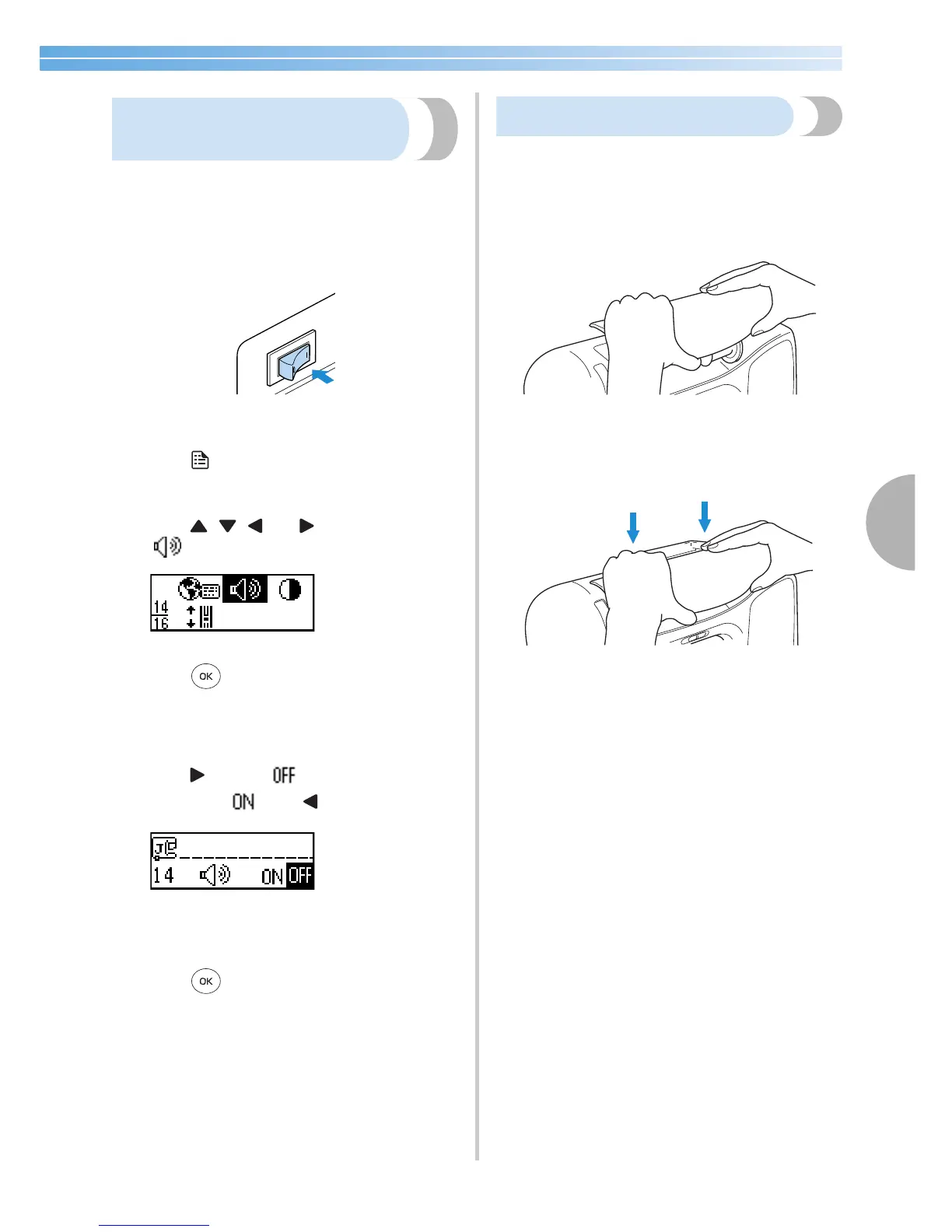
When the sewing machine is purchased, it is set to
beep each time an operation panel key is pressed.
This setting can be changed so that the machine does
not beep.
1
Turn on the sewing machine.
X The LCD comes on.
2
Press (settings key) in the operation panel.
X The settings screen appears.
3
Press , , and (arrow keys) until
is selected.
4
Press (OK key).
X The screen for changing the beep setting
appears.
5
Press to select .
To return to , press .
X The machine is now set so that it will not
beep.
6
Press (OK key).
X The initial stitch screen appears again.
Removing the upper cover
If the upper cover of the sewing machine was
removed, re-attach it as described in the following
procedure.
1
Hold the upper cover level.
2
Push the upper cover down to re-attach it to
the machine.








 To Next Page