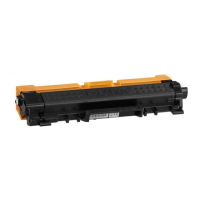
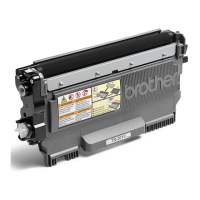
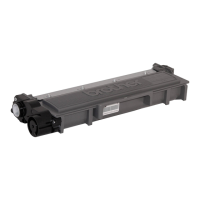
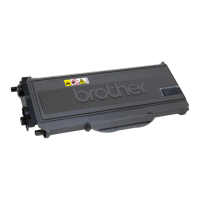
Need help?
Do you have a question about the Brother TN2000 and is the answer not in the manual?
Turn off printer, remove cartridge, locate and remove hopper cap.
Safely empty waste toner, prepare new toner, pour into cartridge.
Distribute toner, clean, reset cartridge, and print test pages.
Remove screws, set the flag gear by rotating it, and re-install.
Cartridges can be refilled multiple times; print defects indicate replacement.
Handle toner carefully, avoid inhalation, eye/skin contact, and ingestion.
This document provides comprehensive instructions for refilling Brother TN2000/TN350 toner cartridges, emphasizing cost-effectiveness and environmental responsibility by promoting the use of recycled paper and refilled cartridges.
The primary function of this guide is to enable users to refill their Brother TN2000/TN350 series toner cartridges, thereby extending their lifespan and reducing waste. It also details the process for resetting the cartridge's flag gear, a crucial step for the printer to recognize the refilled cartridge as full. The instructions are designed to be user-friendly, guiding individuals through each step with clear text and accompanying images.
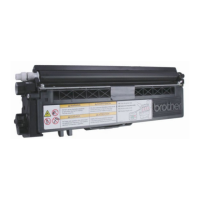
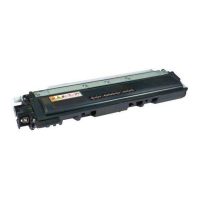
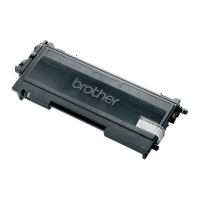
Cartridge Compatibility: The refill instructions are specifically designed for Brother TN2000/TN350 toner cartridges. These cartridges are compatible with a range of Brother printers and multifunction devices, including:
Refill Yield: Each refill kit is designed to provide a high yield of approximately 2,500 pages at 5% coverage. This yield is comparable to that of a new, standard-capacity toner cartridge, offering significant cost savings over time.
Toner Type: The instructions implicitly refer to a specific type of toner powder suitable for Brother laser printers. While the exact chemical composition is not detailed, the safety information highlights that the toner powder should be treated as a "nuisance dust" and handled with care.
Cartridge Reset Mechanism: Brother cartridges incorporate a "flag gear" mechanism that signals the printer when the toner is low or empty. The instructions provide a detailed procedure for manually resetting this flag gear, which is essential after refilling to ensure the printer recognizes the cartridge as full and allows printing to resume. Starter cartridges (those shipped with new printers) may not always include this gear, in which case users are advised to purchase one separately from Zinetic.
Toner Status Indicators: The document clarifies the meaning of different toner-related light indicators on the printer:
Refill Process Overview: The refill process is broken down into 11 distinct steps, ensuring a clear and methodical approach:
Cartridge Reset Process Overview: The flag gear reset process is detailed in 4 steps:
Post-Refill Actions: After refilling and resetting, users are instructed to:
Toner Dumping: A critical maintenance feature is the explicit instruction to always dump all old toner before refilling. This prevents print defects that can arise from mixing new and old toner, ensuring optimal print quality and extending the life of the cartridge. Brother cartridges can retain a significant amount of waste toner (up to 30 grams) even when reporting empty.
Reusable Spouts: The pouring spouts provided with the refill kits are reusable, promoting sustainability and reducing waste associated with the refill process itself.
Cartridge Lifespan: The document suggests that most cartridges can be refilled up to 3 times, and sometimes more, before needing replacement. A "repeating print defect" on the page is identified as the key indicator that it's time to purchase a new cartridge. Zinetic also offers compatible cartridges that can be refilled.
Safety Information: Comprehensive safety guidelines are provided for handling toner powder:
This safety information ensures users are aware of potential risks and proper handling procedures, contributing to safe maintenance practices. The document also includes a disclaimer stating that Zinetic makes no warranty regarding the completeness or accuracy of the safety information and that users are responsible for ensuring compliance with local laws and safety precautions.
Brand Acknowledgment: Zinetic clarifies that it is not associated with or endorsed by Brother or any other printer/cartridge manufacturers. All brand names, machine names, and part numbers mentioned are for identification purposes only and are acknowledged as trademarks of their respective owners. This transparency is a key feature of responsible product information.
 General
| Brand | Brother |
|---|---|
| Model | TN2000 |
| Category | Printer Accessories |
| Language | English |

 To Next Page