Need help?
Do you have a question about the Brother TN241 and is the answer not in the manual?
Open printer front cover and simultaneously press Secure and Cancel buttons to access reset menu.
Scroll through LCD to select color/yield for reset, then confirm 'Accepted'.
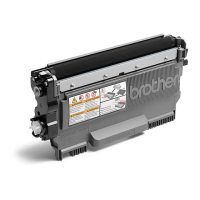
Remove screws, plastic cover, and hopper cap from the toner cartridge.
Dump old toner, shake new toner bottle, attach spout, and secure with tape.
Refill cartridge directly via the small hole or use a paper funnel.
Replace cover and screws, then rock cartridge to distribute toner.
Print a color fade page to determine low toner colors based on print fading.
Treat toner as nuisance dust; avoid inhalation, eye/skin contact, and ingestion.
Information is a guide; user responsibility for safe use and local regulations.
This document provides comprehensive instructions for refilling Brother TN241/TN245 toner cartridges, emphasizing cost-effectiveness and environmental responsibility by using refilled cartridges and recycled paper. It targets users of Brother HL-3140CW, HL-3150CDN, HL-3150CDW, and HL-3170CDW printers.
The primary function of this guide is to enable users to manually refill their Brother TN241/TN245 toner cartridges, thereby extending their lifespan and reducing the need for new cartridge purchases. This process involves a crucial "reset" procedure for the printer's page counter, followed by the physical refilling of the toner. The guide aims to empower users to decide when to replace toner based on print quality rather than relying solely on the printer's automated "toner low" warnings.
 General
| Brand | Brother |
|---|---|
| Model | TN241 |
| Category | Printer Accessories |
| Language | English |

 To Next Page