10
B. VIBE COMMUNICATION SYSTEM
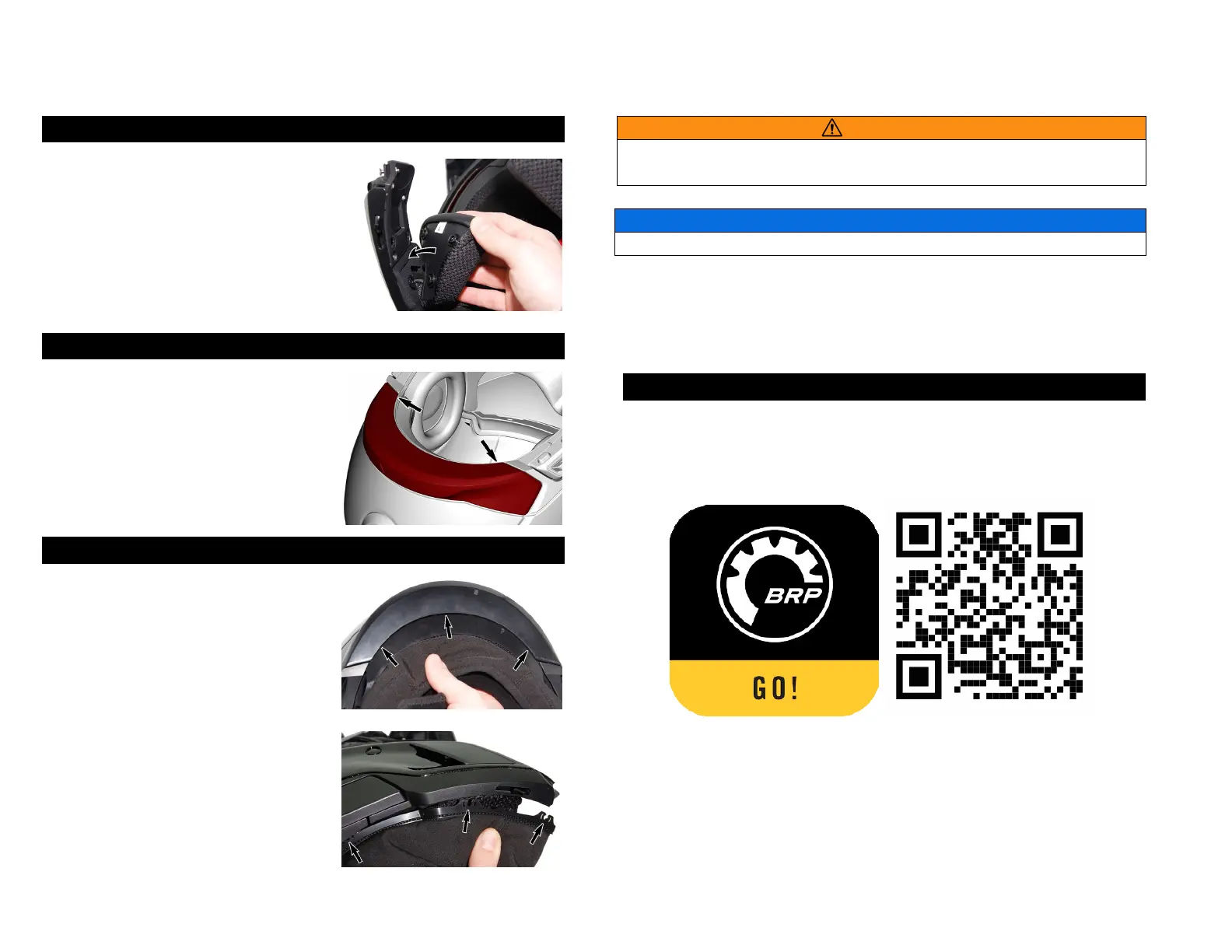
7. INSTALLING THE CHEECK PADS
1. Installing the cheek pads previously
removed.
2. Fasten the 3 snaps and attach the
Velcro upper part in position. Make sure
the strap is in position inside the cheek
pad notch.
8. INSTALLING THE REAR TRIM
1. Remove the USB port cover on the
trim. Reposition the trim onto the helmet
so that it snaps magnetically in place.
2. Make sure the main unit’s USB port is
properly aligned with the trim opening.
9. INSTALLING THE CHIN CURTAIN
1. Slide the neck curtain in the rear neck
portion.
2. Align each of the 6 “snaps” with the
triangle on the trim and press one by
one to be sure each one is engaged in
the plastic housing.
Do not carry or hold the helmet by the chin curtain. The chin curtain may
come off, causing the helmet to drop.
Do not pull directly on the electrical wires, as you could damage them.
C. GETTING STARTED
1. BRP GO! app
Use the free BRP GO! app for easy setup and management of your Vibe
device as well as to view full support documentation.
To download the BRP GO! app, scan the following QR code.


 To Next Page