12
D. VIBE BASIC FUNCTION
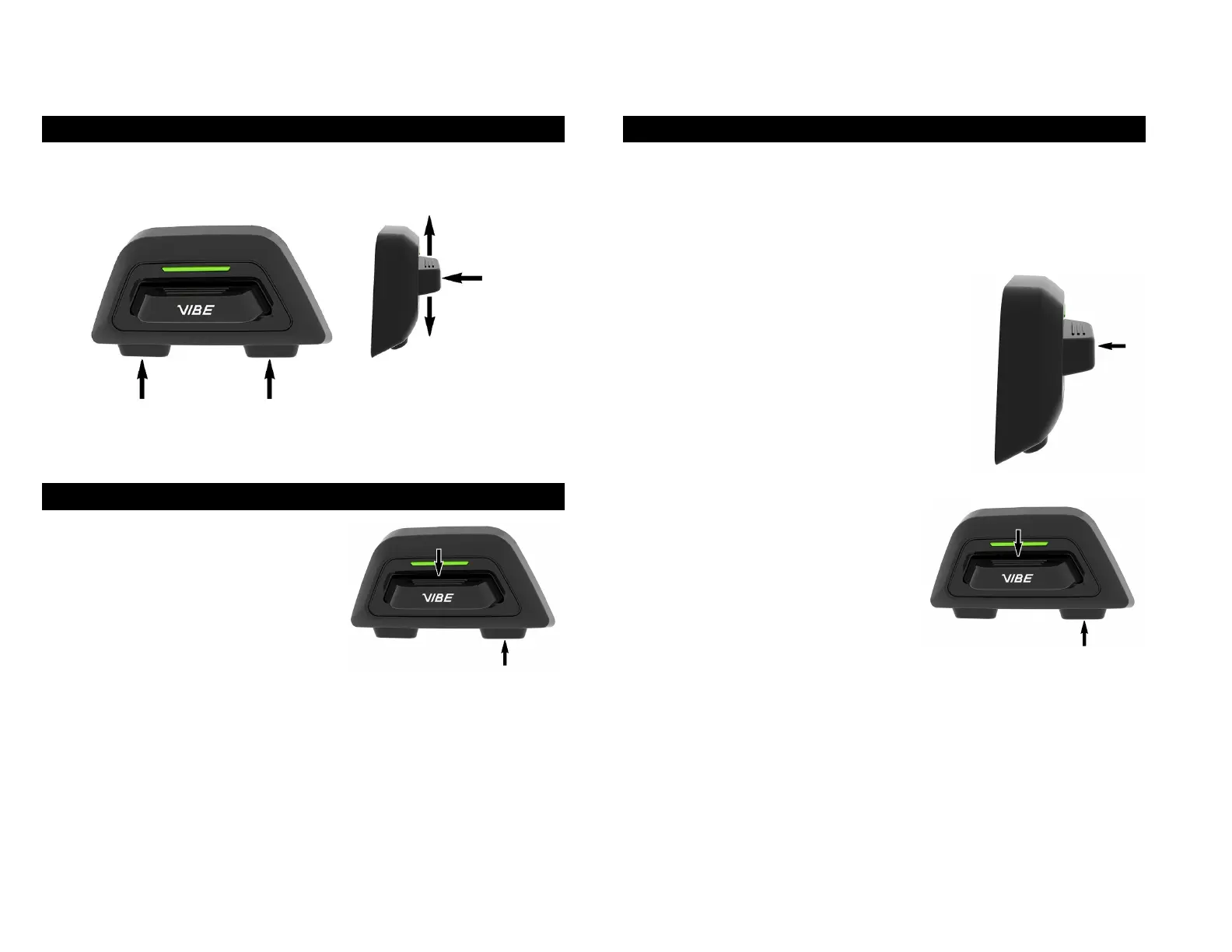
1. ANATOMY OF THE USER INTERFACE
2. POWER ON/OFF
Press the joystick down and
configuration button to turn the VIBE
ON.
3. QUICK PAIRING
To pair your Vibe to your phone, you will first need to access the
configuration menu by holding the center button for 3 sec. You can then
go to phone pairing by tapping the “up” button once. Tap the center button
to select “phone pairing”. Then, on your phone, go to Bluetooth settings
and select your device in the list of available
devices.
The VIBE will be in pairing mode at first start.
To exit pairing mode, press the center button
once.
The phone pairing can be activated
when the system is off. Press and hold
the 2 power on buttons for 3 sec.
Button
Button
Button


 To Next Page