Manufacturer reserves the right to discontinue, or change at any time, specifications or designs without notice and without incurring obligations.
Catalog No. 04-53580024-01 Printed in U.S.A. Form No. IIVFD-12 Pg 1 1-24 Replaces: IIVFD-11
Installation, Start-Up and Service Instructions
NOTE: Read the entire instruction manual before starting the
installation.
CONTENTS
Page
SAFETY CONSIDERATIONS . . . . . . . . . . . . . . . . . . . . . . 1
GENERAL . . . . . . . . . . . . . . . . . . . . . . . . . . . . . . . . . . . . . . . 2
2-Speed Indoor Fan Motor Indoor Fan Speed System . . . 2
Identifying Factory Option . . . . . . . . . . . . . . . . . . . . . . . . . 2
Unit Installation with 2-Speed Indoor Fan Motor Option . . 2
Pre-Start Check, 2-Speed Indoor Fan Motor Option . . . . 5
START-UP, 2-SPEED INDOOR
FAN MOTOR OPTION . . . . . . . . . . . . . . . . . . . . . . . . . . . 16
Compressor Rotation . . . . . . . . . . . . . . . . . . . . . . . . . . . . . 16
Indoor Fan Motor . . . . . . . . . . . . . . . . . . . . . . . . . . . . . . . . 16
Cooling with 2-Speed Indoor Fan Motor . . . . . . . . . . . . . 16
Operating Sequences, 2-Speed Indoor Fan Motor Option . 16
Cooling (FAN Switch in AUTO) . . . . . . . . . . . . . . . . . . . . 16
Heating . . . . . . . . . . . . . . . . . . . . . . . . . . . . . . . . . . . . . . . . . 17
Operating Fan for Test and Balance . . . . . . . . . . . . . . . . . 17
SERVICE . . . . . . . . . . . . . . . . . . . . . . . . . . . . . . . . . . . . . . . 18
2-Speed Indoor Fan Motor Option Components . . . . . . . 18
Fan Speed Relay Board . . . . . . . . . . . . . . . . . . . . . . . . . . . 18
Configuration Jumpers . . . . . . . . . . . . . . . . . . . . . . . . . . . 18
Variable Frequency Drive . . . . . . . . . . . . . . . . . . . . . . . . . 18
Central Terminal Board Jumpers
(548J/549J/551J/558J/580J/581J Series Only) . . . . . . . . . 20
VFD Fuses . . . . . . . . . . . . . . . . . . . . . . . . . . . . . . . . . . . . . . 21
Control and Power Wiring Diagrams . . . . . . . . . . . . . . . . 22
VFD ALARMS AND FAULTS
TROUBLESHOOTING . . . . . . . . . . . . . . . . . . . . . . . . 29
Alarms . . . . . . . . . . . . . . . . . . . . . . . . . . . . . . . . . . . . . . . . . 29
Faults . . . . . . . . . . . . . . . . . . . . . . . . . . . . . . . . . . . . . . . . . . 29
VFD MAINTENANCE . . . . . . . . . . . . . . . . . . . . . . . . . . . 30
Heat Sink Cleaning . . . . . . . . . . . . . . . . . . . . . . . . . . . . . . . 30
Fan Replacement . . . . . . . . . . . . . . . . . . . . . . . . . . . . . . . . 31
Bypass the VFD . . . . . . . . . . . . . . . . . . . . . . . . . . . . . . . . . . 33
VFD PARAMETERS . . . . . . . . . . . . . . . . . . . . . . . . . . . . . 34
VFD REMOTE KEYPAD . . . . . . . . . . . . . . . . . . . . . . . . . 45
ACH550/ACS320 Operation with Remote Keypad . . . . . 45
ACH550/ACS320 VFD Modes . . . . . . . . . . . . . . . . . . . . . . 45
ACH550/ACS320 VFD Diagnostics . . . . . . . . . . . . . . . . . . 47
Correcting Faults . . . . . . . . . . . . . . . . . . . . . . . . . . . . . . . . 47
History . . . . . . . . . . . . . . . . . . . . . . . . . . . . . . . . . . . . . . . . . 47
Reset After Using Start-Up Assistant . . . . . . . . . . . . . . . . 50
ACH580 Operation with Remote Keypad . . . . . . . . . . . . 51
ACH580 VFD Modes . . . . . . . . . . . . . . . . . . . . . . . . . . . . . 52
ACH580 VFD Diagnostics . . . . . . . . . . . . . . . . . . . . . . . . . 54
ALL ACH580, ACH550 AND ACS320 KEYPADS . . . . 57
Control Panel Cleaning . . . . . . . . . . . . . . . . . . . . . . . . . . . 57
Battery Replacement . . . . . . . . . . . . . . . . . . . . . . . . . . . . . 57
VFD Remote Keypad Parameters . . . . . . . . . . . . . . . . . . 57
SAFETY CONSIDERATIONS
Improper installation, adjustment, alteration, service, mainte-
nance, or use can cause explosion, fire, electrical shock or other
conditions which may cause personal injury or property damage.
Consult a qualified installer, service agency, or your distributor or
branch for information or assistance. The qualified installer or
agency must use factory-authorized kits or accessories when mod-
ifying this product. Refer to the individual instructions packaged
with the kits or accessories when installing.
Follow all safety codes. Wear safety glasses and work gloves. Use
quenching cloths for brazing operations and have a fire extin-
guisher available. Read these instructions thoroughly and follow
all warnings or cautions attached to the unit. Consult local build-
ing codes and appropriate national electrical codes (in USA,
ANSI/NFPA70, National Electrical Code (NEC); in Canada,
CSA C22.1) for special requirements.
It is important to recognize safety information. This is the safety-
alert symbol . When you see this symbol on the unit and in in-
structions or manuals, be alert to the potential for personal injury.
Understand the signal words DANGER, WARNING, CAUTION,
and NOTE. These words are used with the safety-alert symbol.
DANGER identifies the most serious hazards which will result in
severe personal injury or death. WARNING signifies hazards
which could result in personal injury or death. CAUTION is used
to identify unsafe practices, which may result in minor personal
injury or product and property damage.
NOTE is used to highlight suggestions which will result in
enhanced installation, reliability, or operation.
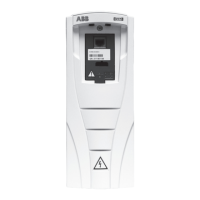
This document provides supplemental installation, setup and troubleshooting information for the Vari-
able Frequency Drive (VFD) factory-installed option. It is to be used with the base unit Installation
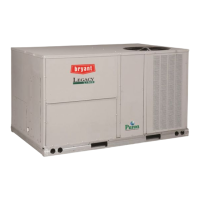
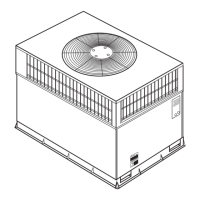
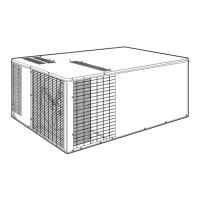
Instructions for 548J/549J, 551J/558J, 580J/581J and 524J 2-Stage cooling units with a VFD fan speed
relay board, sizes 07-30. Units equipped with the VFD are identified by an indicator in the unit's model
number (see the unit's nameplate). Use Table 1 to identify whether a given unit is equipped with the
factory-installed VFD option.
CAUTION
CONFIGURATION OVERRIDE HAZARD
Do not use start-up assistant on this VFD application. Use
of start-up assistant will override the factory VFD
configurations.
Variable Frequency Drive (VFD)
Factory-Installed Option
2-Speed Motor Control
for 2-Stage Cooling Rooftop Units


 To Next Page

 General