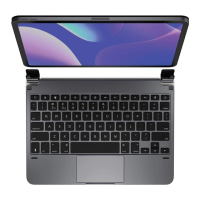
Need help?
Do you have a question about the Brydge 10.5 and is the answer not in the manual?
Instructions on how to attach and detach your iPad from the Brydge.
Steps for manually powering the Brydge keyboard on and off, including sleep mode details.
Procedure to connect the Brydge keyboard to your iPad via Bluetooth.
Guide on how to charge the Brydge, check battery status, and understand charging indicators.
List of essential keyboard shortcuts for common actions like undo, copy, cut, and app switching.
Function to easily switch between the Brydge and the on-screen iPad keyboard.
Adjusting the screen brightness of your iPad using the keyboard.
Controlling the brightness of the Brydge keyboard's backlighting.
Features for locking the iPad and accessing home or control center with single touches.
Dedicated button for activating Siri on your iPad.
Keyboard functions for media playback (play, pause, skip) and volume control.
Accessing battery information and initiating Bluetooth pairing via dedicated keys.
Using the keyboard's power button to turn the device on or off.
Information on how to contact Brydge directly for questions or assistance.
Link to the official Brydge website for more details and product information.
 General
| Cover | No |
|---|---|
| Backlight | Yes |
| Compatibility | iPad Pro 10.5\ |
| Product color | Rose Gold |
| Housing material | Aluminum |
| Brand compatibility | Apple |
| Device interface | Bluetooth |
| Bluetooth version | 4.0 |
| Connectivity technology | Wireless |
| Keyboard layout | QWERTZ |
| Keyboard language | German |
| Cable lock slot | - |
| Keyboard form factor | Mini |
| Power source | Battery |
| Charging source | USB |
| Battery lifetime | 0.25 year(s) |
 Weight and Dimensions
| Width | - mm |
|---|---|
| Weight | 520 g |

 To Next Page