Need help?
Do you have a question about the Brydge 12.3 Pro+ and is the answer not in the manual?
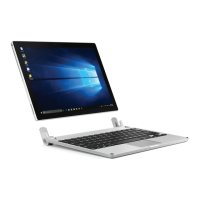
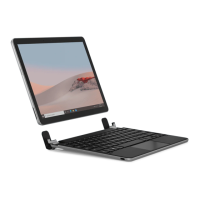
Place Brydge on a flat surface, set hinges upright, and insert Surface Pro one side at a time.
Ensure Brydge is flat, place hand towards the back, and pull up Surface Pro one side at a time.
Press and hold Fn + Delete keys. The light turns green for 2 seconds.
Press and hold Fn + Delete keys for 2 seconds. The light blinks red momentarily.
Press and hold the Bluetooth key for three seconds. Delete key light flashes blue.
Navigate to Settings > Devices > Bluetooth & other devices > Add Bluetooth.
Type the PIN on your Brydge 12.3 Pro+ and press Enter.
Go to Windows > Settings > Devices > Bluetooth & other devices.
Insert the charging cable into the keyboard and connect to a power source.
Brydge enters sleep mode after 15 minutes of non-use. Press any key to wake it.
Closing devices puts Surface Pro into sleep mode; opening them wakes it.
Left Click: single tap. Right Click: two-finger tap or tap right side.
Zoom In: two-finger stretch. Zoom Out: two-finger pinch.
Scroll: two-finger swipe. Task View: three-finger swipe left/right.
Show Desktop: three-finger swipe down. See Open Windows: three-finger swipe up.
Open Cortana: three-finger tap. Switch Virtual Desktop: four-finger swipe.
Perform a four-finger tap on the touchpad.
Disable/Enable Touchpad: Fn + Alt. Language Switch: Win + Spacebar.
Copy: Ctrl + C. Cut: Ctrl + X. Paste: Ctrl + V. Undo: Ctrl + Z.
Help: Fn + F1. Task View: Alt + Tab. Page Up: Fn + Up Arrow.
Underline: Ctrl + U. Italic: Ctrl + I.
Page Down: Fn + Down Arrow. Home: Fn + Left Arrow. End: Fn + Right Arrow.
One-year limited hardware warranty for original end-users, not transferable.
Contact Brydge via website or phone for warranty service claims and support.
Free return shipping for US customers; reimbursement up to US$15 for international.
Guarantees for major failures, refunds, compensation, repair, and replacement.
 General
| Cover | - |
|---|---|
| Backlight | Yes |
| Compatibility | Surface Pro 7 Surface Pro 6 Surface Pro 5 Surface Pro 4 |
| Product color | Silver |
| Ergonomic design | No |
| Housing material | Aluminium, Plastic |
| Brand compatibility | Apple |
| Keyboard layout | QWERTY |
| Pointing device | Touchpad |
| Keyboard language | English |
| Device interface | Bluetooth |
| Charging port type | USB Type-C |
| Connectivity technology | Wireless |
| Battery life | 40 h |
| Power source | Battery |
 Weight and Dimensions
| Depth | 292 mm |
|---|---|
| Width | 201 mm |
| Height | 7 mm |
| Weight | 662 g |

 To Next Page