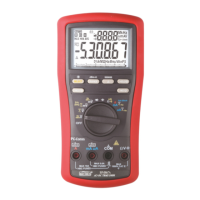
Battery and Fuse replacement
Battery use: Single 9V battery; NEDA1604G, JIS006P IEC6F22, NEDA1604A,
JIS6AM6 or IEC6LF22
Fuses use:
Fuse (FS1) for AmA current input:
0.44A/1000Vac & Vdc, IR 10kA or better, F fuse; Dimension: 10 x 38 mm
Fuse (FS2) for A current input:
11A/1000Vac & Vdc, IR 20kA or better, F fuse; Dimension: 10 x 38 mm
Battery replacement:
Loosen the 2 screws from the battery access door of the case bottom. Lift the battery
access door and thus the battery compartment up. Replace the battery. Re-fasten the
screws.
Fuse replacement:
Loosen the 4 screws from the case bottom. Lift the end of the case bottom nearest the
input jacks until it unsnaps from the case top. Replace the blown fuse(s). Replace the
case bottom, and ensure that all the gaskets are properly seated and the two snaps on
the case top (near the LCD side) are engaged. Re-fasten the screws.



 To Next Page