Dubbing
I
From
TAPE
1
to
TAPE
2
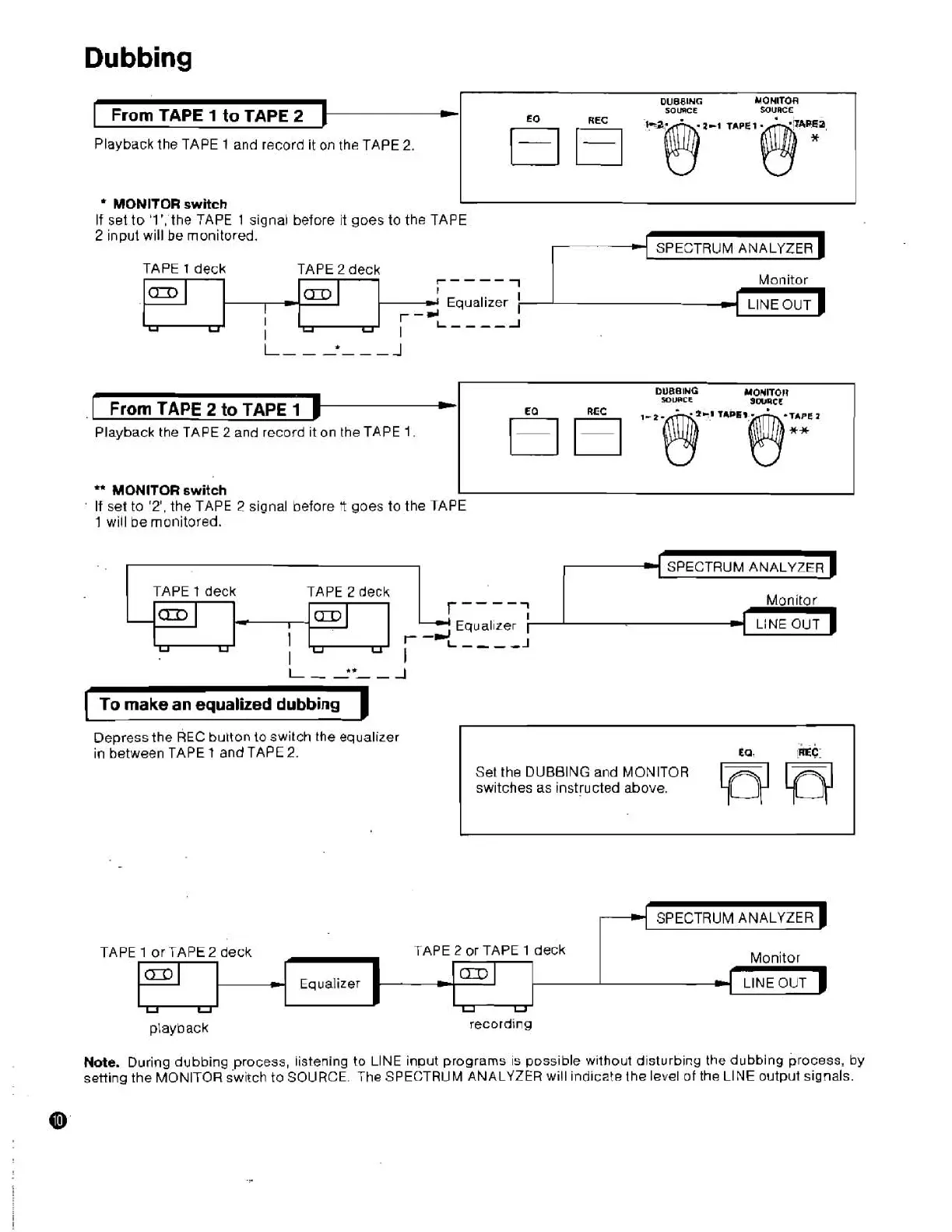
Playback the TAPE
1
and record
it
on
the
TAPE
2.
From
TAPE
2
to
TAPE
1
Playback the TAPE
2
and record ~t on the TAPE
1.
MONITOR
switch
I
I
If set to
'l',
the TAPE
1
signal before it goes to the TAPE
2
input will
be
monitored.
TAPE
1
deck
TAPE
2
deck
r----
1
Monitor
**
MONITOR
switch
I
If set to
'2',
the TAPE
2
signal before
tt
goes to the TAPE
1
will be monitored.
am
I
SPECTRUM ANALY
TAPE
t
deck
TAPE
2
deck
Man~tar
Equal~zer LiNE OUT
F
-d
U
U
U
I
----A
I
I
I
To
make
an
equalized dubbing
Depress the
REC
button
to
switch the equalizer
in between TAPE 1 and TAPE
2.
-a
Set the DUBBING and MONITOR
swltches as ~nstlucted above.
I
d
Equalizer
r -dL
4
SPECTRUM ANALYZER
I
playback
recording
TAPE
1
or TAPE
2
deck
,
TAPE
2
or TAPE
1
deck
Note. During dubbing process, listening to LlNE input programs is possible without disturbing the dubbing process, by
setting the MONITOR switch to SOURCE. The SPECTRUM ANALYZER will indicate the level of the LlNE output signals.
Monitor
.
CmI
u
U
u
u
-
Equalizer


 To Next Page