To
record
the
LlNE
inputs
on
tape
decks
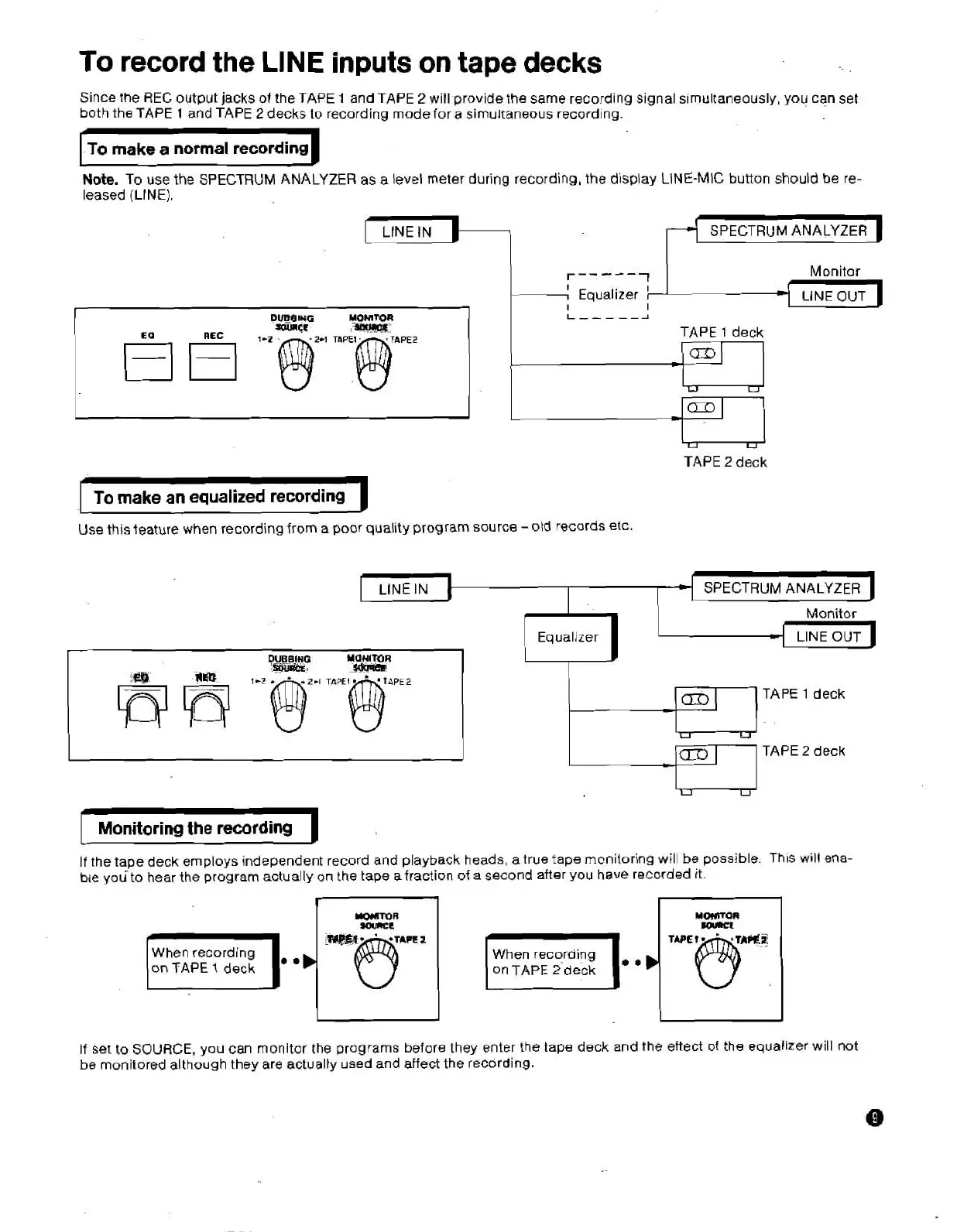
Since the REC output jacks of the TAPE
1
and TAPE
2
will provide the same recording signal simultaneausly, you can set
both the
TAPE
1
and TAPE
2
decks to recording mode for
a
simultaneous recording.
To make
a
normal recording
Note.
To use the SPECTRUM ANALYZER as a level meter during recording, the display LINE-MIC button should be re-
leased
(LINE).
SPECTRUM ANALYZER
1
-L
Monitor,
Equalizer
LlNE
OUT
L-----J
TAPE
1
deck
-1
*
TAPE
2
deck
To make
an
equalized recording
Use this
feature
when recording from
a
poor quality program source
-otd
records etc.
SPECTRUM ANALYZER
Monitor
-
DUBBING
MOHlMR
*st€.
-
fi
7-z
m2-,
TAPE~@APE~
-
-
I
v
TAPE
2
deck
Monitoring
the
recording
If
the tape deck employs independent record and playback heads, a true tape mcnitoring will
be
possible
Th~s
wrll ena-
ble
youto hear the program actually on the tape afraction
of
a
second after you have recorded it
When
recording When recoraing
on TAPE
2
deck
If set to SOURCE,
you
can monitor
the
programs before they enter the tape deck and the eftect of the equalizer will not
be
monitored although they are actually used and affect the recording.


 To Next Page