Real-time analysis for a high-fidelity system (using pink noise)
METER
HOLD
-
SPECTRUM
ANALYZER
Wz
31.5
Bt
125
250
SOD
1h
Zh
Ik
BL
16k
AVE
METER
SENSE
&TT
E&
OUBBlNG MONITOR
LEFT
R
lGH T REC
miRkl~
mm@'
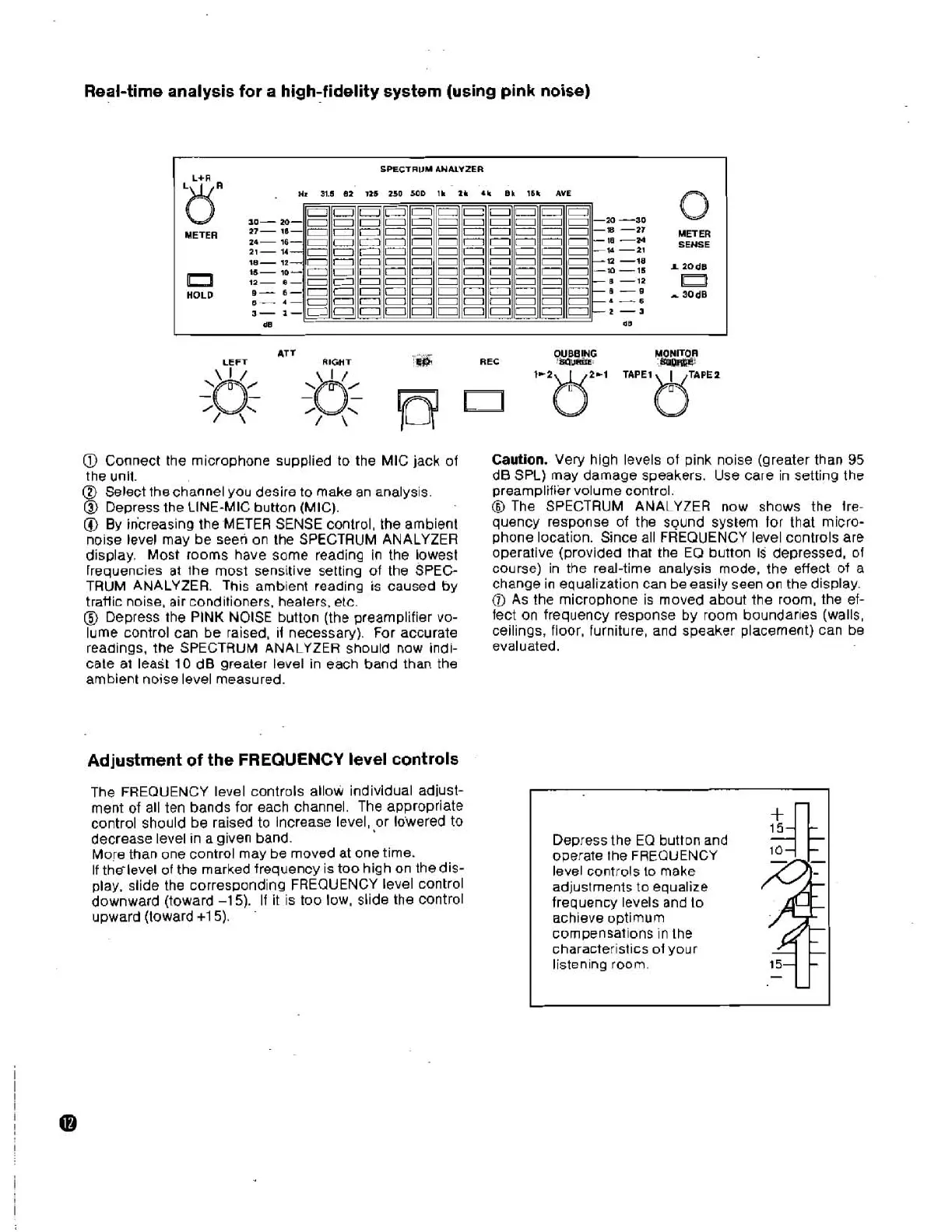
Connect the microphone supplied to the MIC jack of
the unit.
@
Select the channel you desire to make an analysis.
@
Depress the LINE-MIC button (MIC).
@
By iricreasing the METER SENSE control, the ambient
noise level may be
seen on the SPECTRUM ANALYZER
display. Most rooms have some reading in the lowest
frequencies at the most sensitive setting of the SPEC-
TRUM ANALYZER. This ambient reading
is
caused by
tratlic noise, air conditioners, heaters, etc.
@
Depress the PINK NOISE button (the preamplifier vo-
lume control can be raised, if necessary). For accurate
readings, the SPECTRUM ANALYZER should now indi-
cate at
least 10 dB greater level in each band than the
ambient noise level measured.
Adjustment of the FREQUENCY level controls
The FREQUENCY level controls allow individual adjust-
ment of all ten bands for each channel. The appropriate
control should be raised to increase level,
$or lo'wered to
decrease level in a given band.
More than one control may be moved at one time.
If
thelevel of the marked frequency is too high on the dis-
play, slide the corresponding FREQUENCY level control
downward (toward -15). If it is too low, slide the control
upward (toward
+15).
Caution.
Very high levels of pink noise (greater than
95
dB SPL) may damage speakers. Use care in setting the
preamplifier volume control.
@
The SPECTRUM ANALYZER now shows the
fre-
quency response of the sound system tor that micro-
phone location. Since all FREQUENCY level controls are
operative (provided that the
EQ button is depressed, of
course) in the real-time analysis mode, the effect of a
change in equalization can be easily seen on the display.
@
As the microphone is moved about the room, the ef-
fect on frequency response by room boundaries (walls,
ceilings, floor, furniture, and speaker placement) can be
evaluated.
Depress the
EQ
button and
operate the FREQUENCY
level controls to make
adjustments to equalize
frequency levels and to
achieve optimum
compensations in the
characteristics of your
listening room.


 To Next Page