3.2.5.3.3 Electrical connection
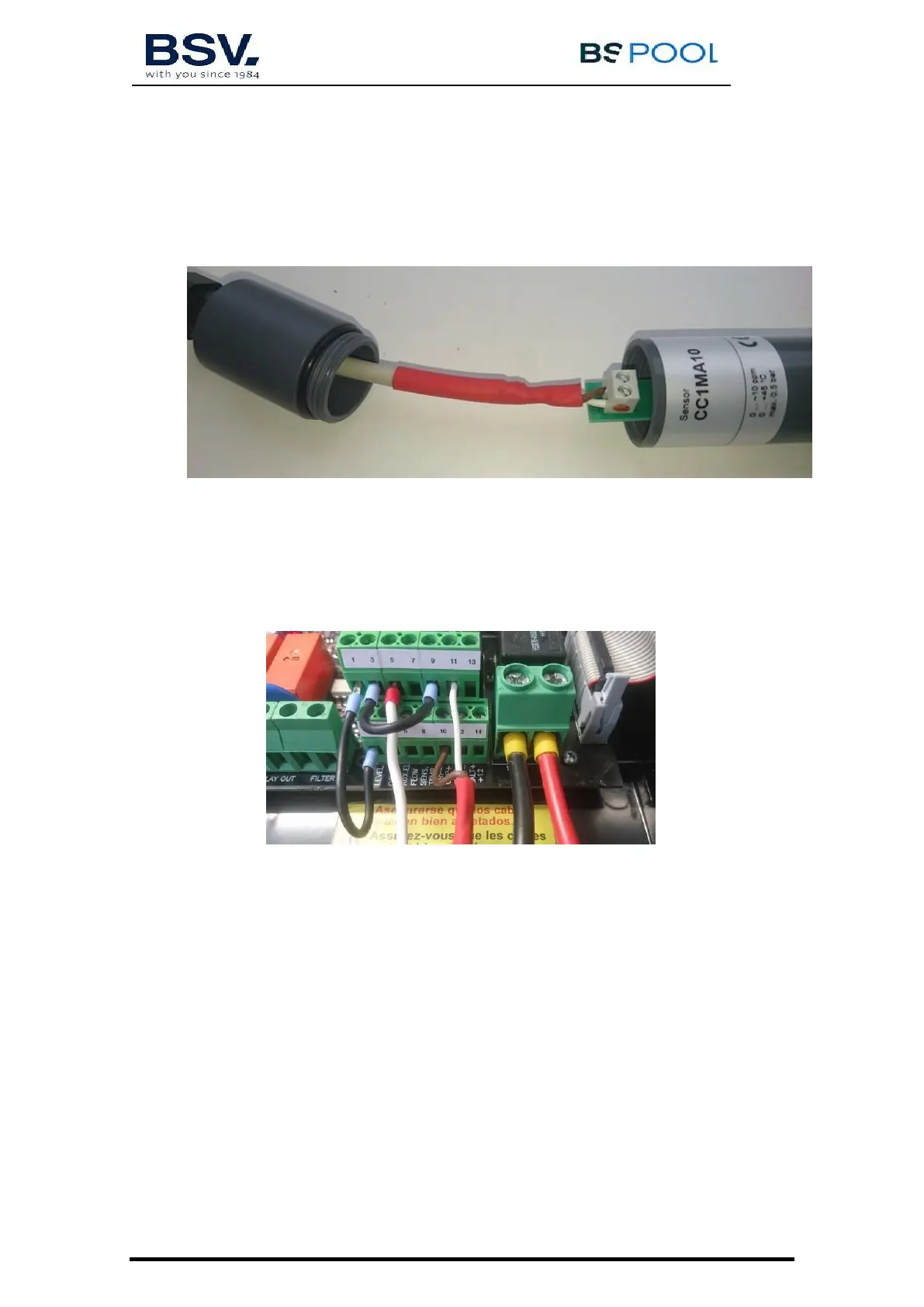
Before installing the probe on the probe holder, connect the supplied cable as
follows:
-
Connect the white cable to the (+) input, it has a red or blue
mark in the right side.
-
Connect the dark cable to the (-) input.
-
Once the connection is done, screw the cap and the cable
gland.
-
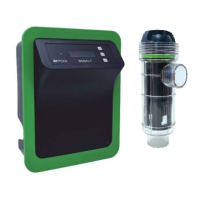
Connect the cable to the unit as follows:
o White cable: Input 11
o Dark cable: Input 10
o A cable bridge must be done between inputs 9 and 3.
3.2.5.3.4 Calibration
1)
Install the probe on the probe holder. Use a tool to ensure the sensor
is correctly tightened.
2)
Switch the filtration pump on, and adjust the water flow. The red flow
indicator must be floating in the mid part of the indicator:



 To Next Page