13
5.4.2 Joystick Functions
Specially Important:
1. “Joystick Function” can only be used when playing computer
games. Press “Fn + F12
” to switch to “Joystick Function”
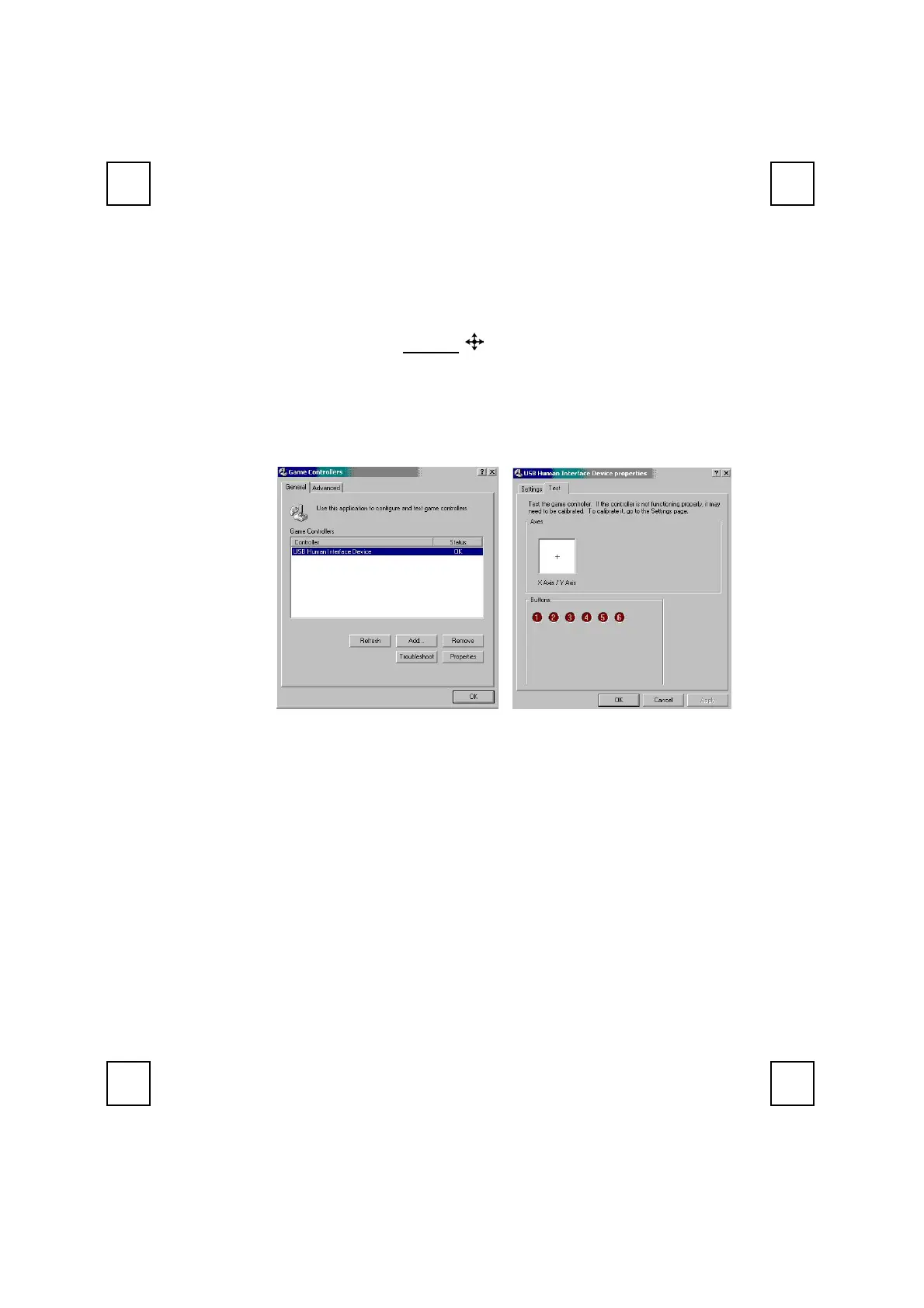
2. Before starting to use the joystick, please go first to “Start
→
Settings
→
Control Panel
→
Game Controllers
→
General
→
Properties
→
Test” to check the axes direction and buttons are functioned well.
3. When using “Joystick function” under each computer game, all the keys
default function is defined by game software, not by KeyMaestro Input
Device Driver. Which means depending on each different game, you
may need to modify the games configuration to take full functionality of
the joystick.
4. For more detail functionality descriptions, please refer to the game
manual or the game provider.


 To Next Page