Need help?
Do you have a question about the BTC 8190 and is the answer not in the manual?
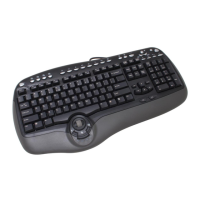
Lists the items included with the Smart Office Keyboard, such as the keyboard itself, a driver disc, and a quick installation guide.
Details the physical dimensions, weight, power supply voltage, and operating current of the keyboard.
Step-by-step instructions for connecting the keyboard to a PC, including ensuring the PC is off before plugging in.
Guides on selecting between minimum or typical driver installation based on operating system and desired features.
Explains functions accessed via the KeyMaestro icon on the taskbar, including options like Enable Taskbar Icon, Close, About, and Exit.
Details how to use the Configure Button dialog to customize keyboard hot keys and launch applications or websites.
Lists hot keys for launching Microsoft Office applications like Word, Excel, PowerPoint, and Outlook Calendar.
Describes keys for web navigation, including Back, Forward, Stop, WWW, Search, and E-mail functions.
Details shortcut keys for launching My Computer, Calculator, and performing a Log Off action.
Explains keys for controlling audio playback, including Mute, Volume Up/Down, Stop, Play/Pause, and track navigation.
Covers function keys F1-F12, Print Screen, Scroll Lock, Pause/Break, and embedded office functions activated by Office Wizard.
Details keys for clipboard operations like Cut, Copy, Paste, Mark, and navigation within applications.
Covers initial checks for keyboard connectivity issues and problems with software functionality, including driver conflicts.
Provides guidance on resolving conflicts when installing other applications, involving temporary removal of the keyboard driver.
Addresses problems with multimedia key repeat rates, application launch failures, media playback, and Office application key behavior.
Details issues with Windows default shortcut key conflicts, Sleep key, Log Off key, and Task Pane key functionality.

 To Next Page

 General