8
w Enable Taskbar Icon:
Clicks this function to show or hide the keyMaestro icon on
windows task bar.
w Close:
Clicks this option to disabled all hot key functions. By right-
clicking on the keymasetro icon and select \Configure
button\ Launch to enable hot key function again.
w About:
Selects this command to see the information of this
KeyMaestro driver, including the version number and web site
which you can update the driver.
w Exit:
Clicks this option to close Smart Office Keyboard. If you want
to reload it, please click the start button and select program to
find keymaestro icon and launch it.
4.2 Setting Configure Button:
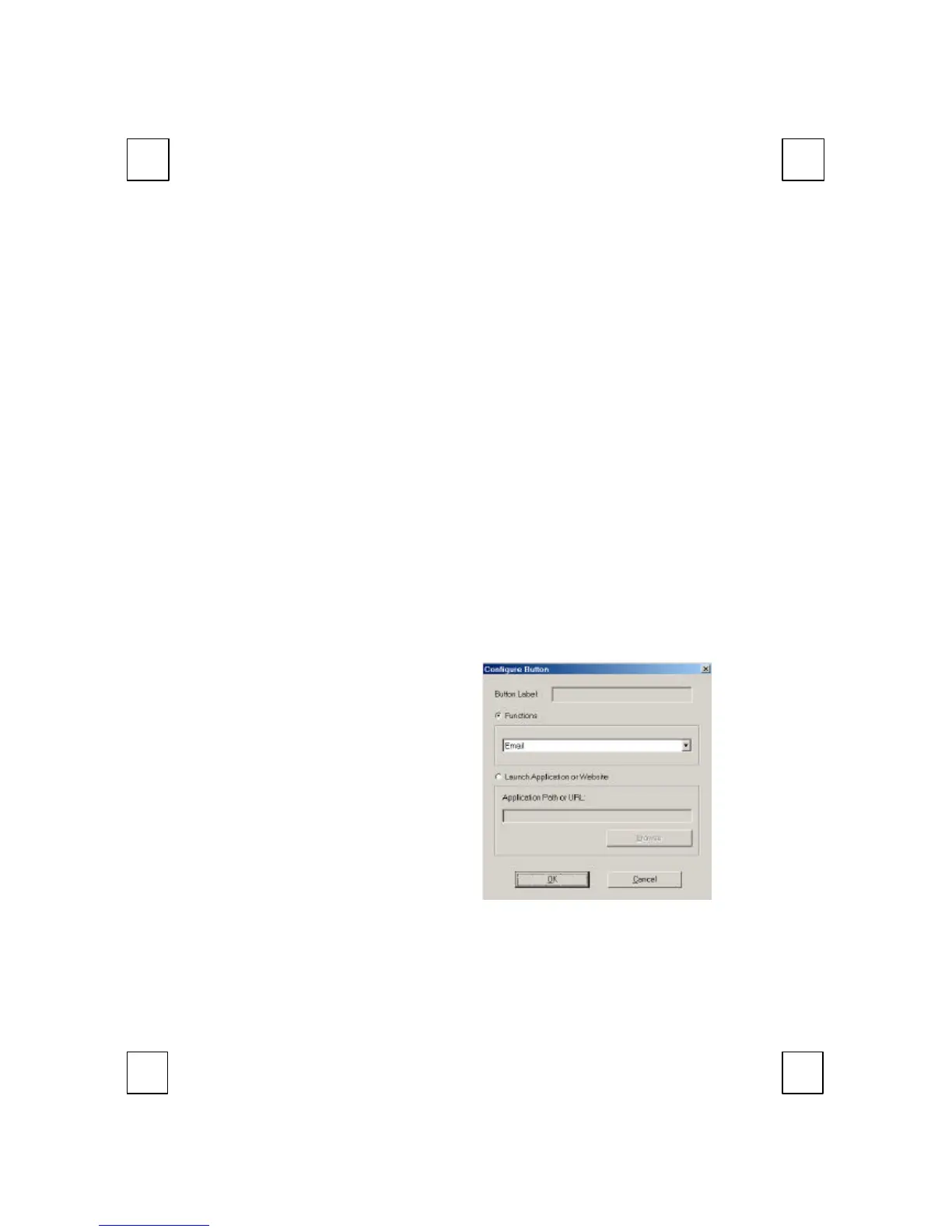
Clicks on the configure button item to bring up a dialog box as
follow:
w Functions:
A list of pre-programmed
functions can be
selected for your own
selection.
w Launch Application or
Web Site:
Selects an application or
Web address of your
own favorite. In the text
box, type in the path or
name of your
application execution file.



 To Next Page