11
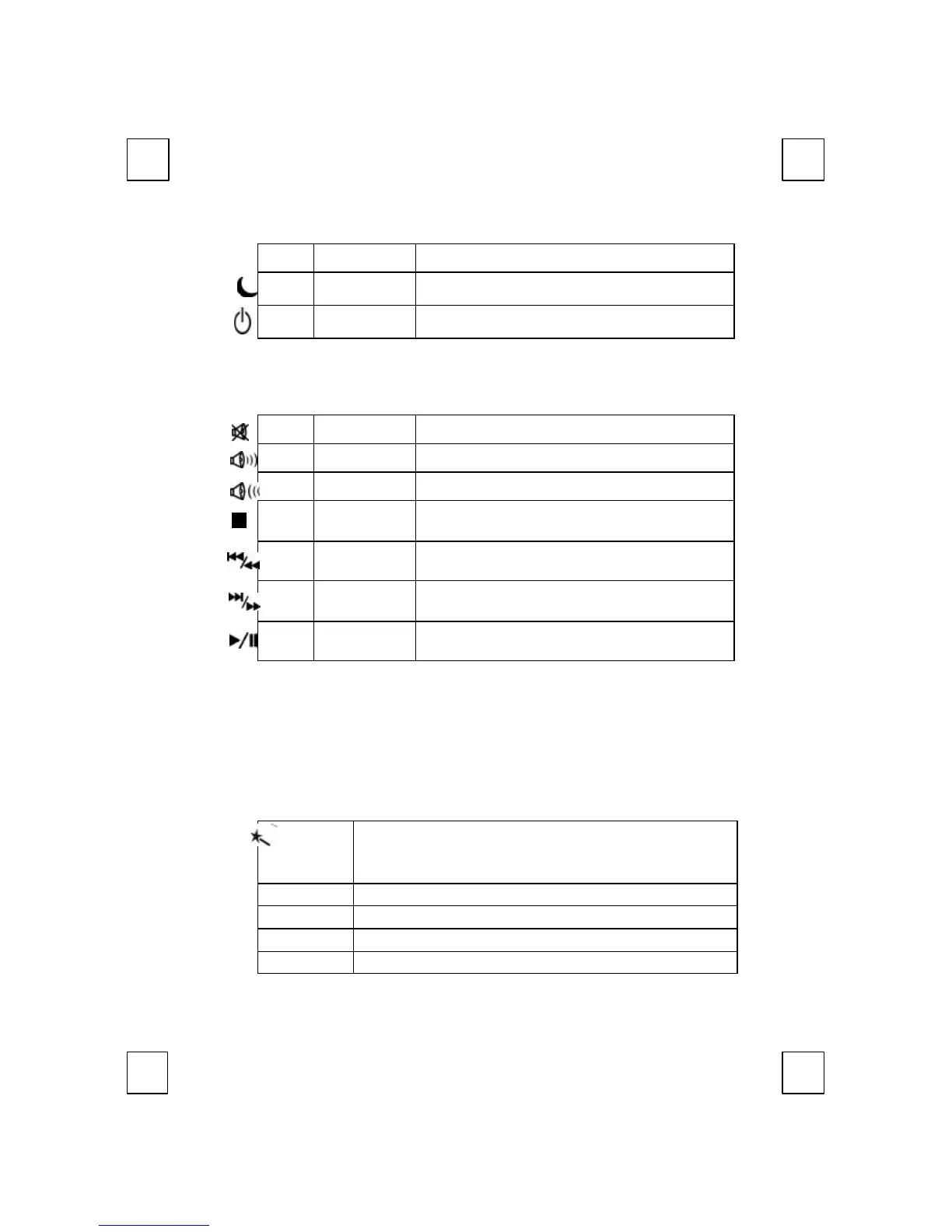
Off
Sleep
Places the computer in Sleep Mode.
Power Turns the computer off.
F Note: If “Log Off” key function cannot work properly, see Chapter 6 Troubleshooting
for more information.
5.4 Multimedia Keys Block:
Mute Mutes the sound.
Volume up Adjusts the volume up.
Adjusts the volume down.
Stop
Stops the audio and resets the tracks to the first
track in the sequence.
Previous/
Fast Backward
Advances to the previous audio track.
Next/
Fast Forward
Advances to the next audio track.
Play/Pause
Begins audio tracks, pause will temporarily
stop the track from playing.
5.5 Enhance Function Keys Block:
Enhance function keys block consists of 15 keys and functions in
two ways:
w As a part of the main keyboard: F1~F12, Print Screen, Scroll
Lock, Pause/Break.
w As 15 embedded office keys and functions.
Embedded Office Functions are as fellow:
Office
Wizard
A toggle key for embedded office keys. When Office
Wizard key is pressed, the embedded office function
keys are activated.
F1: Help Opens the Help file for the activate window.
F2: New Creates a new, blank file in program.
F3: Open Opens or finds a file in program..
F4: Save Saves the active file with current file name, location



 To Next Page