15
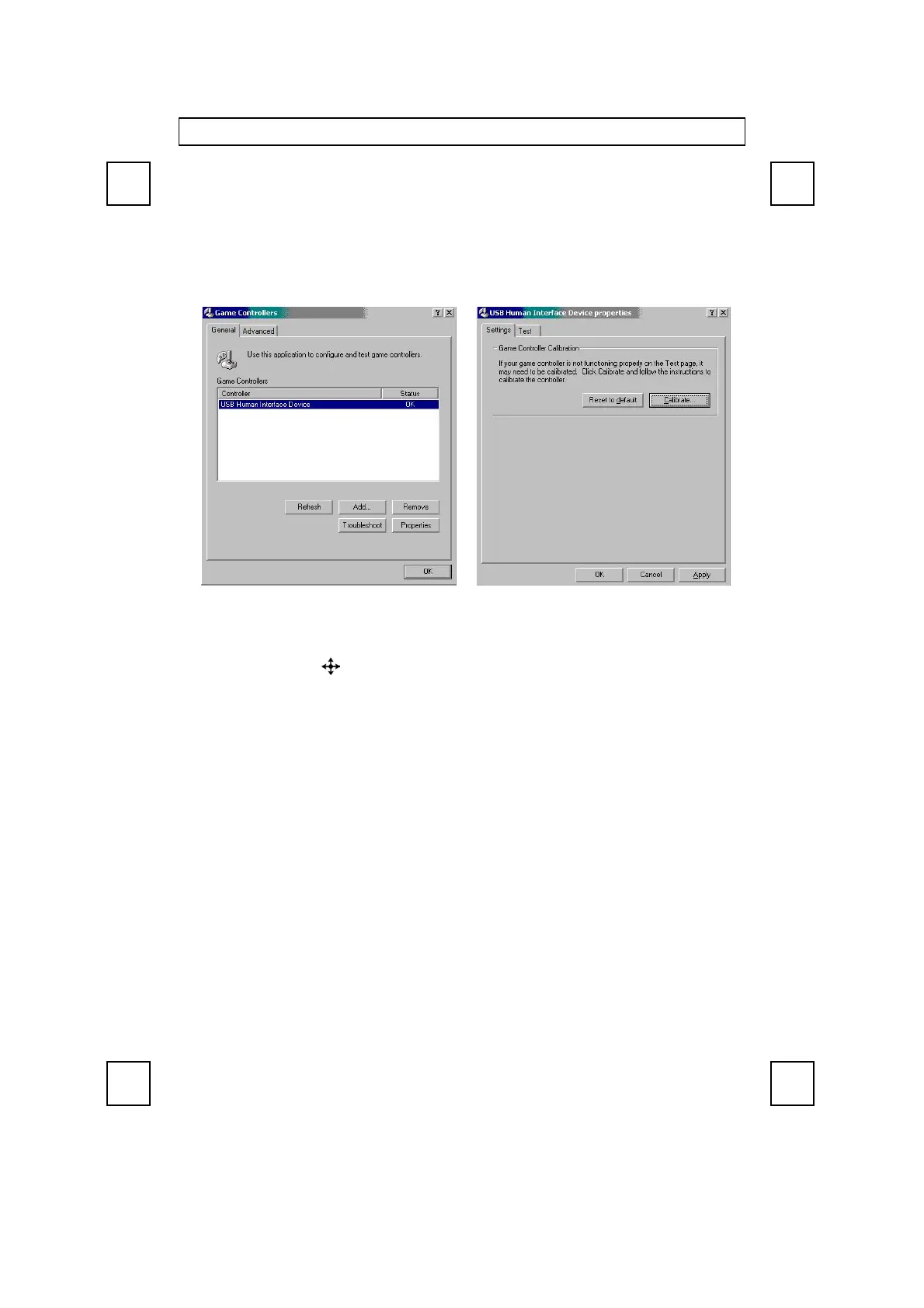
11. If you can’t aim an object in a game easily, please calibrate the joystick. Go to “Start
→
Settings
→
Control Panel
→
Game Controllers
→
General
→
Properties
→
Settings
→
Calibrate”
12. When the game can’t recognize the joystick and or the joystick can’t be used in the game,
please check the following:
- Press “Fn + F12
” again to see if the function is switched to joystick.
- Go to “Start
→
Settings
→
Control Panel
→
Game Controllers
→
Advanced” to
check if the joystick is assigned to ID 1. This is the default setting for almost every
computer game.
- Refer to the manual of the game software to see if there are other extra settings are
needed.
If above troubleshooting suggestions still do not solve your problem then please refer to your
direct dealer for technical support.


 To Next Page