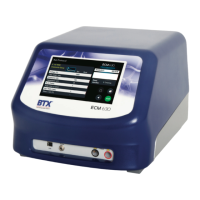
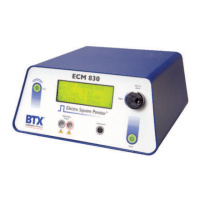
ECM
®
830 Electroporation System
Page 13 www.btxonline.com
Quick Start
Installation
1. Install on a bench or work table.
2. Allow a 1 to 2 inch clearance for proper cooling. It is normal
for the instrument to be slightly warmer than its’ operating
environment.
3. Choose an outlet that is readily accessible.
Connecting
1. Insert female end of power cord into male power
interface on the back panel of the ECM
®
830.
2. Plug male end of power cord into appropriate electrical
outlet.
3. Insert male banana plugs of the 630 B Safety Stand or
alternative electrode device into HV output located on
front panel of the ECM
®
830.
Initializing
1. Push the power switch located on the front panel of the
ECM
®
830.
2. Push the power switch located on the front panel of the
ECM
®
830. The display will flash:
3. Following this initialization screen, the first time the
instrument is initialized, the factory default display will
then read:
4. The first page of the Set Parameter Screen from the last
time the ECM
®
830 was used will be displayed each time
the ECM
®
830 is powered up after this initial start up.
#! !#!
"
% %
!%! !#$"
#
#
# !#!"
%
µ"


 To Next Page