6 Operation
19 F-100 / F-105 / F-108 / F-114 Operation Manual, Version E
6 Operation
This section gives examples of typical instrument applications and instructions on how to operate the
instrument properly and safely. See also section 2.5 “Product safety” for general warnings.
6.1 Operating controls and housing
Front side
8
1
5
7
3
2
4
6
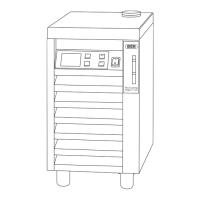
1 Opening for cooling medium
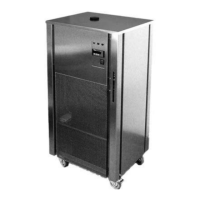
(At F-108 / F-114 models, the opening is
located at the rear side of the housing)
2 Handle (to pull the instrument)
3 On-/Off switch (lights green when instrument is
switched on)
4 Cooling media level indicator
5 Cooling lamella for air ow in
6 Wheels (not lockable)
7 Fix anti-slip feet
(The models F-108 / F-114 are equipped
with two lockable front wheels)
8 Operating panel with various parameter
displays (not available on the F-100)
Buttons (not for F-100)
Button Functionality
UP
Increase the desired set temperature in steps of 0.1°C.
DOWN
Decrease the desired set temperature in steps of 0.1°C.
START
Button to start or continue the cooling regulation.


 To Next Page