Modules for Logamatic 4000 control panels - We reserve the right to make technical modifications.
14
Module installation for Logamatic 43xx controls3
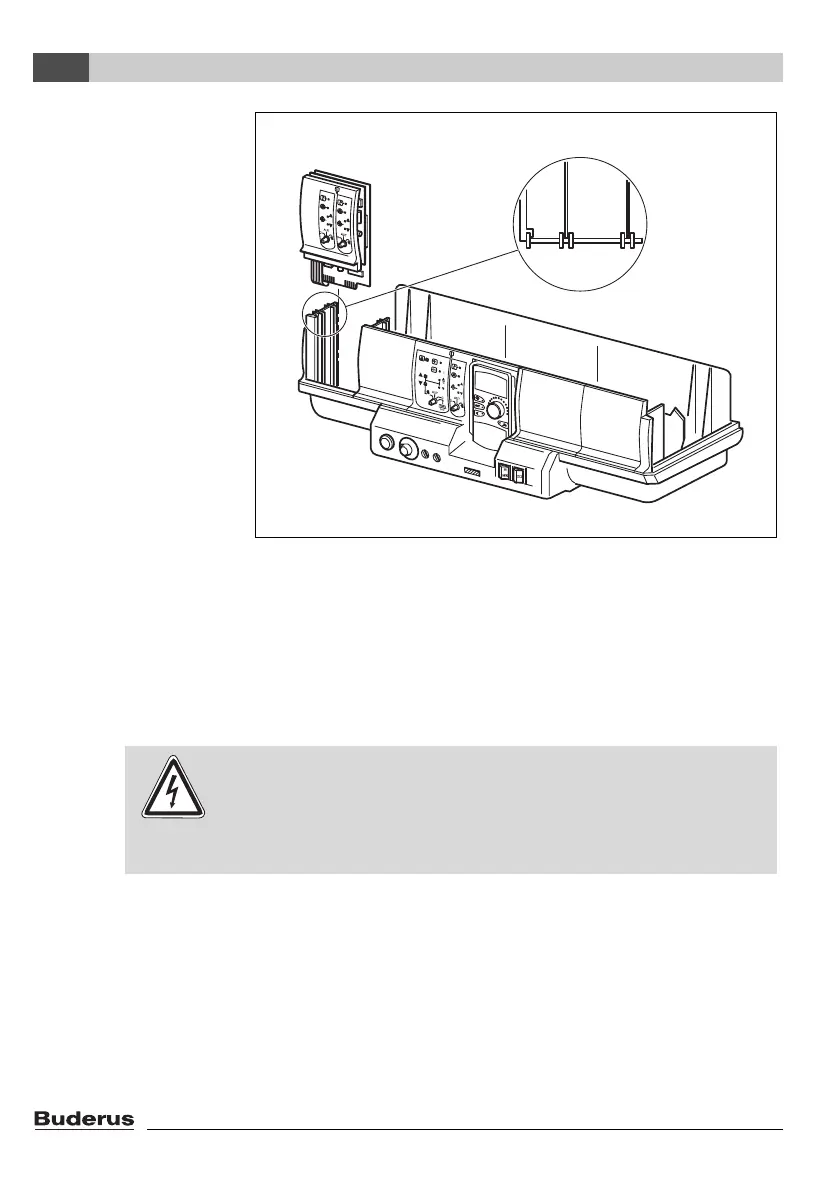
To install a new module
z Remove blank from slot 1 (
Æ Fig. 4) in the control panel.
z Connection cables for sensors and pumps must be laid before
installation of the module and provided with terminals (for more
detailed information, please see the technical documentation
for the Logamatic 43xx control panels).
z Insert the new module by pressing it down from above onto the
sensor strip in the free slot (
Æ Fig. 4) until it snaps in audibly.
Fig. 4 Module installation and removal
WARNING!
RISK OF LIFE
due to metallic jumpers!
z When stripping insulation or cutting the cables, make sure that
no pieces of cable fall into the electrical or electronic parts.



 To Next Page