9
HD-PZU3 User Manual
9
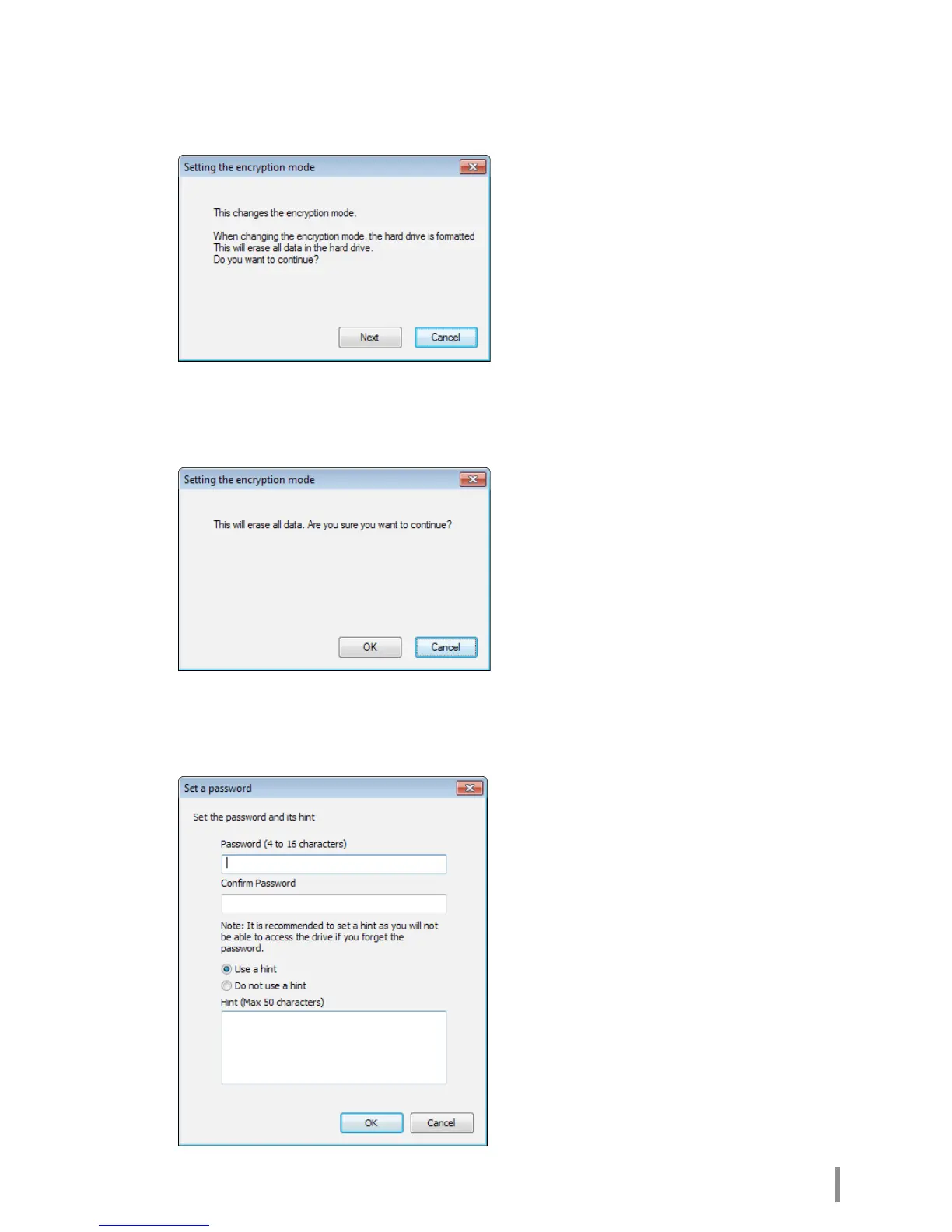
When the Setting the encryption mode window is displayed, conrm the
information in the message, and click [Next].
10
After conrming, the message “This will erase all data. Are you sure you want to
continue?” is displayed. If you want to proceed, click [OK].
11
In Set a Password, enter the desired password. You can also include a
password hint. When nished, click [OK].













 To Next Page