12
HD-PZU3 User Manual
4
5
All data saved on the hard drive will be erased! You will not be able to undo
this.
6
When "The hard disk status is now reset to the factory defaults." is displayed,
click [OK].
The reset is now complete. Wait until the hard drive is recognized. If it is not recognized, unplug
the hard drive and reconnect it.
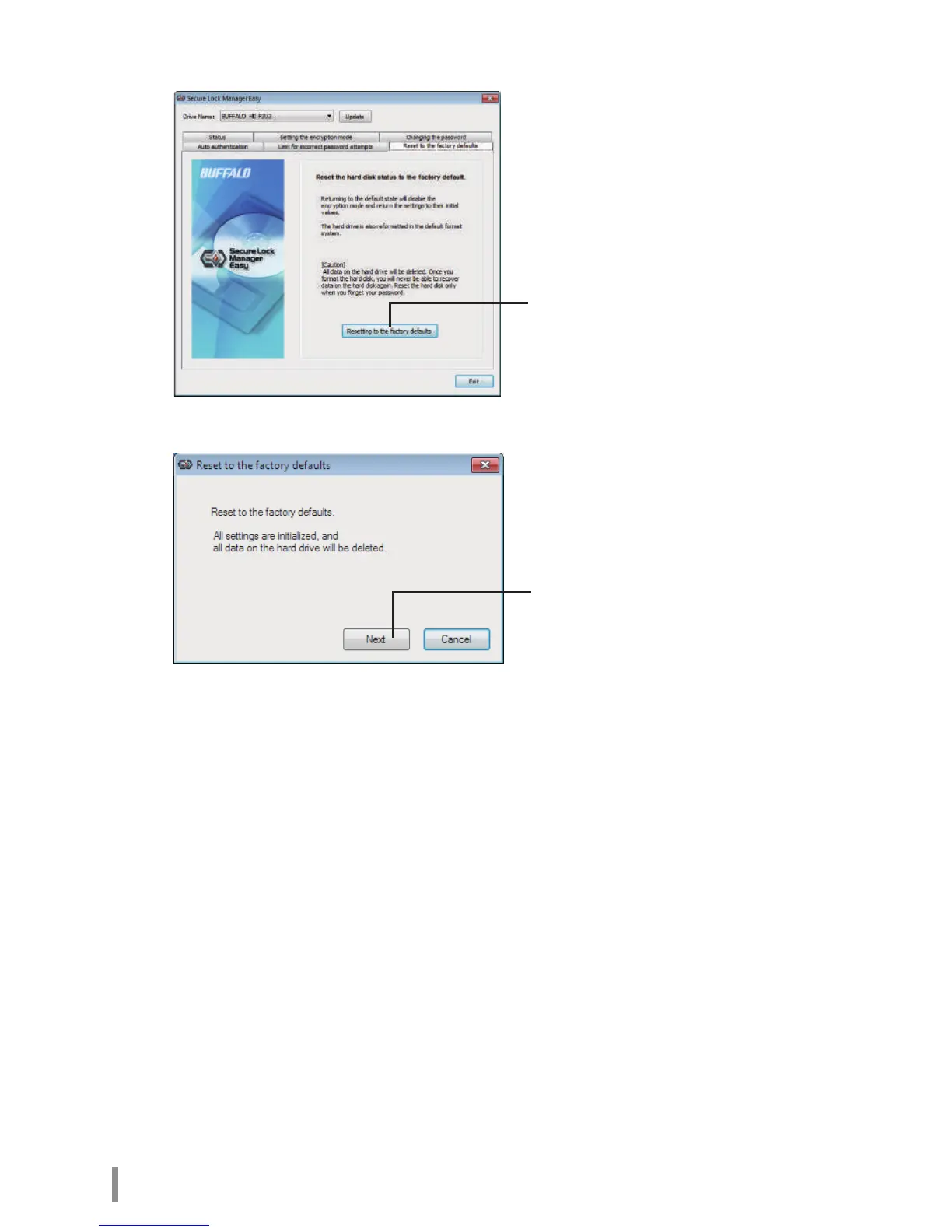
Click [Next]
Reset to the factory defaults. Delete the
password and all data that have been
saved.
* The hard drive is formatted in NTFS
and the encryption mode will be
released.













 To Next Page