EasyManua.ls Logo

Bulldog Security RS79 - User Manual

Bulldog Security RS79
10 pages
Print Icon
To Next Page IconTo Next Page
Loading...
System Features ....................... 4
System Components ..................... 4
Required Tools ........................ 4
Technical Assistance................. 4-5
Before You Begin ...................... 5
Precautions........................... 6
Using your Test Probe.................. 6
Making Wiring Connections ............ 6-8
Locating & Making Connections ....... 8-12
Connecting the Wiring Harness ......... 13
Neutral Safety Switch................. 14
Operator Programming Instructions...... 15
How to use Your Remote Transmitter..... 16
Vehicle Anti-theft System Chart..... 17-20
FCC ID Notice ........................ 20
Important Functions................ 21-22
Warranty Validation .................. 21
Your Warranty ........................ 23
REMOTE STARTER • MODEL RS82I/RS85I/RS79
CONTENTS
22
3
Protected by one or more
of the following patents:
Patent #5,459,477Patent #5,612,670 
Patent #5,886,622Patent #5,677,664
Patent #5,942,988Patent #6,101,428 
Patent #6,452,772
Other patents pending.
ATTENTION:
We urge you to immediately place this card in your wallet.
PLEASE FILL OUT THIS FORM
AND MAIL IT IN TO REGISTER YOUR WARRANTY
Your Name ________________________________________
Address ________________________________________
________________________________________
Email Address _________________________________
Dealer Name ____________________________________
Address ________________________________________
________________________________________
Date of Purchase ___/___/___ Model # __________
Make/Model of Car ______________________________
Year of Car _____ V.I.N. # ____________________
Final Quality Check By _________________________
WARRANTY VALIDATION
Mail to: JBS Technologies
225 Technology Way • Steubenville, Ohio 43952
PROGRAMMING FUNCTIONS
FOR YOUR WALLET OR GLOVE BOX
Adding Additional Remotes
The hood must be open or the hood pin wire must be grounded. Then,
press and hold Button #1 on the working transmitter for ten (10)
seconds or until the ignition relay clicks or the check engine
light flashes once, release Button #1. Press and release any button
on the new remote control. The ignition relay will click or the
check engine light will flash three (3) times. Close the hood or
remove the hood pin wire from ground and try both remotes.
Tach/Tachless Option The brake must be depressed.
Press and hold Button #1 for 5 seconds or until the ignition relay
clicks or the check engine light flashes once. Release. Press and
release Button #1, the ignition relay clicks or the check engine
light flashes once. The unit is now programmed for Tachless Mode.
Press and release Button #2, the ignition relay clicks or the check
engine light flashes twice. The unit is now programmed for Tach
Mode. NOTE: The factory setting is Tachless Mode.
Question and Answer IconNeed help?

Do you have a question about the Bulldog Security RS79 and is the answer not in the manual?

Summary

Programming Functions

Adding Additional Remotes

Instructions for programming additional remote transmitters for the starter system.

Tach;Tachless Option

Guides on selecting Tach or Tachless mode for vehicle starting based on engine signals.

System Features

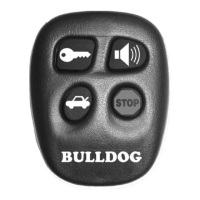
Two-Button Extended Range Remote Control

Details on the remote transmitter for starting the vehicle from a distance.

Operating Instructions

Remote Start and Stop

Explains how to start and stop the vehicle using the remote transmitter.

Pit Stop Mode Operation

Details how to exit the vehicle with the engine running using the remote.

Before You Begin

Anti-Theft System Module

Notes the requirement for an additional module if the vehicle has an anti-theft system.

Precautions

System Compatibility

States the system is designed for fuel-injected, gasoline engines with automatic transmissions only.

Safety First

Emphasizes safety checks, especially regarding indoor starting and ensuring the car is in park.

Precautions

General Wiring and Safety Warnings

Covers warnings on wiring methods, battery disconnection, lights, module mounting, and airbag wires.

Neutral Safety Switch Precautions

Explains precautions for GM/Dodge vehicles with mechanical neutral safety switches.

Using Your Test Probe

Test Probe Operation

Describes how to connect and interpret the test probe's lights for voltage detection.

Making Connections

Wire Stripping Technique

Details the process of stripping wires for making connections, specifying lengths.

Making Connections

Wire Insertion Method

Instructions for inserting wires into connections, suggesting opposite directions for multiple wires.

Wire Wrapping and Taping

Guides on securing and taping connections with electrical tape and wire ties.

Making Connections

Wire Connection Techniques

Covers twisting wires together and securing them with tape and wire ties.

Locating & Making Connections

Wiring Harness Preparation

Instructs on finding and preparing the ignition switch wiring harness.

Constant Power Wire Identification

Explains how to find and connect to constant +12V wires in the ignition harness.

How to Use Your New Remote Transmitter

Remote Start and Stop Operation

Instructions for starting and stopping the vehicle using the remote transmitter buttons.

Pit Stop Mode (Model RS85 Only)

Guides on using the Pit Stop feature to exit the vehicle with the engine running.

Locating & Making Connections

Ignition and Starter Wire Connections

Details on identifying and connecting ignition, accessory, and starter/crank wires.

Locating & Making Connections

Chassis Ground Connection

Instructions for securely connecting the black ground wire to the vehicle chassis.

Brake Input Connection

Guides on locating and connecting the brake signal wire for safety interlocks.

Operator Programming Instructions

Adding Additional Remotes

Step-by-step guide for programming new remotes, including hood pin requirements.

Programming Factory Keyless Entry

Steps to program the system to work with the vehicle's factory keyless entry remote.

Neutral Safety Switch

Mechanical Neutral Safety Switch

Explains the operation of mechanical neutral safety switches in older GM/Dodge vehicles.

Pre-1996 GM NSS Circuit

Diagram and instructions for creating a circuit to prevent remote start unless the key is removed.

Locating & Making Connections

Hood Pin Switch Connection

Guides on installing and connecting the hood pin switch for security and remote start safety.

Tach Input Connection (Optional)

Instructions for connecting the tach input wire for tach mode operation.

Locating & Making Connections

Auxiliary Input for Keyless Entry

How to connect the unit to a factory keyless entry system using a relay for door lock signals.

Connecting the 9-Pin Harness

9-Pin Harness Connections Overview

Diagram showing the connections for the 9-pin harness to various vehicle wires and components.

Anti-Theft System Check

Advises checking pages 16-19 if the vehicle does not start, to identify potential anti-theft system conflicts.

Bulldog Security RS79 Specifications

General IconGeneral
Number of Buttons on Remote4
Keyless EntryYes
AlarmYes
Remote StartYes
Starter DisableYes
TypeRemote Start

Related product manuals