16
ECM TUNER
Introduction Updating
Physical
Installation
Installing the
Tune
Uninstalling
the Tune
Operating the
HDGT
More
Information
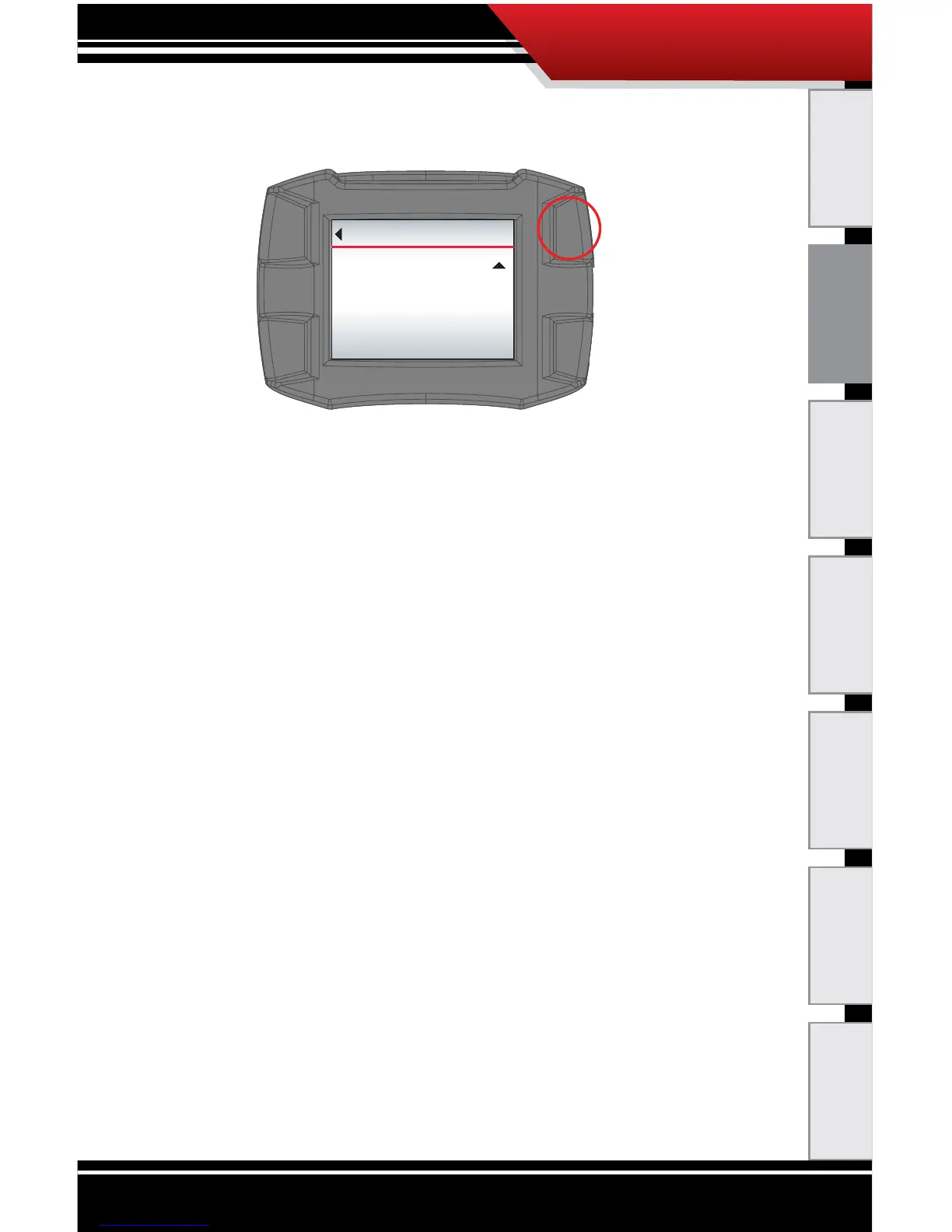
b. Press the top right button (Ye s) to continue and load
the updated les to the ECM Tuner.
OR
‣ If the engine/vehicle application is incorrect, press
the top left button (Go Back). The ECM Tuner will
go back to the Main Menu and you can choose
Change Vehicle/Engine (or Change Engine/
Vehicle).
13.(b) If you chose Change Vehicle/Engine (or Change
Engine/Vehicle):
a. Use the buttons on the right to nd and highlight
the correct vehicle/engine ( or engine/vehicle)
application on the list.
b. Press the bottom left button to Select the
highlighted vehicle/engine application.
c. Conrm that the correct vehicle/engine application
is listed.
d. Press the top right button (Ye s) to continue.
OR
‣ To choose a dierent vehicle/engine (or engine/
vehicle) application, press either the bottom right
button (No) or the top left button (Go Back).
Go Back
UPDATE DEVICE
Application:
APPLICATION NAME
Do you want to load this le now?
(Press YES to start update.)
YES



 To Next Page