27
ECM TUNER
Introduction
Updating
Physical
Installation
Installing the
Tune
Uninstalling
the Tune
Operating the
HDGT
More
Information
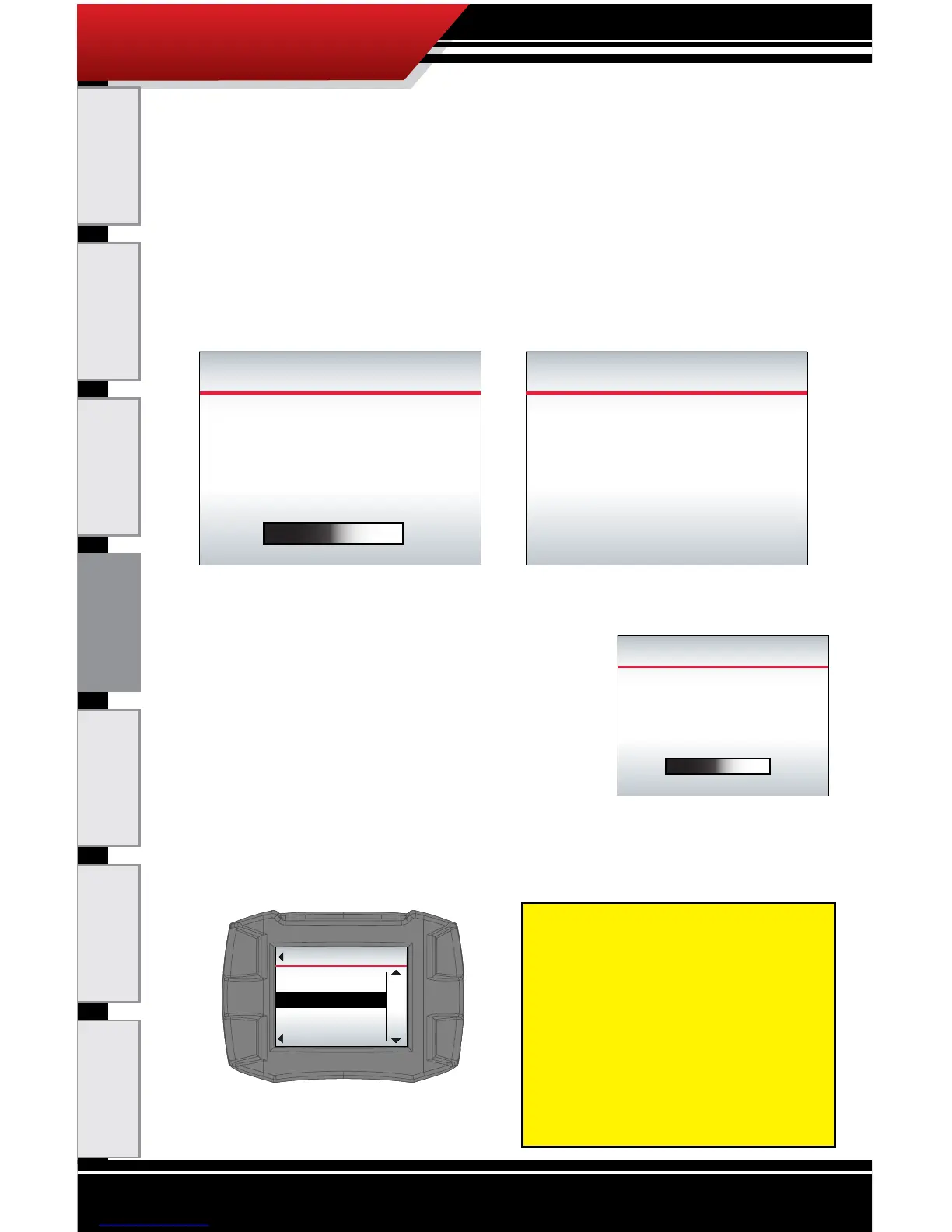
7. The ECM Tuner will load and boot the image (the
vehicle les).
‣ This process is fast, it should not take longer than
three minutes.
‣ The ECM Tuner will show a percentage counter
while it is loading; then the screen will darken and
the device will chirp for approximately ve seconds
while it reboots.
8. The ECM Tuner will update les (load the graphics le
from the memory card to the device).
‣ This process if fast and may
take one minute or less.
‣ The ECM Tuner will show a
percentage counter to track its
progress.
9. The ECM Tuner will reboot/restart and show the menu.
LOADING IMAGE
58%
Selected:
XXXXXXXXXXXXXX
Loading le from SD card.
BOOTING IMAGE
Screen will darken and Device
will chirp for 5 seconds.
Do not unplug or cycle key.
UPDATING FILES
47%
Loading graphics le from SD card.
Go Back
MAIN MENU
UP
DOWN
SELECT
Install Tuning
Special Features
NOTE: At this point in the
install process, you can
complete an optional
backup of your vehicle
les through the Heavy
Duty Update Agent; simply
follow the normal steps to
update the ECM Tuner.



 To Next Page