28
ECM TUNER
Introduction Updating
Physical
Installation
Installing the
Tune
Uninstalling
the Tune
Operating the
HDGT
More
Information
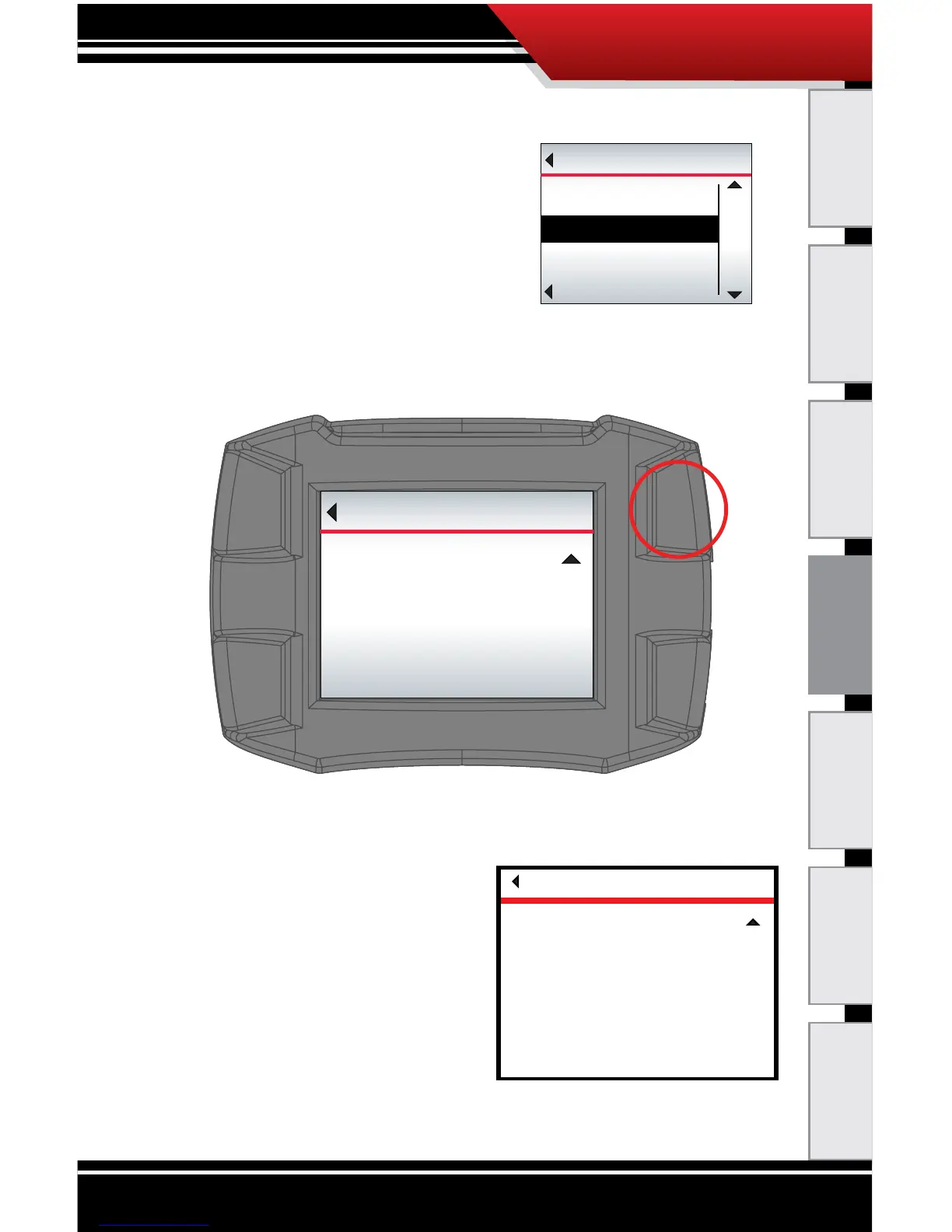
10. Go to the Main Menu (top left button).
11. Highlight Install Tuning
(right buttons).
12. SELECT the highlighted option
(bottom left button).
13. You may receive a message
stating that the ECM Tuner has not been registered –
press Continue (top right button) to proceed with the
tuning and be sure to register later.
14. Verify that the correct vehicle type is selected and press
YES to continue (top right button).
‣ If the vehicle type is not
correct, restart the ECM
Tuner by cycling the key
(to the OFF and then
ON or RUN positions;
do NOT start the
engine). Then choose
Change Vehicle/
Engine from the Main
Menu to select the correct vehicle type.
Go Back
MAIN MENU
UP
DOWN
SELECT
Install Tuning
Special Features
Go Back
REGISTER
Continue
Device is not registered!
For warranty purposes, it is highly
recommended to register and update
device before installing the tuning.
Download the Heavy Duty Update Agent
at www.bullydogbigrig.com
Press continue to proceed with tuning
and register later.
CAUTION
Go Back
YES
Please verify vehicle type
Installing on a
XXXXXXXXXXX
If this is correct press YES to continue
If not, restart and select the correct
vehicle.



 To Next Page