46
ECM TUNER
Introduction Updating
Physical
Installation
Installing the
Tune
Uninstalling
the Tune
Operating the
HDGT
More
Information
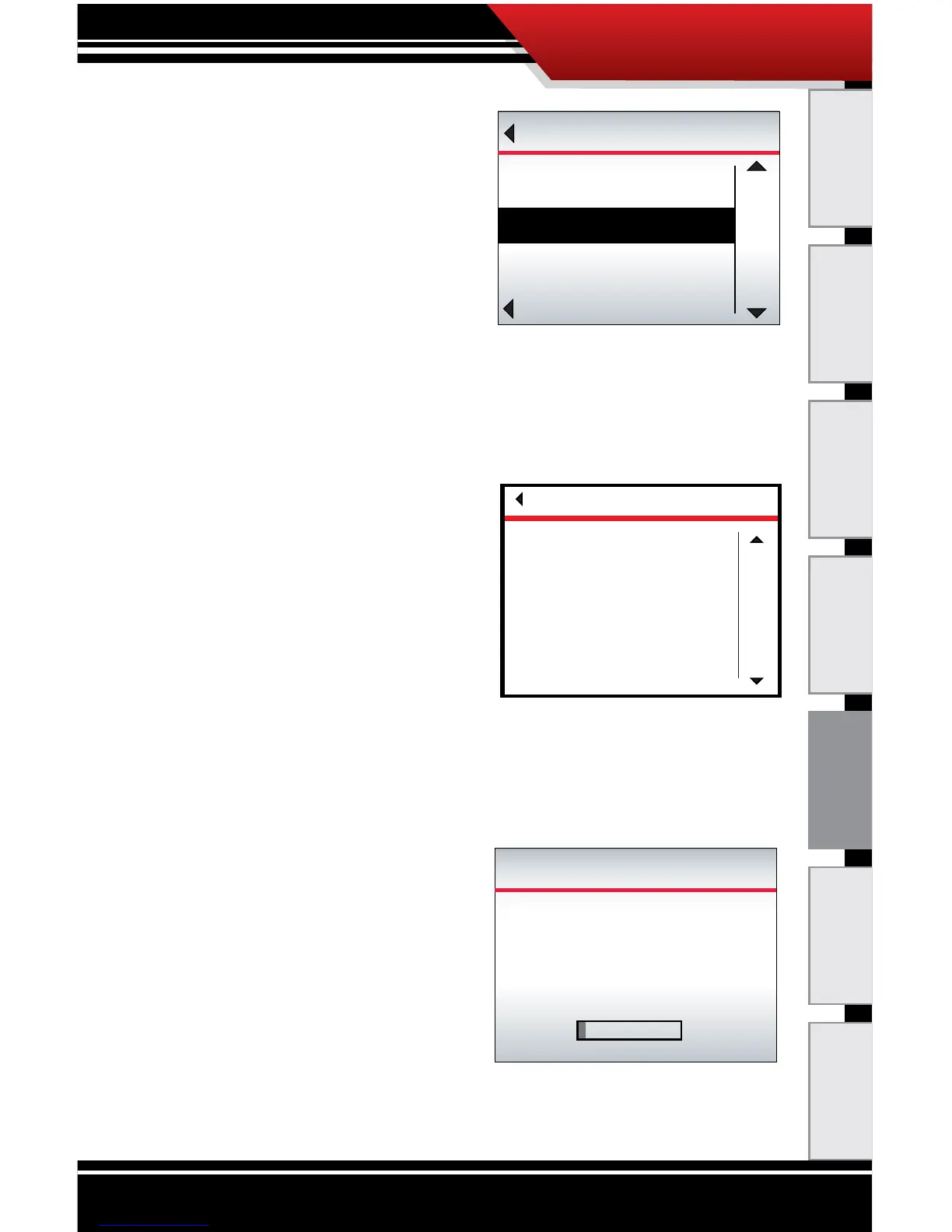
4. Highlight Uninstall Device
(right buttons).
5. SELECT the highlighted
option
(bottom left button).
6. Read the disclaimer and press the top right button to
Agree and continue.
‣ If you Disagree, press
the bottom left button;
this will end the tune
installation.
‣ This is the last point at
which you can safely exit
the uninstall process.
7. The ECM Tuner will build the le.
‣ This process if fast; is
should take about one
minute.
‣ The ECM Tuner will
show a percentage
counter to track its
progress.
‣ Do NOT interrupt the
ECM Tuner.
Go Back
MAIN MENU
UP
DOWN
SELECT
Show Settings
Uninstall Device
Update Device Software
DISCLAIMER
Go Back
agree
disagree
Are you the owner of this
vehicle, have you read the
disclaimer, and do you agree
to all of its terms and conditions?
This is the nal opportunity to
exit the download procedure by
pressing disagree.
BUILDING FILE
3%
Setting...
Power/Econ Tune
Please wait
Do Not Unplug



 To Next Page