EasyManua.ls Logo

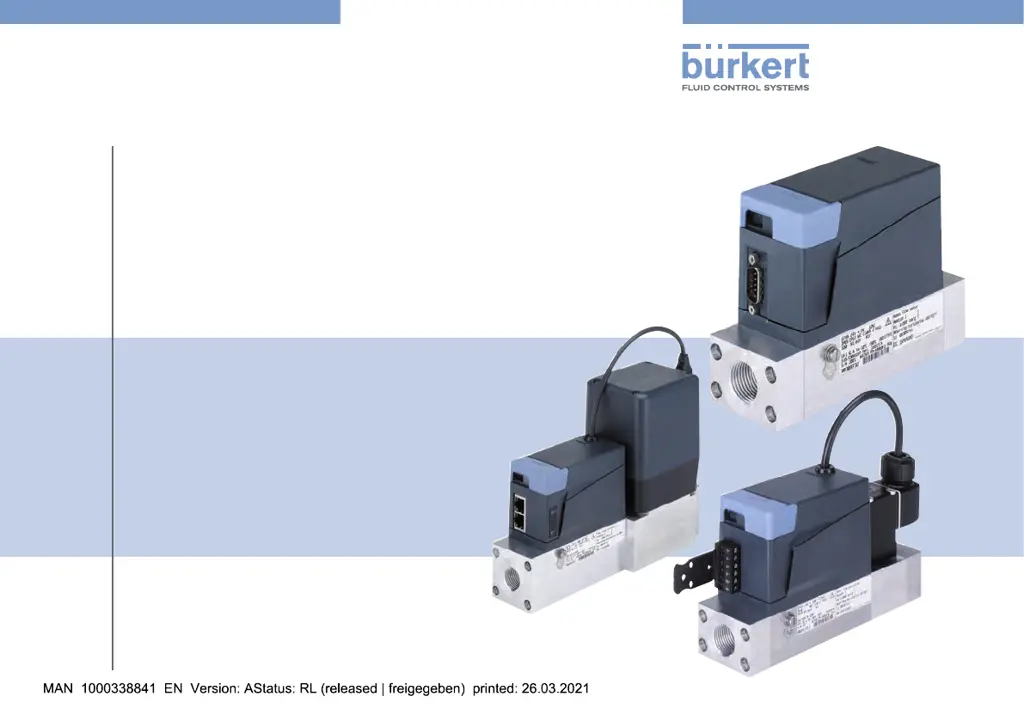
Burkert 8745 MFM Ethernet - User Manual

Burkert 8745 MFM Ethernet
70 pages
Print Icon
To Next Page IconTo Next Page
Loading...
Operating Instructions
Bedienungsanleitung
Manuel d‘utilisation
Type 8745
Industrial Ethernet
Analogue
Mass Flow Meter (MFM) / Mass Flow Controller (MFC)
Massendurchflussmesser (MFM) / Massendurchflussregler (MFC)
Débitmètre massique (MFM) / Régulateur de débit massique (MFC)

Table of Contents

Questions and Answers

  • K
    Keith DavisSep 8, 2025
    Why is the product status indicator orange on my Bürkert MFM Analogue Controller?
    • R
      Robin BondSep 9, 2025
      If the product status indicator on your Bürkert MFM Analogue controller is orange, it means a calibration procedure is in progress. Wait until the calibration procedure is completed.
  • M
    Marilyn ReedAug 23, 2025
    What to do if the product status indicator is red on my Bürkert MFC Analogue Controller?
    • M
      Michael GarciaAug 23, 2025
      If the product status indicator on your Bürkert MFC Analogue controller is red, it could be due to a few reasons: * The supply voltage is out of the error range, which can damage the product. Make sure the product operates within the specifications. If the indicator stays red, send the product back to Bürkert. * The Autotune may be incorrect or aborted. Ensure fluid flows through the product and try the Autotune again. * The sensor, internal memory, or the product may be defective, requiring maintenance. In this case, contact the manufacturer.
  • J
    James PrestonAug 25, 2025
    What to do if the product status indicator is red on my Bürkert MFM Ethernet Controller?
    • A
      allen54Aug 26, 2025
      If the product status indicator on your Bürkert MFM Ethernet controller is red, here are a few potential causes and solutions: * The supply voltage may be outside the acceptable range, which can damage the product. Ensure the product operates within the correct specifications. If the indicator remains red, return the product to Bürkert. * The Ethernet product variant might not be correctly connected to the PLC. Check the wiring and the PLC status. If using the EtherCAT protocol, verify that the incoming cable is in the ETH1 port and the outgoing cable is in the ETH2 port. * The sensor, internal memory, or the product itself might be defective, requiring maintenance. Contact the manufacturer in this instance.
  • D
    Douglas PinedaAug 26, 2025
    Why is the product status indicator red on my Bürkert MFM Analogue Controller?
    • J
      Juan RobinsonAug 27, 2025
      If the product status indicator on your Bürkert MFM Analogue controller is red, it could be because the supply voltage is outside the error range, potentially damaging the product. To resolve this, operate the product within the specified limits. If the indicator remains red, return the product to Bürkert for further assistance. In some cases, maintenance may be needed, so contact the manufacturer.
  • S
    Shannon Johnson MDAug 27, 2025
    What to do if the set-point value is not reached on my Bürkert MFC?
    • B
      Bobby HamptonAug 27, 2025
      If the set-point value is not being reached on your Bürkert MFC, it could be due to a few reasons: * The mesh filter might be clogged. Try cleaning or replacing it. * The inlet pressure could be too low. Increase it to the calibration pressure value. * The outlet pressure might be too high. If the fluid connection pipes after the product are dirty, clean them.
  • A
    Alicia MontgomerySep 22, 2025
    Why does the product status indicator go out periodically on my Bürkert controller?
    • C
      Carlos GibsonSep 22, 2025
      If the product status indicator on your Bürkert controller goes out periodically, it suggests that the power supply is intermittently dropping, causing the product to restart. To resolve this, use a power supply with sufficient power output. Additionally, the voltage drop in the connecting cable might be too high; increase the cable's cross-section or reduce its length.
  • L
    lucasstanleySep 16, 2025
    What does it mean if the product status indicator is blue on my Bürkert Controller?
    • S
      Sarah JacksonSep 16, 2025
      If the product status indicator on your Bürkert controller is blue, it indicates there is an internal memory error. Contact the manufacturer for maintenance.
  • L
    Lauren PerkinsSep 18, 2025
    What does it mean if the product status indicator flashes on my Bürkert device?
    • D
      Daniel CalhounSep 18, 2025
      If the product status indicator on your Bürkert device flashes, it indicates that the product is selected in the Bürkert Communicator software.
  • B
    Bryan GallegosSep 7, 2025
    Why is the product status indicator yellow on my Bürkert MFC Ethernet Controller?
    • A
      Ashley HernandezSep 7, 2025
      If the product status indicator on your Bürkert MFC Ethernet controller is yellow, it indicates that one of the values is out of specification, which could damage the sensor or the product. To resolve this, operate the product within the correct specifications. If the indicator remains yellow, return the product to Bürkert.
  • M
    moyermichelleSep 4, 2025
    Why is the product status indicator yellow on my Bürkert MFM Ethernet Controller?
    • J
      Jessica RaySep 4, 2025
      If the product status indicator on your Bürkert MFM Ethernet controller is yellow, it means that one of the values is out of specification, which could damage the sensor or the product. To resolve this, operate the product within the correct specifications. If the indicator is still yellow, return the product to Bürkert.

Burkert 8745 MFM Ethernet Specifications

General IconGeneral
Communication ProtocolEthernet
Power Supply24 V DC ±10%
Operating Temperature0 to +50 °C
Protection ClassIP65
TypeMass Flow Controller
ProtocolModbus TCP
MediaGases
Storage Temperature-20 to +60 °C
Housing MaterialStainless steel, Aluminium

Related product manuals