11. CONNECTING WI-FI MODULE
TO THE PELL BOILER
Attention!Exposuretowaterandother
liquids.
Do not expose the product to water,
detergents, solvents or other liquids, as
this may damage the electronics or cause
malfunctions.
When using the product, avoid contact
with water or other liquids.
Cleaning.
The BURNIT does not require special
cleaning. However, if you clean, use a dry
cloth carefully to wipe the module.
11.1.DownloadingtheBURNITapp.
The newest version of Burnit app is
always available for download at Google
Play (for Android based devices) and
App Store (for iOS based devices). You
can download the app by typing exactly
“Burnit “ in the search window of your
smart device (smart phone or tablet).
11.2.InstallationofWI-FImodule.
Follow the procedure steps exactly as
they are written :
Step 1
- Disconnect the electrical cable of the
Pell Boiler from the electrical supply.
Step 2
- Disconnect the display cable from the
controller at the back of the boiler.
Step 3
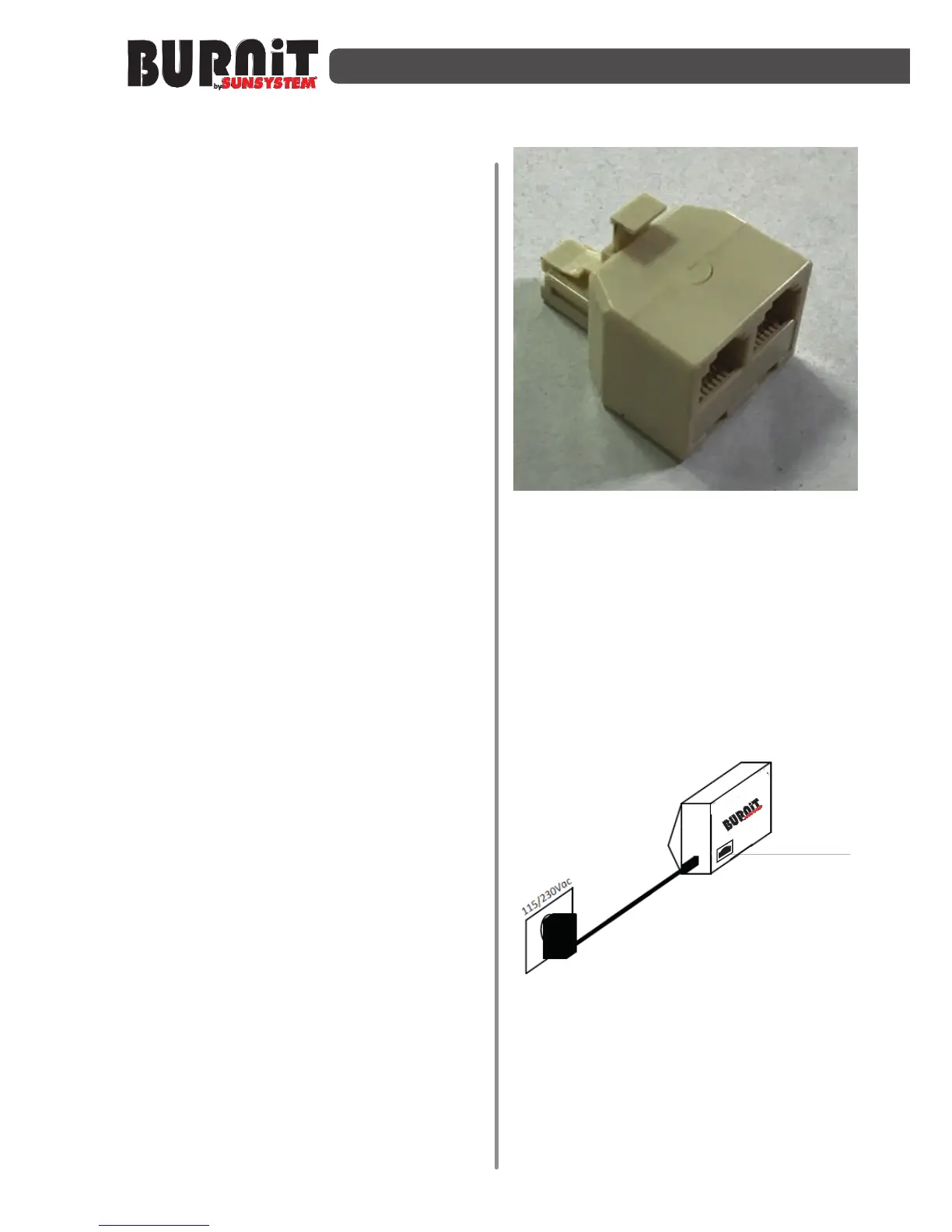
- Connect the splitter instead.
Splitter
Step 4
- In one of the sockets (it doesn’t matter
which one) of the splitter reconnect the
display cable again.
Step 5 (see the scheme)
- Connect the Wi-Fi module to the
electrical supply.
Step 6
- Connect your smart device with Wi-Fi
network with internet access, which the
Wi-Fi module will work with.


 To Next Page