TECHNICAL PASSPORT. INSTALLATION and OPERATION MANUAL
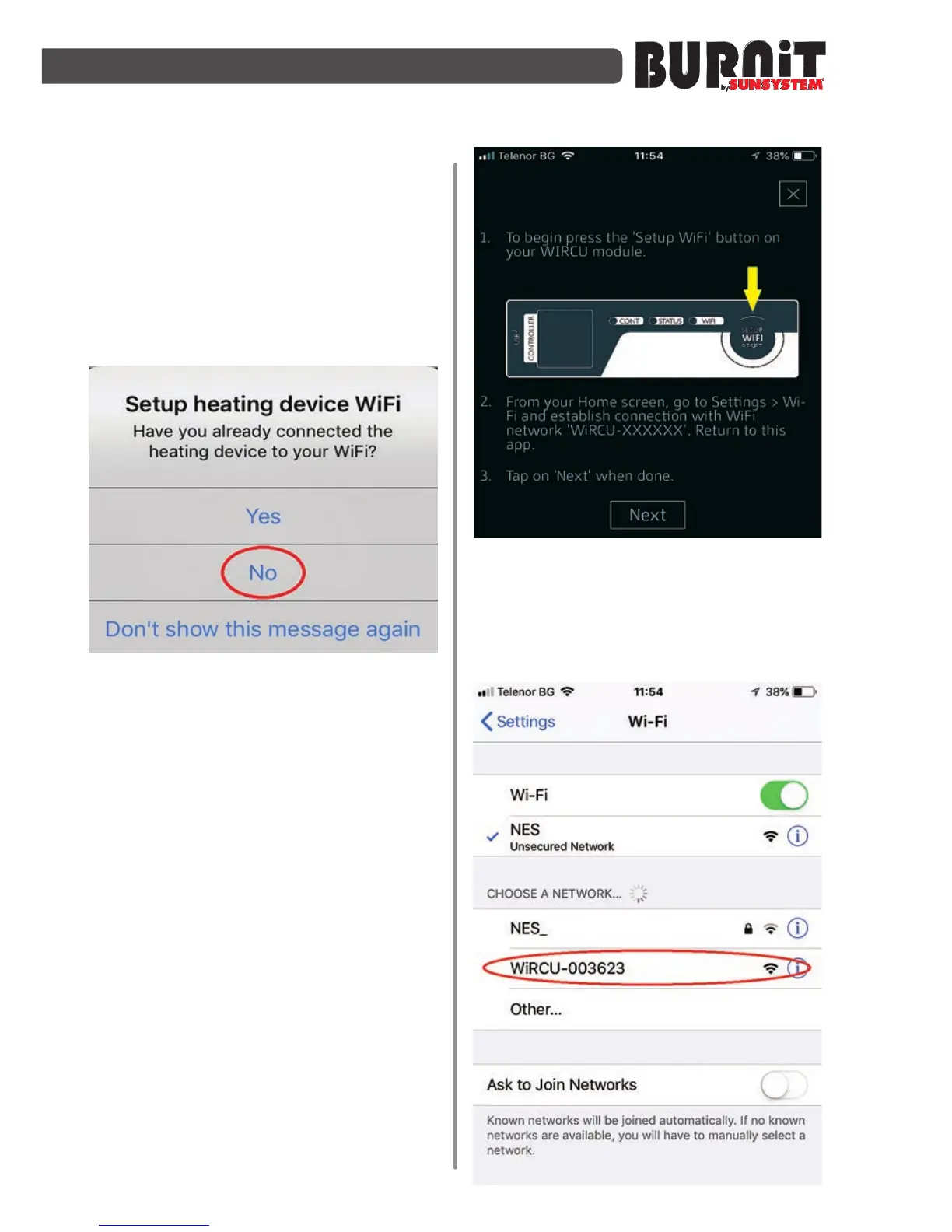
Step 7
- Start the “Burnit” app. Read and
accept the user agreement.
Step 8
- The app will show you a window -
„ Have you already connected the
heating device to your Wi-Fi „
- choose „ NO“.
Step 9
-
A new window will open in
t h e a p p , which shows you to press
the “Setup WiFi reset” button on
t h e m o d u l e . After this the module
starts searching for a network and
the “WiFi“ light on the module starts
blinking fast.
Step 10
- Go at the WiFi networks list in the
settings of your smart device and
choose the network “WiRCU-XXXXXX”.
Go back in the app and choose “next”.


 To Next Page