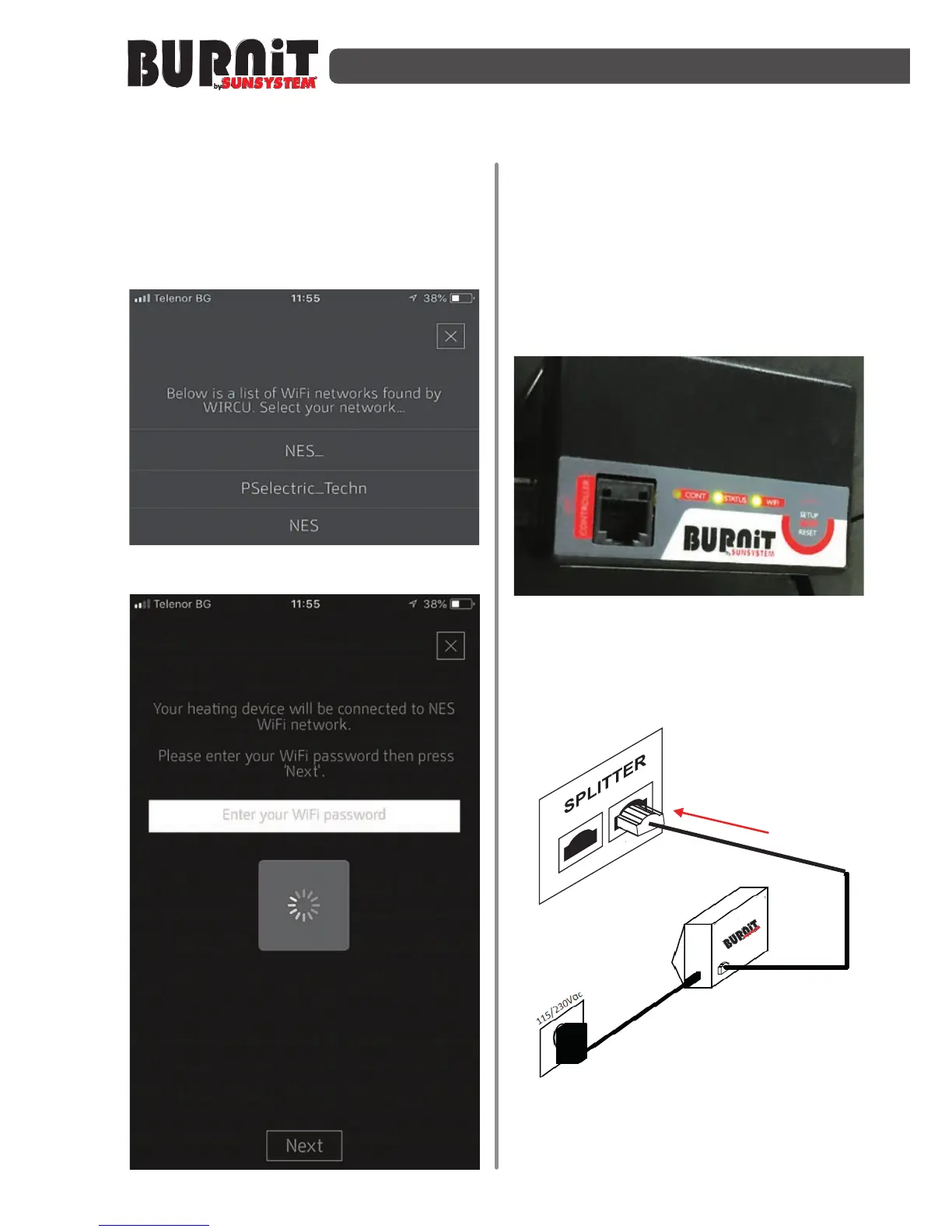
Step 11
- In the app choose the Wifi network
which is connected with your smart device
and type the password (in case you don’t
use password don’t type anything).
Step 12
- Now you have successfully connected
the WiFi module with internet. After this
disconnect the module from the electrical
supply and reconnect it again. When
you finish the procedure the “WiFi” and
“status” lights on the module must be on.
Back in the app choose “Done”.
Step 13
- Connect the module and the splitter
by a cable found in the box set. Use the
second socket of the splitter.


 To Next Page