15
Customer Helpline 0845 600 4632
a: Unplug the unit from the power supply.
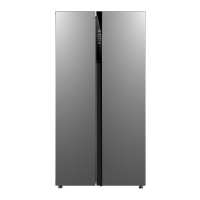
b: Remove the refrigerator light cover (1) by pressing
the hooks placed on both sides of the cover. Press
the hook in front of the light cover to remove it (see
Figure 11).
c: Replace the light bulb (2) with a new one; maximum
power 15w.
d: Replace the light cover and plug the unit back into
the power supply.
WARNING: Disconnect the appliance
from the power supply before cleaning.
• Do not pour water over the appliance.
• Clean the accessories separately with soap and
water. Do not put them in the dishwasher.
• Do not use abrasive products, detergents or
soaps. After washing, rinse with clean water
and dry carefully. When the cleaning operations
have been completed, reconnect the plug with
dry hands.
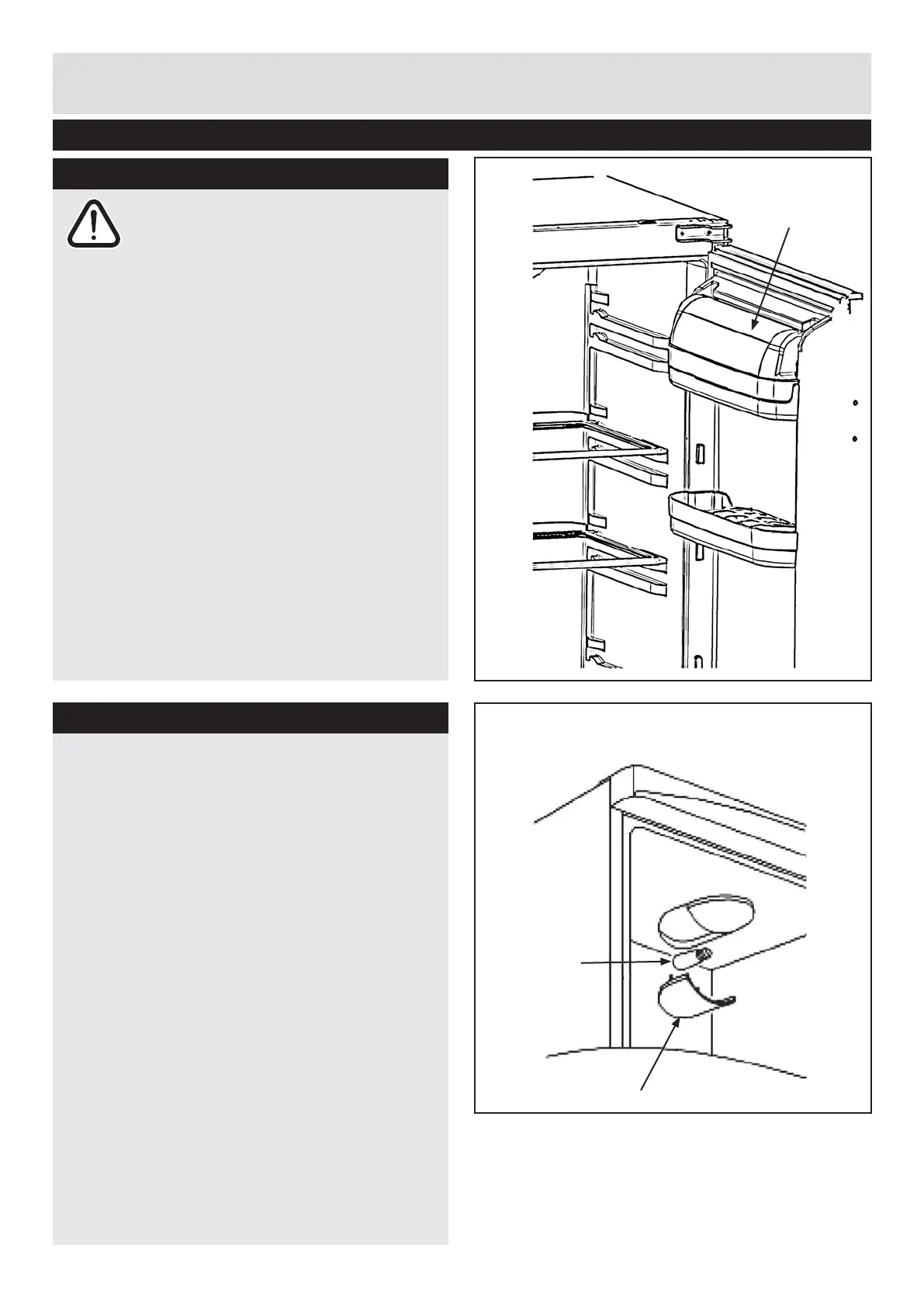
• To remove the butter shelf, fi rst take out the
butter shelf cover, then remove the shelf. Do not
try to remove butter shelf and cover together.
Cleaning and Maintenance
Replacing the refrigerator light bulb
Cleaning
1
2
Butter shelf
cover
11
10



 To Next Page