BCR30DAB
11
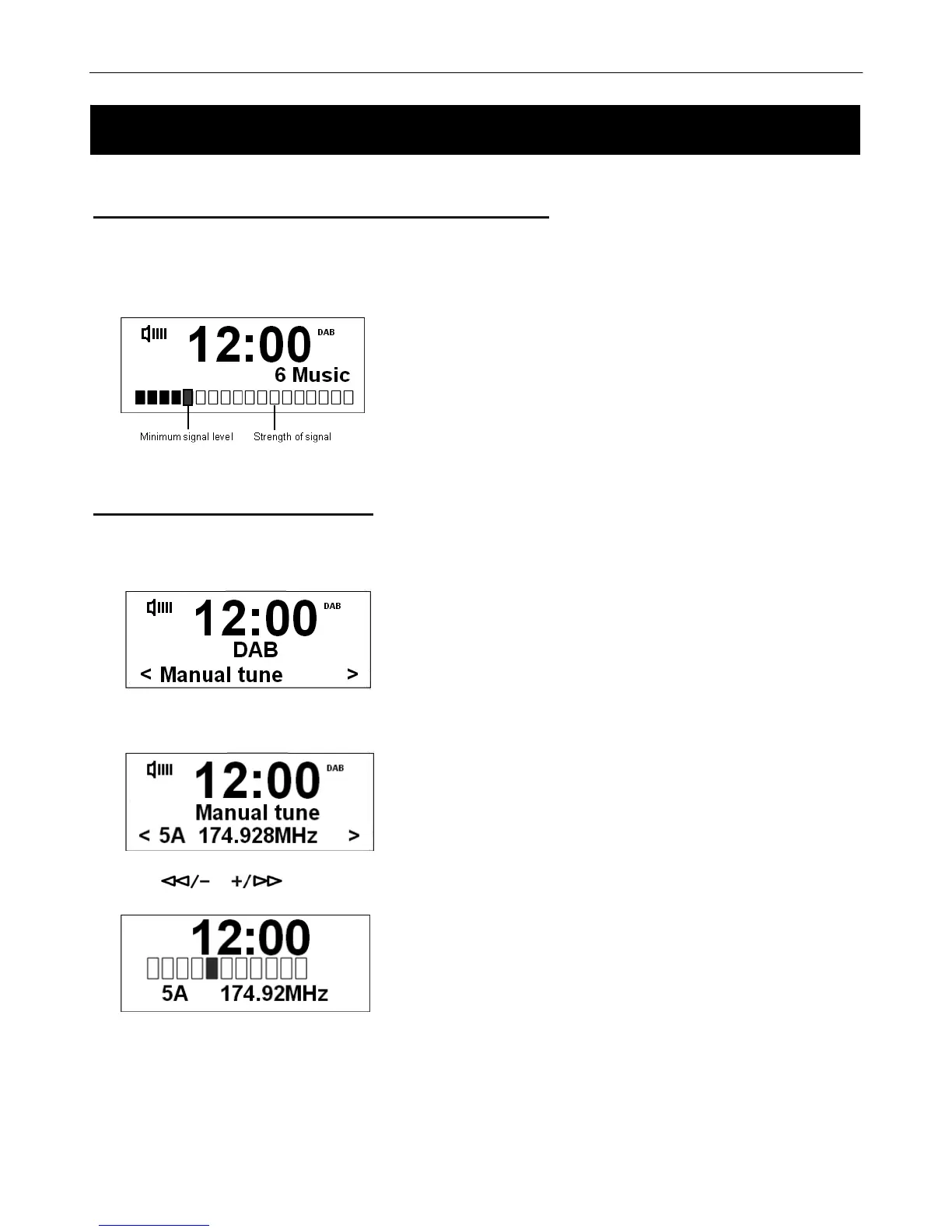
To Show the Signal Strength in DAB+ mode
1. Press the MENU button during play. Then press SELECT/NAV to confirm. The LCD screen will display a signal
bar to show the signal strength.
The indicator on the signal bar shows the minimum acceptable
signal level.
# Note: Stations with signal strength below the minimum signal level will
not provide a steady stream of audio.
Conducting a Manual Tune
1. Press the MENU button and then select the Manual tune menu.
2. Press the SELECT/NAV button to confirm, the display will show the channel number and frequency list.
3. Press or to scroll through the channels and press the SELECT/NAV to select preferred Radio
channel.
# Note: If there is a multiplex corresponding to this channel and frequency, then the display will show a tuning meter with the
signal strength and the multiplex name after a few seconds.
4. Press the MENU button to exit this order.
Using your DAB+ Radio Using your DAB+ Radio



 To Next Page