Page 3
Functions & controls
Please familiarize yourself with the parts and accessories listed below
Accessories included
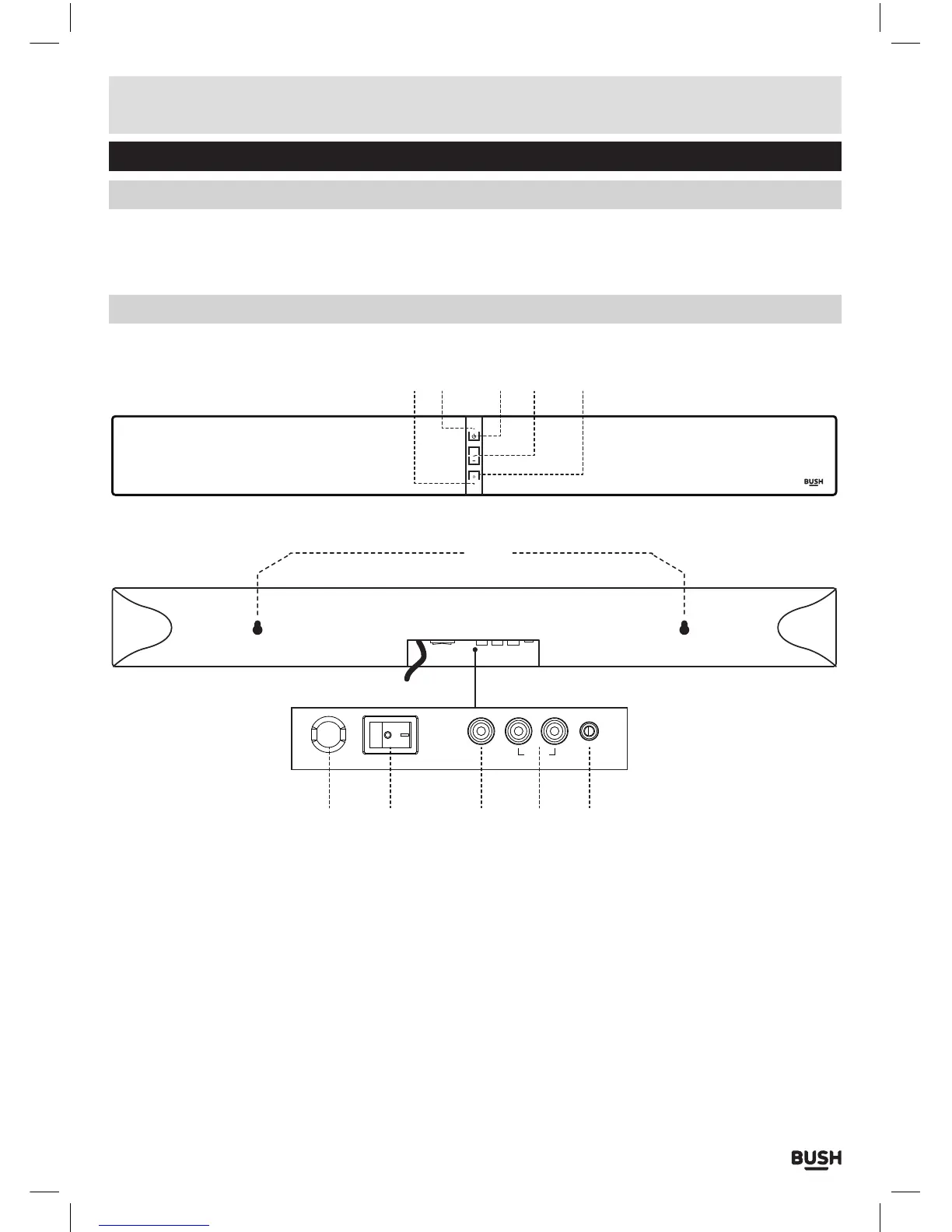
Overview of controls
• 1 x CBAR2 sound bar
• 1 x Remote control
• 1 x CR2025 battery
• 1 x Audio cable (Coaxial)
• 1 x Audio cable (RCA - 3.5mm)
• 1 x Instruction manual
3 4 521
6
7 8 9 11
10
SOURCE
+
ON OFF
AUX IN
COAX L-TV-R
1: SOURCE INDICATOR Displays a different colour for
each source mode.
2: STANDBY INDICATOR On when in standby mode.
3: STANDBY touch button: Switch on the Sound bar or
switch to STANDBY mode.
4: VOLUME + / - touch buttons: Increase or decrease
the output volume.
5: SOURCE touch button: Select an audio source from
TV, AUX, COAX or BT inputs.
6: WALL-MOUNT KEYHOLE Use to mount the Sound
bar to a wall.
7: MAINS CABLE Connect to the wall socket
8: POWER ON/OFF SWITCH Power the unit ON or OFF.
9: COAXIAL AUDIO INPUT (RCA): Connect the digital
audio output from a TV, DVD or Blu-ray player.
10: TV AUDIO INPUT (RCA): Connect the analogue
audio output from a TV or other audio source.
11: AUX AUDIO INPUT (3.5mm) Connect the analogue
audio output from an MP3 player or similar using a
3.5mm audio cable.



 To Next Page