User
instructions
Fitting batteries
(Clock
backup)
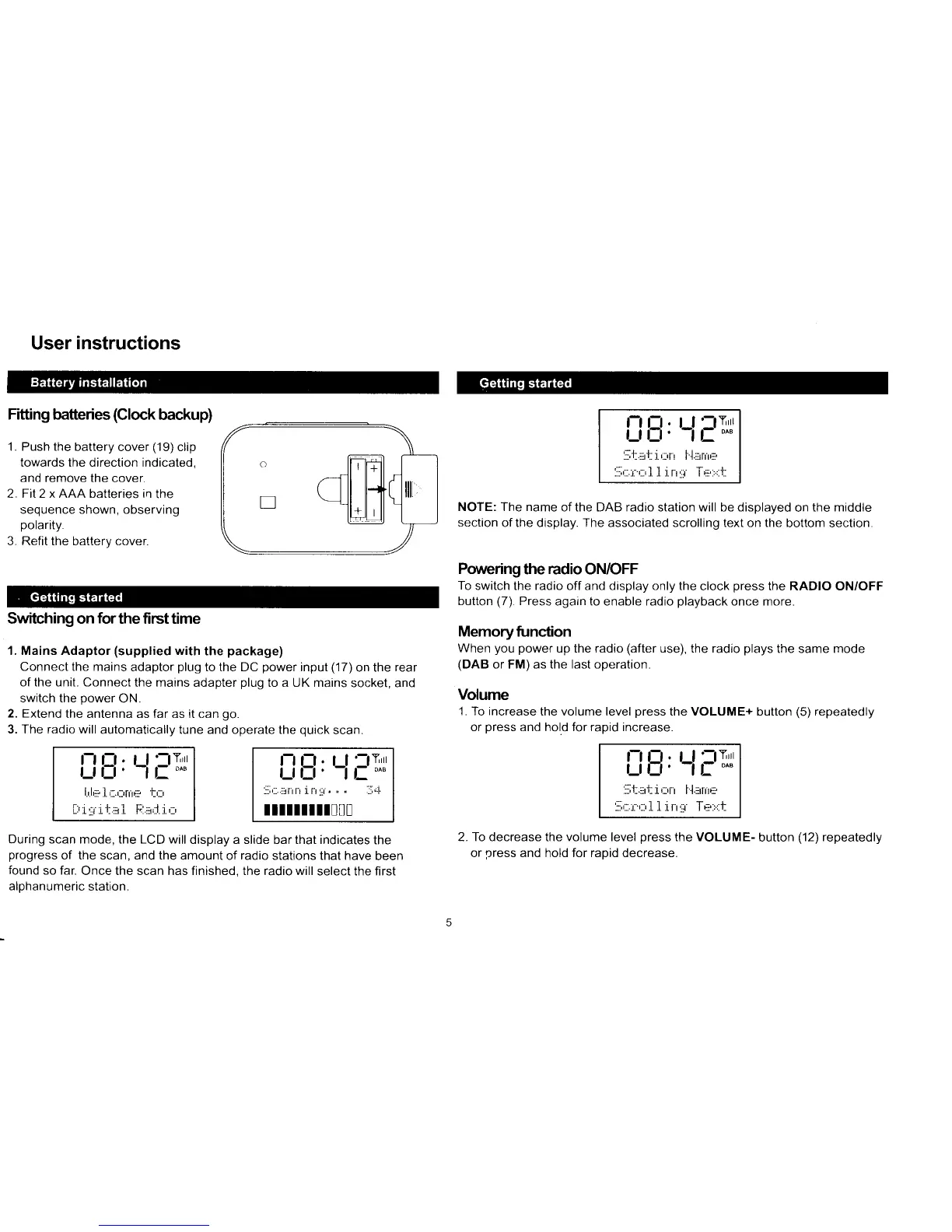
1 . Push the
battery cover
(19)
clip
towards the direction indicated,
and remove the
cover.
2. FiI2 x AAA batteries in
the
sequence shown, observing
polarity.
3. Refit the battery cover.
Switching on
for
the first time
1. Mains Adaptor
(supplied
with
the
package)
Connect the mains
adaptor
plug
to the DC
power
input
(17)
on the
rear
of the unit. Connect
the mains adapter
plug
to a UK mains
socket, and
switch the
power
ON.
2. Extend
the antenna as far as it can
go.
3. The radio will
automatically tune and operate the
quick
scan.
NOTE: The name
of the DAB radio station will be displayed
on
the middle
section
of the display. The associated scrolling text on the
bottom section.
Poruering
the
radio
ON/OFF
To
switch the radio off and display only the
clock
press
the RADIO ON/OFF
button
(7).
Press
again to enable radio
playback
once more.
Memoryfunction
When
you power
up the radio
(after
use), the radio
plays
the same mode
(DAB
or FM) as the last operation.
Volume
'1.
To increase
the volume level
press
the VOLUME+ button
(5)
repeatedly
or
press
and hold for rapid increase.
i_itl,
LlETrr
l.'|,,:i.1.,::.,:,ni+:
t,::
t..r .t
:::t
.L
r.. .j
I ri.
.::i
i
.r. t.
r*l
i_iB'
Lf
FTrr
jtr....
lilil.LIi,],
n r .j,"t
ItllIltll!u!
i_iB,
Ll
FTrl
:il'l::.:rt:i,::rr l.l.:rnr+:,
l:lr.l
r rLl
lllrl ltri:l
During scan mode, the LCD will
display a slide bar that indicates
progress
of the scan, and the
amount of
radio
stations that have
found
so far.
Once the scan has finished. the radio will
select the
alohanumeric station.
To decrease the volume level
press
the VOLUME-
button
('12)
repeatedly
or
rlress
and hold for raoid decrease.
the
oeen
first
Ll;JTrr
l1l.:ir fr'r E
i_t
E,
:rr.:tr I
r rtr
'ur.trrtIttl



 To Next Page