EasyManua.ls Logo

Bush CCR231DAB - FM Operation

Bush CCR231DAB
14 pages
Print Icon
To Next Page IconTo Next Page
To Previous Page IconTo Previous Page
Loading...
User instructions
Switchingfrom
DABtoFM
Press
the FM/DAB
button
once to
switch. The
displav will
show FM Mode.
Scan Modes
Auto
Scan
The
Auto
scan
settrng will
scan up or down
depending
on where
the starting
frequency
is. Once it finds
a
station it will
stop. There
are two options
to
consider when
using
this function.
NOTE:
Ensure
you
are in the FM
mode before following
the below
steps.
1. Press
the MENU
button
(10).
2. When
the
<Scan
Setting> option
appears
press
the
SNOOZE/SELECT
button
(9).
3. You now
have
the choice
of either
<Strong
Stations
Only> or
<All
Stations>.
Strong
stations
only, will
only stop at
stations with
a strong
sig-
nal. All
stations will
stop
at any station found
with
a strong
or weak signal.
4.
Use the
UP or DOWN
buttons
to select
an option
and
press
the
SNOOZE/SELECT
button
(9)
to store.
5. Wait
for 1
second for
the display
to return
to the default
screen, now
press
the
SCAN button
(13).
The
auto scan
searches for
stations,
depending
on
the setting
you
chose.
Manual
tuning
(scan)
To manually
tune
a station follow
the
below steps
1. Press
and hold
either
UP or DOWN
buttons
(8,11)
to scan
up or
down the
frequency
range.
When
a station is found
the
scan will
stop and the
detected
station will
begin
playback.
Repeat until
you
reach
the required
frequency (station).
2. To fine
tune the
frequency
you
can
press
either Up or DOWN
buttons
(8,11)
to
advance in
0.05MHz rncrements.
Audio
Mode
(Stercc/Mono)
This
option will
allow
you
to specify
that a
station can
be only
played
in
mono or that
stereo is allowed.
1.
Press
the MENU
button
('10).
2.
When
the
<Scan
Setting>
option
appears
press
either
Up or DOWN
(8,1
1)and
find
<Audio
Setting>,
press
the SNOOZE/SELECT
button
(9).
3.
Use
the UP or OOWN (B,'11)
buttons
to cycle through
the 2
options
<Forced
Mono>
or
<Stereo
Allowed>.
Press
SNOOZE/SELECT
button
(9)
to
save the setting.
Stereo
allowed:
Means
any station
broadcast in
stereo with
a strong
enough signal will be
played
in
stereo.
Forced Mono:
Plays ALL
stations in
mono regardless
of the availability
of a
stereo
signal.
Storing &
recalling
stored
stations
The
procedure
for
storing
&
recalling
stations is the
same
as DAB, See
pg
6.
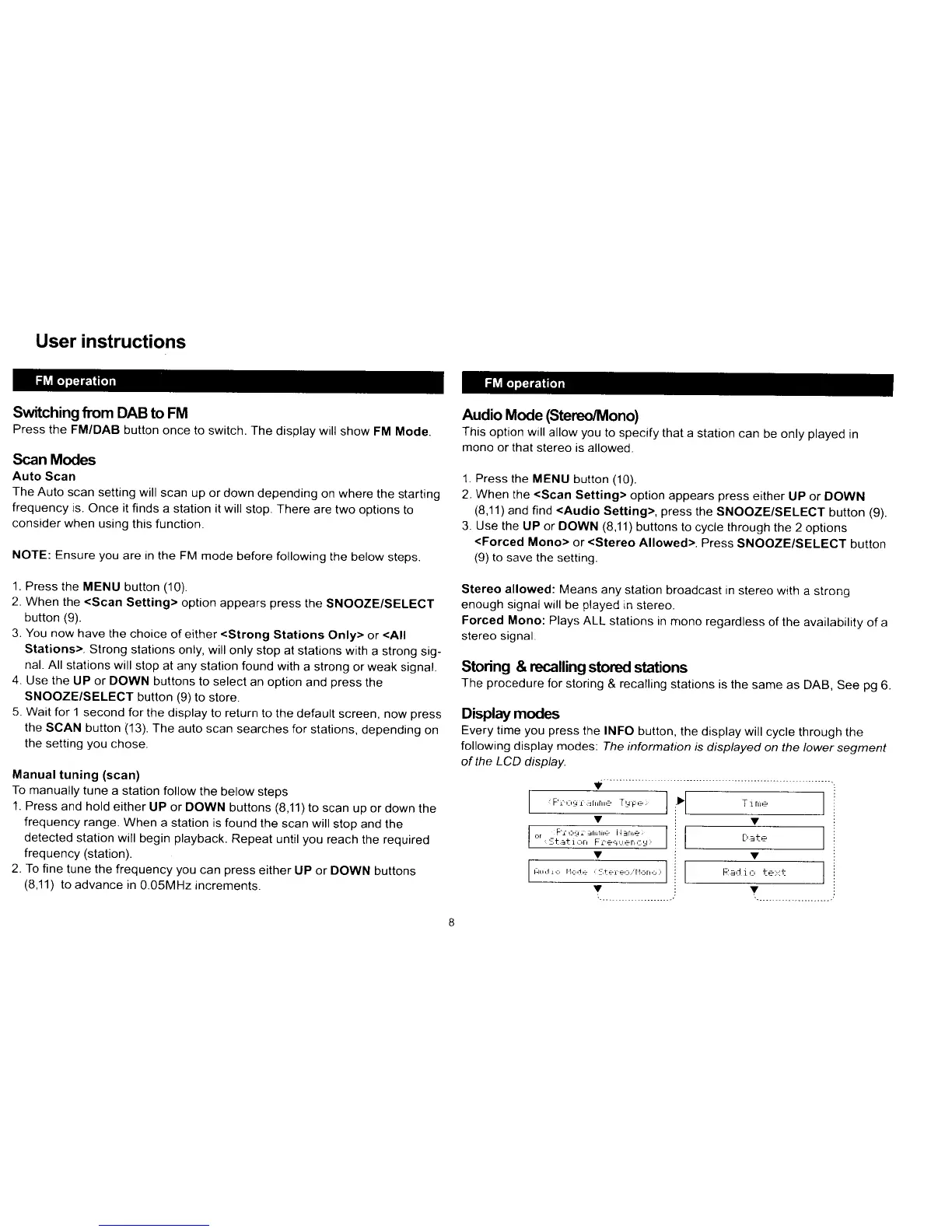
Displaymodes
Every time
you press
the INFO
button,
the display
will cycle
through the
following display modes:
The information
is
displayed
on the lower
segment
of the
LCD
display.
Y
v
I
Fi,:,1r':rrnrr
Tr;;
I
v
^,
FiLrgr rhihE llfnr4
::-trtrr'rr
Fr+r - er',:
v
ts",11,:
ll,:iE
:ti-rEr fl,rr,,,
v
l;1.3,J
i
':,
ti:,:t
v

Related product manuals