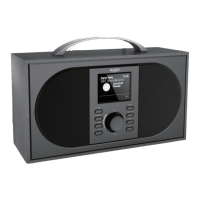
Using your Stereo DAB/FM Radio
Let’s get started
Using your Stereo DAB/FM Radio
Let’s get started
e.g. in a noisy environment, where quiet sounds might be swamped, setting the
compression to maximum will ‘boost’ the quiet sounds, whilst keeping the loudest sounds
at their original level.
There are 3 levels of compression:
• DRC off - no compression. This is the default setting.
• DRC low - medium compression.
• DRC high - maximum compression.
1. Press and release the Menu button to enter the menu options.
2. Use the Tune/Select control to scroll to <DRC>. Press to Select.
Note: The current DRC setting will have an ‘*’ in the display.
3. Use the Tune/Select control to scroll through the options and press to Select.
FM Radio mode
• If you are not already in FM mode, press and release the DAB/FM button to go to FM
mode (check the display).
• If you were listening to an FM station when you switched the Radio off then this
station will be automatically selected when you switch the Radio back on.
Telescopic aerial
Please make sure that the aerial is fully extended before you attempt to tune to a FM
station (a vertical position is recommended). This will ensure that the maximum signal
strength is available when the radio begins to scan. Extending the aerial also ensures the
best possible sound quality.
Tuning to an FM station
Turn the Tune/Select control to scroll through the FM frequency band. Alternatively, you
can:
• Press and release the Scan button to scan up the frequency band.
• Press and hold the Scan button to scan down the frequency band.
Note: If reception is still poor try adjusting the aerial or moving the radio to another
location.
Changing the Scan setting
In FM mode:
1. Press and release the Menu button, <Scan setting> will be displayed. Press and release
the Tune/Select control..
The current Scan setting will have an ‘*’ in the display.
There are two different options to choose from:
Strong stations: The scan will only stop when a strong signal strength is received which
should also result in a better audio quality. It is possible that the station
you are scanning for may be missed using this option.
All stations: The scan will stop for every station it receives, even if the signal strength
is poor.
2. Use the Tune/Select control to choose from the two options available and press to
Select.
Audio mode
The radio will automatically switch between Stereo and Mono, depending on the quality
of the signal being received but you can override this function and manually switch
between Stereo and Mono.



 To Next Page