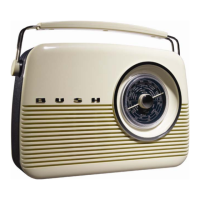
Bush TR82DAB
PlayingaPresetStation
1. Toplayastoredpresetstation,justpresstherelevantpresetButton.
2. Toselectpresets6‐10,holddowntheshiftButtonandthenpresstherelevantpresetButton.
3. IfyouhavenotstoredastationintheSelectpreset,‘Emptypreset’willbedisplayed.Thedisplaywillrevertto
thepreviouslyselectedstationafterafewseconds.
ResettingPresetStations
YoucandeleteallofthepresetstationsandreturntheDAB+digitalradiotoitsfactorysettings.
1. PressandholdtheMenuButton.
2. Thedisplaywillshow‘PressSelecttoconfirmreset…’
3. PresstheSelectButton.Thedisplaywillshow‘WelcometoDAB’beforeperforminganewscanforstations.The
DAB+digitalradiowillbereturnedtoitsfactorycondition.
4. IfyoudonotwishtoresettheDAB+radio,waitafewsecondswithoutpressinganyButtonsanditwillrevertto
itspreviousoperationcondition.
ViewingStationInformation
WhilelisteningtoaDAB+stationyoucanviewthestationinformationprovidedbythebroadcaster(seeinformation
providedonthenextpage.ToviewtheinformationpresstheDisplayButtonrepeatedlytoscrollthroughthe
informationprovided.
DynamicLabelSegment(DLS):
DLSisthescrollingtextinformationsuppliedbytheDAB+stationorbythe
broadcaster.
ProgramType(PTY):
ThisisadescriptionofthetypeofprogramprovidedbytheDAB+stationorbybroad caster.
MultiplexName:
Thiswillshowthemultiplexthatisbroadcastingtheprogramyouarelisteningto.
TimeandDate:
Thiswilldisplaythetimeanddateandisprovidedbythebroadcaster.
10



 To Next Page