33
or online at www.bush-support.com If you still require further assistance, call one of our experts on 0345 604 0105.
3. Press the
buttons to navigate the menu and
change the settings.
Country
Selects the country where you will operate the TV.
Mode
Selects the auto scan mode: DTV+ATV/DTV/ ATV. (DTV
mode)
Start
Press the OK button to start auto tuning.
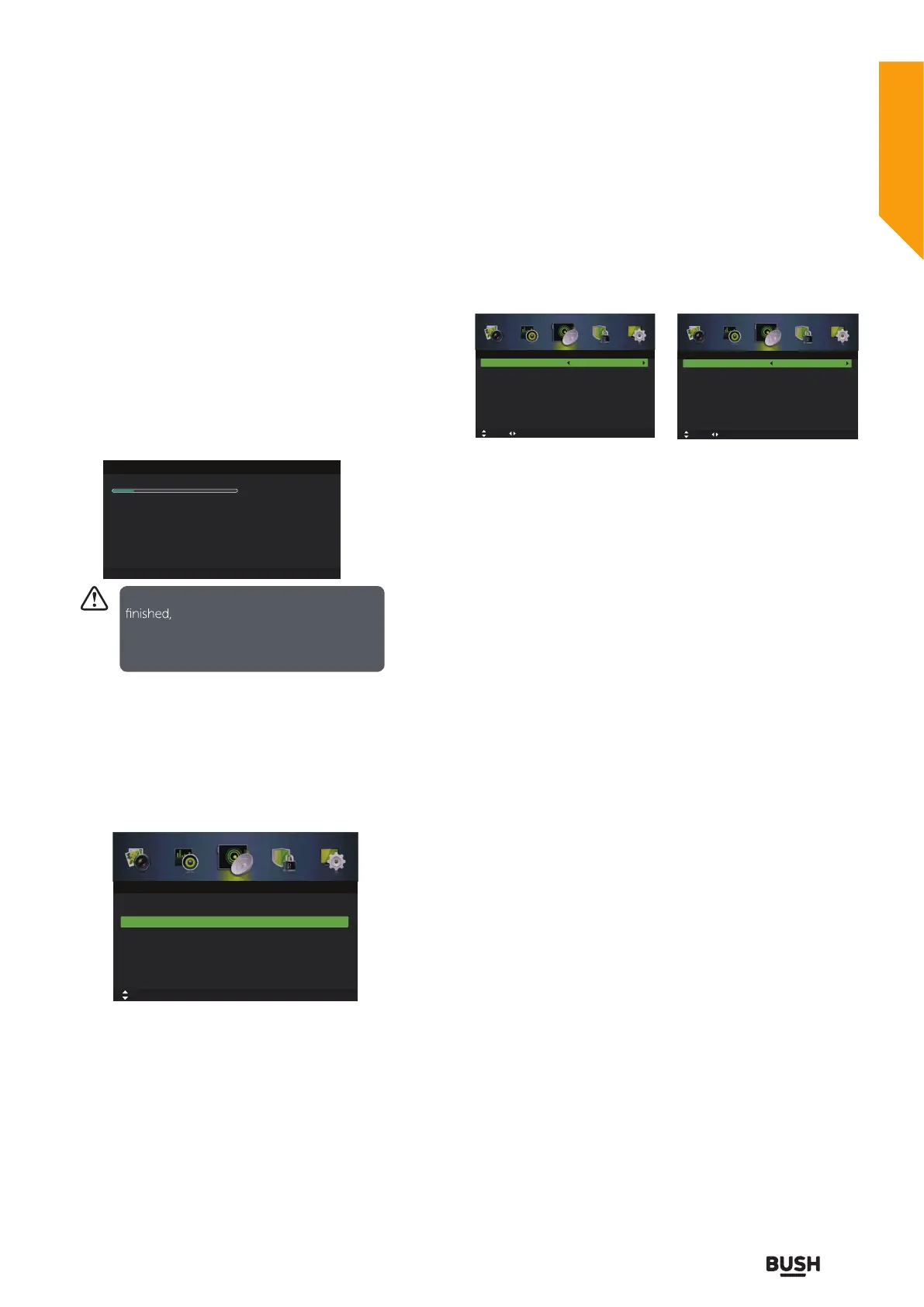
Manual Scan (DTV Mode)
Allows you to make manual fine tuning adjustments to
the channel under DTV mode.
1. Press the MENU button to display the main menu.
Press the
buttons to select Channel in the main
menu, then press the
or OK button, it will highlight
the first option.
2. Press the
buttons to select Manual Scan and then
press the OK button. On the submenu, select Digital
Manual Scan and then press the OK button.
Tuner type is
Antenna
Tuner type is
Cable
Tuner type is Antenna.
Digital Scan
Press the
buttons to select the desired channel.
Start
Press the
buttons to select Start and then press the
OK button to start tuning.
Tuner type is Cable.
Network ID
Press the
buttons to select Network ID: Auto or nter
digital numbers.
Symbol Rate
Press the
buttons to select Symbol Rate: Auto or
nter digital numbers.
Modulation
Press the
buttons to select Modulation:Auto,16QAM
,32QAM,64QAM,128QAM,256QAM.
Start
Press the
buttons to select Start and then press the
OK button to start tuning.
Manual Scan (ATV Mode)
Allows you to make manual fine tuning adjustments if
the channel reception is poor under ATV mode.
1. Press the MENU button to display the main menu.
Press the
buttons to select Channel in the main
menu, then press the
or OK button, it will highlight
the first option.
Auto Scan
Scanning CH34
Digital Channels Found:
DTV :10 Radio :0 Data:0
Analog Channels Found: 0
MENU: Skip EXIT: Exit
If you st op the tuning before it has
the TV w ill report a no s ignal
error. This is n ormal because all previous
channel memory has been cleared before
tuning is carried out.
Auto Scan
Tuner Type Cable
Off
Manual Scan
Channel Edit
Auto Channel Update
Common Interface
Favorite Manager
Signal Information
Move
OK: Select MENU: Return EXIT: Exit
Channel
Network ID
Frequency
Symbol Rate
Modulation
Auto
474000 KHz
Auto
Auto
Start
Strength
0
Move MENU: Return EXIT: Exit
Digital Manual Scan
Adjust
Digital Scan
Start
Frequency
Strength
CH21
474.00 MHz
0
Move 0~9 Input MENU: Return EXIT: Exit
Digital Manual Scan
Adjust
Standard features
Simple everyday use
Standard features



 To Next Page