37
or online at www.bush-support.com If you still require further assistance, call one of our experts on 0345 604 0105.
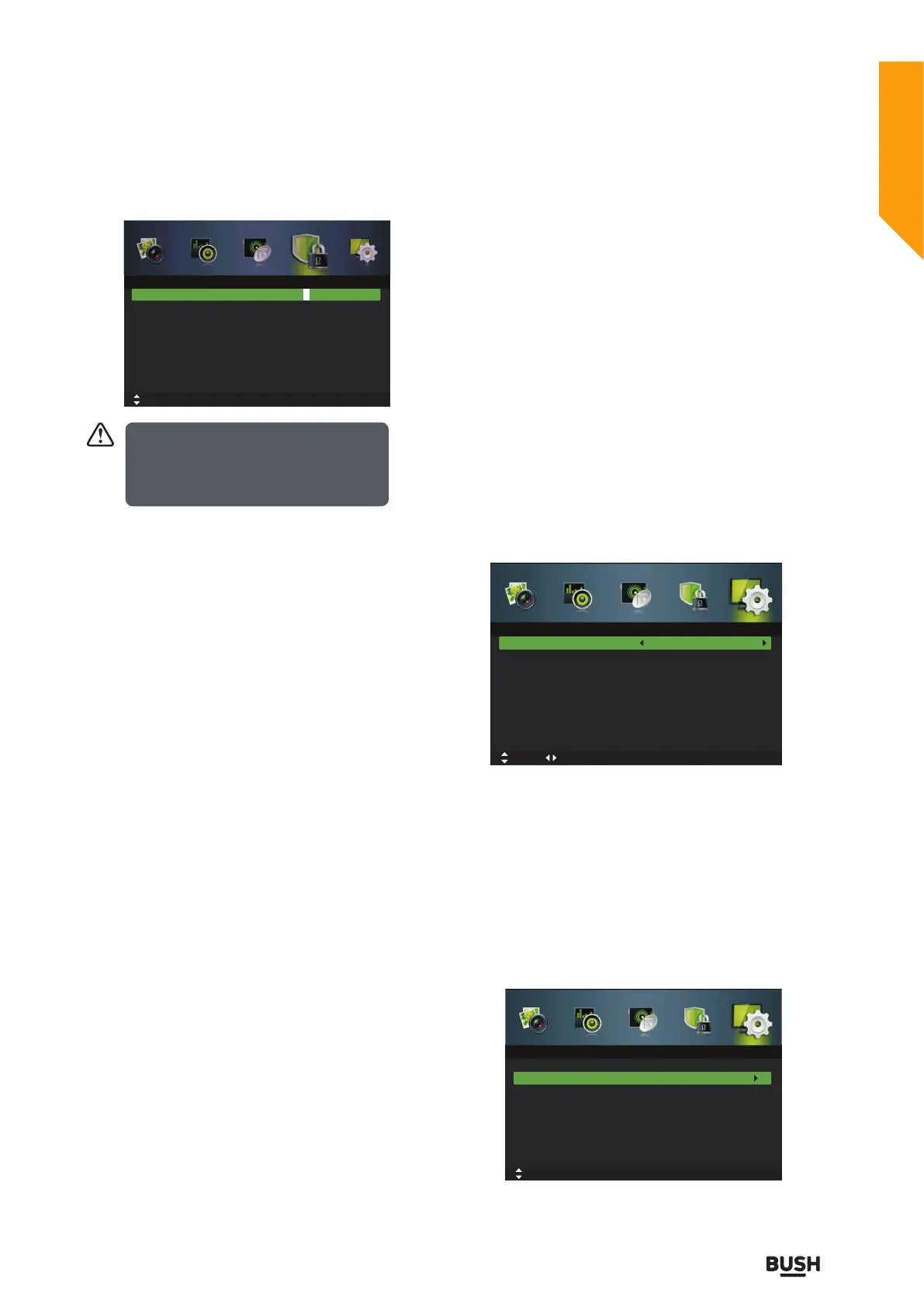
Enter Password
To access the Lock System menu, you must enter the
password. Enter the default password “0000” for the first
time use.
Enable
The lock system is designed to prevent accidental
returning of the TV/losing channels and prevent children
watching unsuitable programme.
The Lock System must be set to On for this function to
operate. If the Lock System is set to On, a valid password
must be entered when you access Auto Scan / Manual
Scan / Channel Edit /First Time Setup.
Channel Locks
Channel Locks is designed to prevent children watching
unsuitable programmes. When a channel is blocked, a
valid password must be entered.
Parental Rating
This function allows you to set up blocking schemes to
block specific channels and ratings. Press the buttons to
select an age rating: None, 4-18.
Lock Keypad
Key Lock is designed to prevent children from pressing
the buttons on the TV. The Lock System must be set On
for this function to operate.
New Password
Use the 0-9 buttons to input the old password and then
input the new 4-digit password. Re-enter new password
for confirmation.
Clear Lock
Reset all the lock settings to the factory defaults.
5. Press the EXIT button to exit the menu.
Setup management
OSD Language
1. Press the MENU button to display the main menu.
Press the
buttons to select Setup in the main menu,
then press the
or OK button,it will highlight the first
option.
2. Press the
buttons to select OSD Language and
then press the
buttons to select your desired on-
screen display language.
3. Press the EXIT button to exit the menu.
Audio Languages (DTV Mode)
1. Press the MENU button to display the main menu.
Press the
buttons to select Setup in the main menu,
then press the
or OK button,it will highlight the first
option.
2. Press the
buttons to select Audio Languages and
then press the OK button.
3. Press the
buttons to select your desired Audio
Primary Language. Press the
button and then press
Enter Password
Enable
Channel Locks
Parental Rating
Lock Keypad
New Password
Clear Lock
_ _ _ _
Off
None
Off
_ _ _ _
Move 0~9: Input MENU: Return EXIT: Exit
Lock System
OSD Language
Audio Languages
Subtitle
Teletext
Blue Screen
Mode Setting
Time Settings
PVR Settings
English
On
Home Mode
Move tixE :TIXE nruteR :UNEMtsujdA
Setup
OSD Language
Audio Languages
Subtitle
Teletext
Blue Screen
Mode Setting
Time Settings
PVR Settings
English
On
Home Mode
Move MENU: Return EXIT: Exit
Setup
OK: Select
Default password “0000”.
If you change t he password, be sure to
remember the new password! If you forget
the new password, press the master
password“4711”.
Standard features
Simple everyday use
Standard features



 To Next Page