40
If you require any technical guidance or find that your product is not operating as intended, a simple solution can often be found in the Troubleshooting section of these instructions,
File Manager
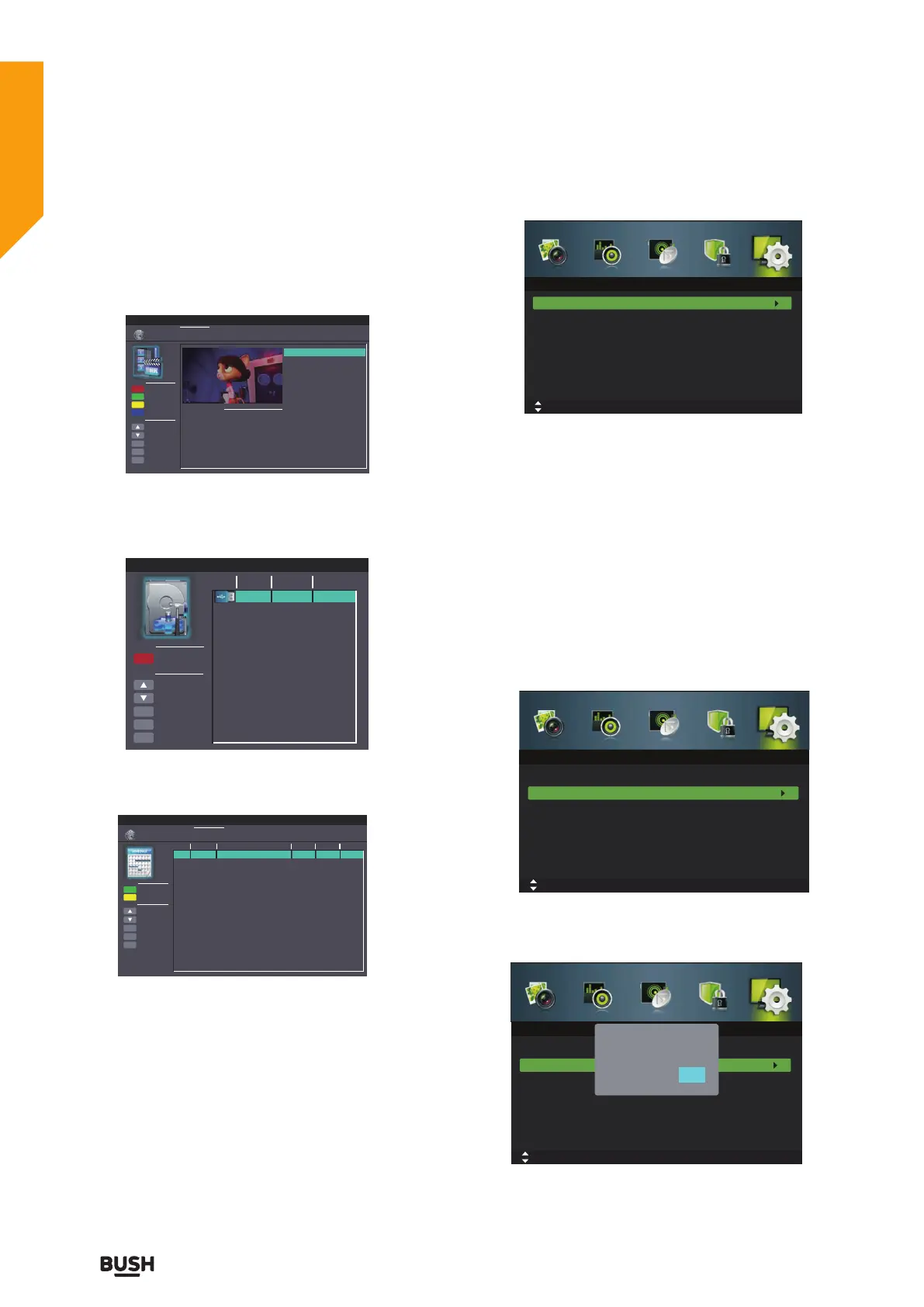
Select File Manager to display the recorded programme
list, press the
buttons to select the recorded
programme and then press the OK or
II button to
view.
Device List
Select Device List to check the information of the
connected USB storage device for PVR. Press the RED
button to format the selected USB device.
Scheduled Record
Select Scheduled Record to view the scheduled
recordings list.
4. Press the EXIT button to exit the menu.
First Time Setup
1. Press the MENU button to display the main menu.
Press the
buttons to select Setup in the main menu,
then press the
or OK button,it will highlight the first
option.
2. Press the
buttons to select First Time Setup and
then press the OK button.
3. Press the
buttons to navigate the menu and
change the settings. Then it will search automatically
4. Press the EXIT button to exit the menu.
Reset
1. Press the MENU button to display the main menu.
Press the
buttons to select Setup in the main menu,
then press the
or OK button,it will highlight the first
option.
2. Press the
buttons to select Reset and then press
the OK button.
3. Press the
buttons to select Yes or No on the
screen. All settings will be reset to factory defaults and
the Setup menu will disappear.
Delete One
Move Up
Move Down
Select
Return
Exit
Function
OK
MENU
EXIT
Hot Key
Scheduled Record
Standby
Delete All
Zoom In/Out
Replay
Channel Name
Program Name
Recorded Time
Total Time
Parental Pating
BBC ONE
Pinky and Perky
25 Dec 2008 10:05
00:00:20
BBC ONE_Pinky and Perky_20081225_100524,is
BBC ONE_Pinky and Perky_20081225_100529,is
BBC ONE_Pinky and Perky_20081225_100530,is
Current Playing File Info
Device List
Format
Move Up
Move Down
Select
Return
Exit
Format
OK
MENU
EXIT
Device
USB1
Hot Key
1188 MB FAT32
Available Space
File System
Delete One
Move Up
Move Down
Select
Return
Exit
Function
OK
MENU
EXIT
Frequency
Off
Off
Off
Off
Off
Off
Off
Off
Off
Off
Off
Off
Off
Off
Off
Off
Hot Key
Date
Scheduled Record
Scheduled Record Setting List
Standby
Delete All
Group
1
2
3
4
5
6
7
8
9
10
11
12
13
14
15
16
Channel
Start Time
Duration
10:03
25 Dec 2008 Thu.
Move
OK: Select
MENU: Return EXIT: Exit
Setup
First Time Setup
Reset
Move
OK: Select
MENU: Return EXIT: Exit
Setup
First Time Setup
Reset
Move
OK: Select
MENU: Return EXIT: Exit
Setup
First Time Setup
Reset
Reset
Yes
No
Standard features
Simple everyday use
Standard features



 To Next Page