39
or online at www.bush-support.com If you still require further assistance, call one of our experts on 0345 604 0105.
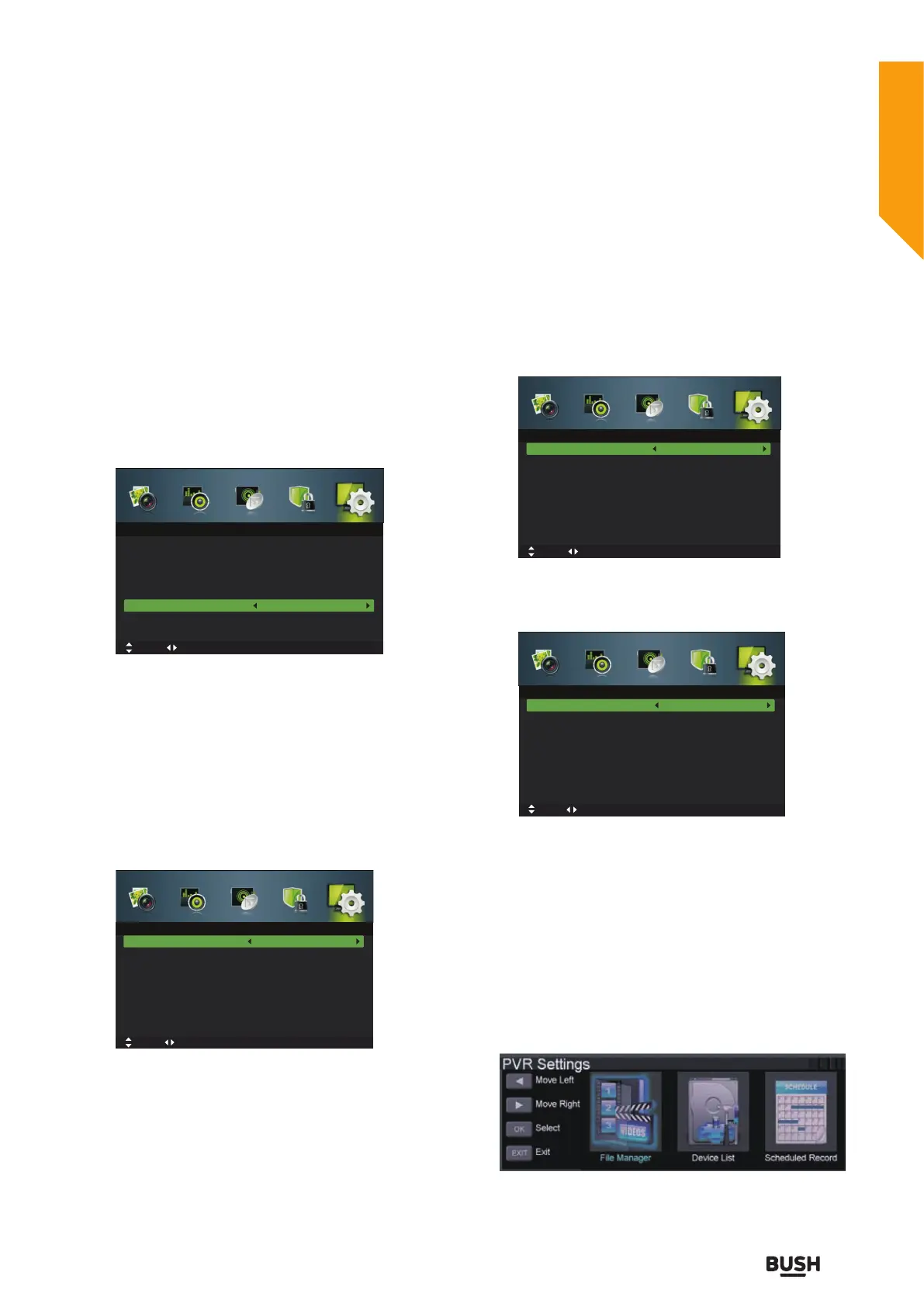
Mode Setting
1. Press the MENU button to display the main menu.
Press the
buttons to select Setup in the main menu,
then press the
or OK button,it will highlight the first
option.
2. Press the
buttons to select Mode Setting and
then press the
buttons to select your desired mode:
Home Mode/Store Mode.
• Home Mode: Viewing at home.
• Store Mode: For store demo, the brightness is higher
than home mode.
3. Press the EXIT button to exit the menu.
Time Settings
1. Press the MENU button to display the main menu.
Press the
buttons to select Setup in the main menu,
then press the
or OK button,it will highlight the first
option.
2. Press the
buttons to select Time Settings and
then press the OK button.
OSD Time
Displays time of the on-screen menu: 10s/20s/30s/60s/
Off.
Sleep Timer
Press the
buttons to select a period of time after
which the TV automatically switches to standby mode:
Off/5/15/…/120/240mins.
Auto Sleep
The unit will automatically switch to standby mode
3/4/5 hours after the last time the remote control was
used. If you want to operate the TV for a long period of
time, turn off the auto standby function.
Time Zone
Selects your desired Time Zone city.
Time
The clock is set automatically when receiving a digital
signal or you can set it manually.
3. Press the EXIT button to exit the menu.
PVR Settings
1. Press the MENU button to display the main menu.
Press the
buttons to select Setup in the main menu,
then press the
or OK button,it will highlight the first
option.
2. Press the
buttons to select PVR Settings and then
press the OK button.
3. Press the
buttons to select the following PVR File
System options and then press the OK button.
Move tixE :TIXE nruteR :UNEMtsujdA
Setup
OSD Language
Audio Languages
Subtitle
Teletext
Blue Screen
Mode Setting
Time Settings
PVR Settings
English
On
Home Mode
Move tixE :TIXE nruteR :UNEMtsujdA
Time Settings
OSD Time
Sleep Timer
Auto Sleep
Time Zone
Time
10 seconds
Off
4 hours
Move tixE :TIXE nruteR :UNEMtsujdA
Time Settings
OSD Time
Sleep Timer
Auto Sleep
Time Zone
Time
10 seconds
Off
4 hours
Move MENU: Return EXIT: Exit
Time
Auto Sync
Date
Time
On
01 Jan 2010
22:33:11
Adjust
Standard features
Simple everyday use
Standard features



 To Next Page