24
If you require any technical guidance or find that your product is not operating as intended, a simple solution can often be found in the Troubleshooting section of these instructions,
Connections
Bringing it all together
Connections
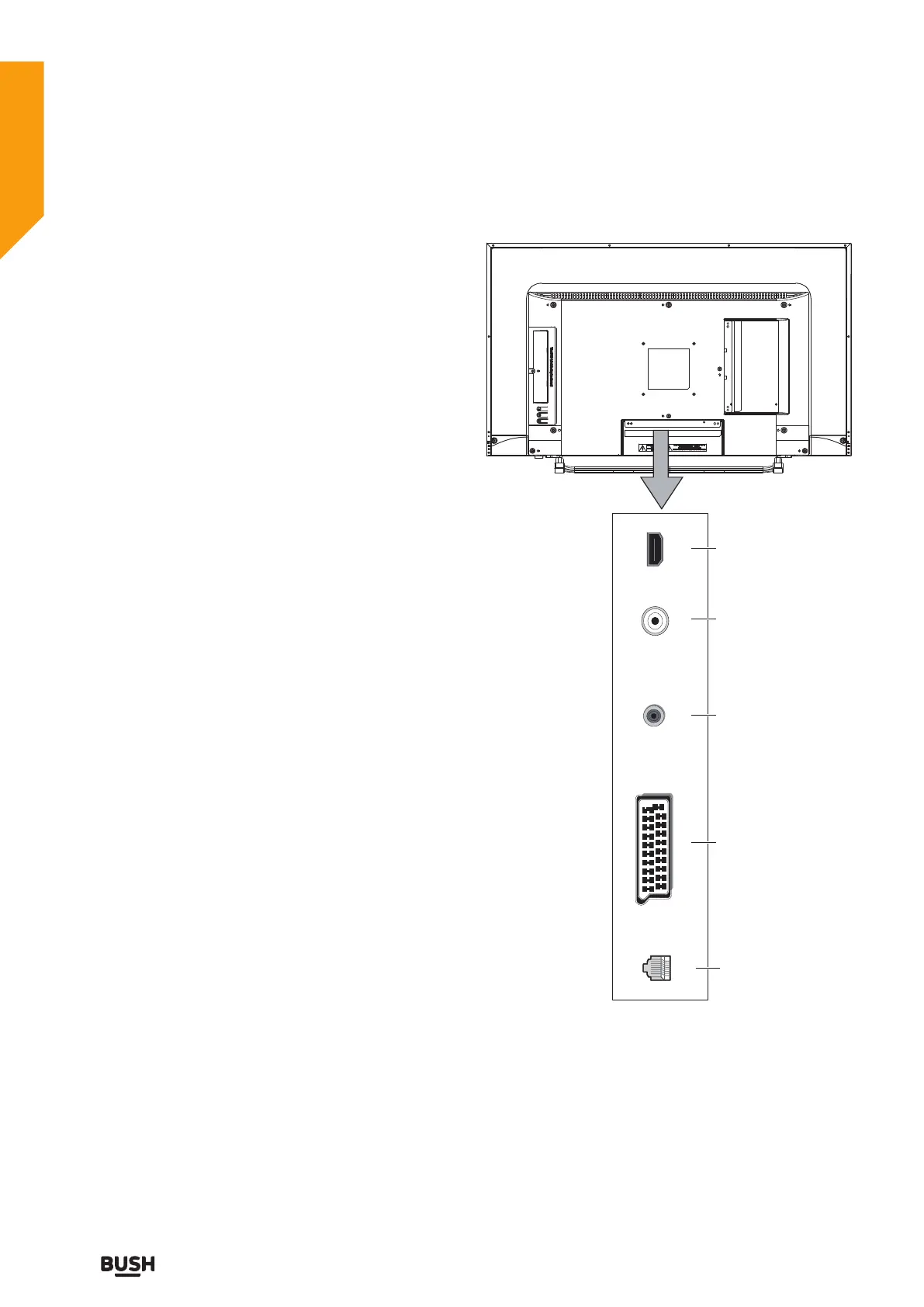
SCARTLAN
COAX OUT RF IN HDMI 1
1
2
3
4
5
Left bottom connections explained
1. LAN
To use the wired network connection, connect an RJ-45
Ethernet cable (not included) from the jack on the back
of your TV to your network router. When connected to
the network, it has only two functions:
• Update network time.
• OTA(Over-the-AriTechnology) will use it to update
software.
2. SCART socket
Inputs or outputs for external devices. Connect the
SCART cable between the SCART socket on the TV and
the SCART socket on the external device (decoder, VCR
or DVD player).
Note: If an external device is connected via the SCART
socket, the TV will automatically switch to SCART mode.
3. COAXIAL
Connect to the digital audio input socket on a digital /
standard 5.1 audio system.
4. RF Input (ANT.)
Connects to aerial (antenna) or cable TV. If you use
a decoder or a media recorder, you should connect
the aerial cable through the device to the TV with an
appropriate aerial cable.
5. HDMI Input
Connects a device that has an HDMI socket. The TV can
display High Definition pictures from devices such as a
High Definition Satellite Receiver or DVD Player. These
devices must be connected via the HDMI sockets or
Component Socket. No sound connection is needed for
an HDMI to HDMI connection.
Note: For HDMI 2 only
In addition to normal HDMI and HDMI-DVI functionality,
it outputs TV audio to an HDMI-ARC compliant device,
such as a soundbar / home theatre system.



 To Next Page