25
or online at www.bush-support.com If you still require further assistance, call one of our experts on 0345 604 0105.
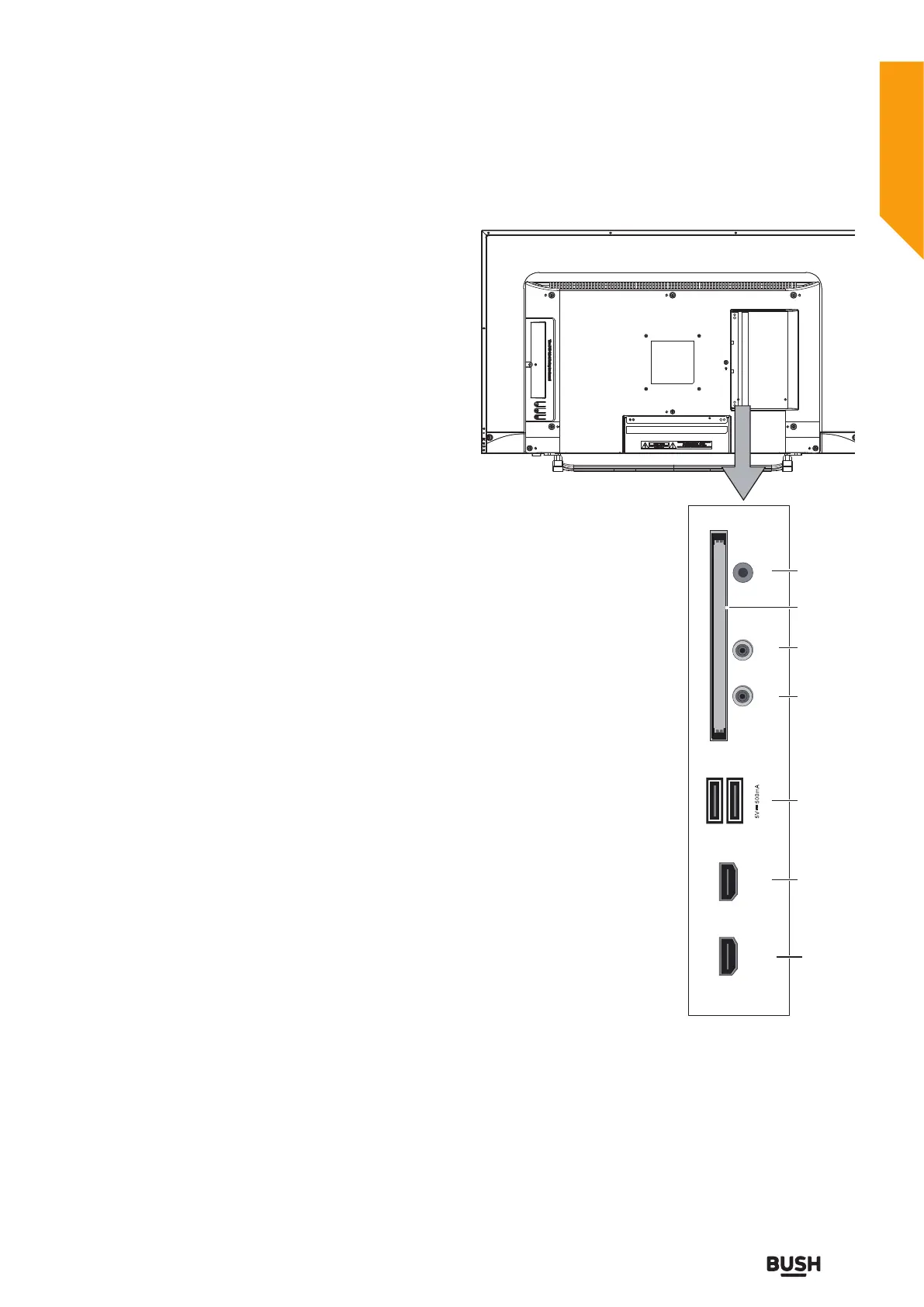
HDMI 2
(ARC)
HDMI 3
USB
MINI AV / MINI
YPbPr-R/L IN
MINI YPbPr
IN
EARPHONE
CI SLOT
5
5
6
7
8
9
10
Connections
Bringing it all together
Connections
Left side connections explained
6. USB Input
To connect devices to the TV, providing fast data
exchange. USB will have function in USB/DTV mode.
7. MINI AV/YPbPr-R/L
Connect to the composite VIDEO and AUDIO (R/L)
output sockets on external video devices.
8. MINI YPbPr
YPbPr Input socket is just suitable for YPbPr Mini Cable.
Connect to a DVD player, Digital Set-Top-Box, or other
AV devices with component (YPbPr) video output
sockets.
Note: Pls. use "MINI AV/YPbPr-R/L" socket, when you
want to connect to YPbPr audio.
9. CI Slot
Used to insert a CI card. A CI card allows you
to view all the channels that you subscribe to.
For more information, see “Common Interface”
section.
10.Headphone jack
To connect an external headphone to the TV. Connect
to the HEADPHONE jack to listen to the TV from
headphones. Note: Headphone volume can be changed
using “VOL+” or “VOL-” buttons.



 To Next Page