47
or online at www.bush-support.com If you still require further assistance, call one of our experts on 0345 604 0105.
Using the DVD Features
Let’s get started
OSD Language
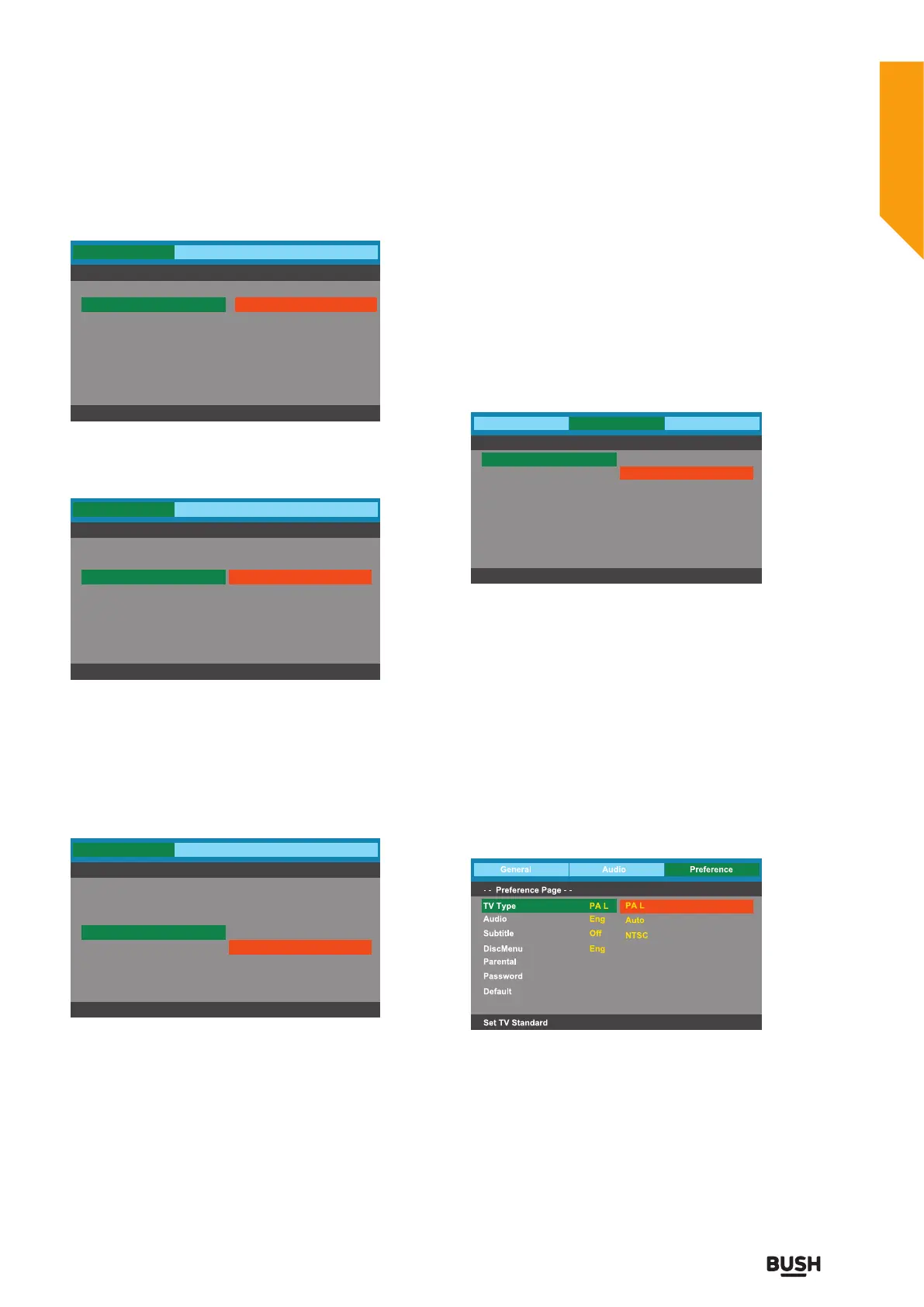
Set the OSD language to your language of choice.
Screen Saver
When the player stops or the picture becomes
motionless for a couple of minutes, there will a screen
saver to prevent damage to the display screen.
• On: To activate screen saver.
• Off: To disable screen saver.
Last Memory
• On: Continue playing from last stop every time.
• Off: Close the memory function and play from DVD
start every time.
General
- - General Setup Page - -
Set OSD Language
Audio Preference
English
French
German
Italian
Spanish
Portuguese
Dutch
TV Display
OSD Language
Screen Saver
Last Memory
W ide
Eng
On
Off
General
- - General Setup Page - -
Screen Saver
Audio Preference
On
Off
TV Display
OSD Language
Screen Saver
Last Memory
W ide
Eng
On
Off
General
- - General Setup Page - -
Set Last Memory State
Audio Preference
On
Off
TV Display
OSD Language
Screen Saver
Last Memory
W ide
Eng
On
Off
Go To Audio Setup Page
In the DVD mode, press the SET-UP button on the
remote control to activate the DVD player OSD menu.
Press the
buttons to select Audio , and then press
the
buttons or OK button to enter the highlighted
sub-menu. Press the SET-UP button to exit the menu.
Downmix
• Lt/Rt: Mixed stereo Lt/Rt output.
• Stereo: Mixed stereo surround output.
Go To Preference Setup Page
In the DVD mode, press the SET-UP button on the
remote control to activate the DVD player OSD menu.
Press the
buttons to select Preference , and then
press the
buttons or OK button to enter the
highlighted sub-menu. Press the SET-UP button to exit
the menu.
TV Type
In order for the disc to play, the colour system of the
DVD player, disc and TV should match.
• PAL:This is the format used in UK.
• Auto:This format can be used if your TV / DVD is
capable of both PAL and NTSC formats and this is
the default setting.
• NTSC:This format is used by some other countries,
e.g. USA.
General
- -
Analog Audio Setup Page - -
Set Downmix Mode
Audio Preference
Downmix
Lt/Rt
Stereo
Using the DVD Features



 To Next Page