EasyManua.ls Logo

BUTURE VC50 - User Manual

BUTURE VC50
107 pages
Print Icon
To Next Page IconTo Next Page
Loading...
User Manual
VC50
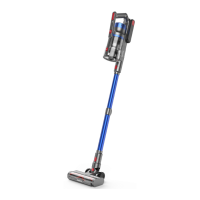
Cordless Vacuum Cleaner

Table of Contents

Questions and Answers

  • G
    Glen OrtizSep 13, 2025
    What to do if my BUTURE Vacuum Cleaner can't charge?
    • T
      Tyler WardSep 14, 2025
      If your BUTURE Vacuum Cleaner can't charge, it could be due to a couple of reasons. One possibility is that the battery temperature is too high or too low. Leave the vacuum and battery to cool for at least 45 minutes, until they return to room temperature. Another reason could be that the charger is not plugged in, so ensure the charger is properly connected.

Summary

Safety Warnings

Package Contents

Product Assembly

How to Use

Charging the Vacuum Cleaner

Steps and methods for charging the cordless vacuum cleaner.

Operating and Modes

Instructions on vacuum operation and selecting cleaning modes (Manual/Auto).

Maintenance

Troubleshooting

Vacuum Cleaner Not Working

Solutions for when the vacuum cleaner fails to operate.

Low or No Suction

Addresses problems related to low or no suction power.

Charging Indicator Issues

Troubleshooting steps for issues with charging the device.

BUTURE VC50 Specifications

General IconGeneral
Battery Capacity2200mAh
Dustbin Capacity0.5L
Charging Time4-5 hours
Noise Level75dB
Filtration SystemHEPA
Dust Capacity0.5L
Runtime30 minutes
TypeCordless Stick Vacuum
Cord LengthN/A (Cordless)

Related product manuals